Feature · Day labour
Paying the people with no contract and no payslip, and leaving a trail.
Day labour goes through neither contracts nor payslips. It has its own register and its own settlement cycle, paid by the day.
To register a day worker, photo and ID included
To approve, approved, paid: in that order
Untracked: every payment carries its method and reference
The module in one line
A register, then daily sheets
The register
Name, phone, ID document, role, usual rate and photo. Your company can make photo and ID mandatory.
No duplicates
Before registering someone, you type their number: if they are already known, their record opens instead of a second one being created. And the same person is recorded only once a day.
Today’s arrivals
Site, role, person, agreed rate: each arrival is recorded in a few taps. Site, role and hours stay selected for the next person.
The day
Three states, no shortcuts
A day that has not been approved cannot be paid: paying it would mean paying amounts nobody has checked.
 WeplanifySC
| Day worker | Role | Rate | State |
|---|---|---|---|
| Modou Fall | Labourer | 7 500 | present |
| Babacar Ndiaye | Steel fixer | 9 000 | present |
| Alioune Sarr | Labourer | 7 500 | duplicate flagged |
| Lamine Diouf | Mason | 10 000 | absent |
Headcount and daily amount are computed at the top of the sheet, with the balance still to pay.
WeplanifySC| Day | Headcount | Amount | State |
|---|---|---|---|
| Thu 10 September | 38 | 241 000 | paid |
| Fri 11 September | 41 | 263 500 | paid |
| Mon 14 September | 44 | 289 000 | approved |
| Tue 15 September | 42 | 274 500 | to approve |
An approved day enters the “to pay” list. One tab gives the month’s cost.
At the site entrance
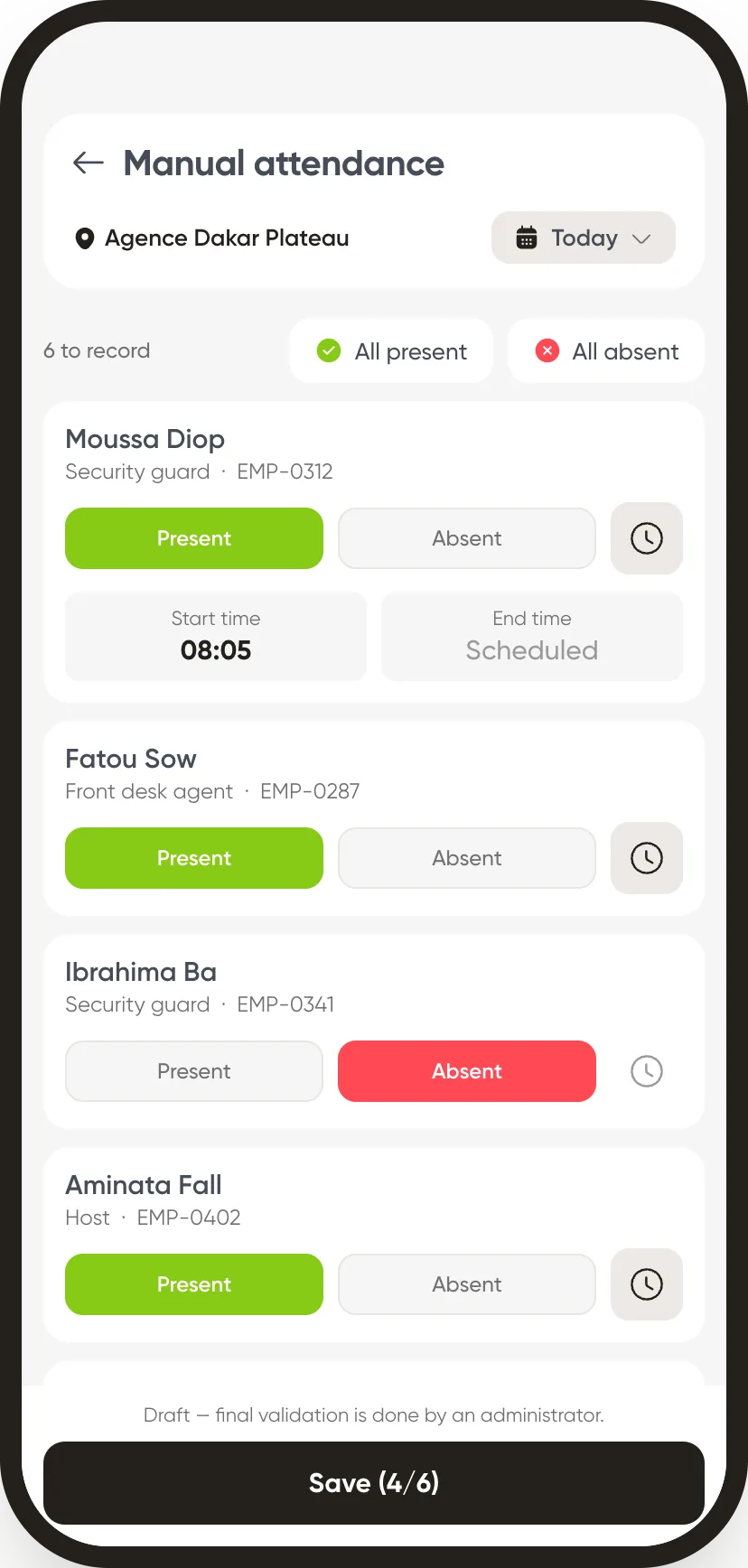
The register and the roll call fit in one hand.
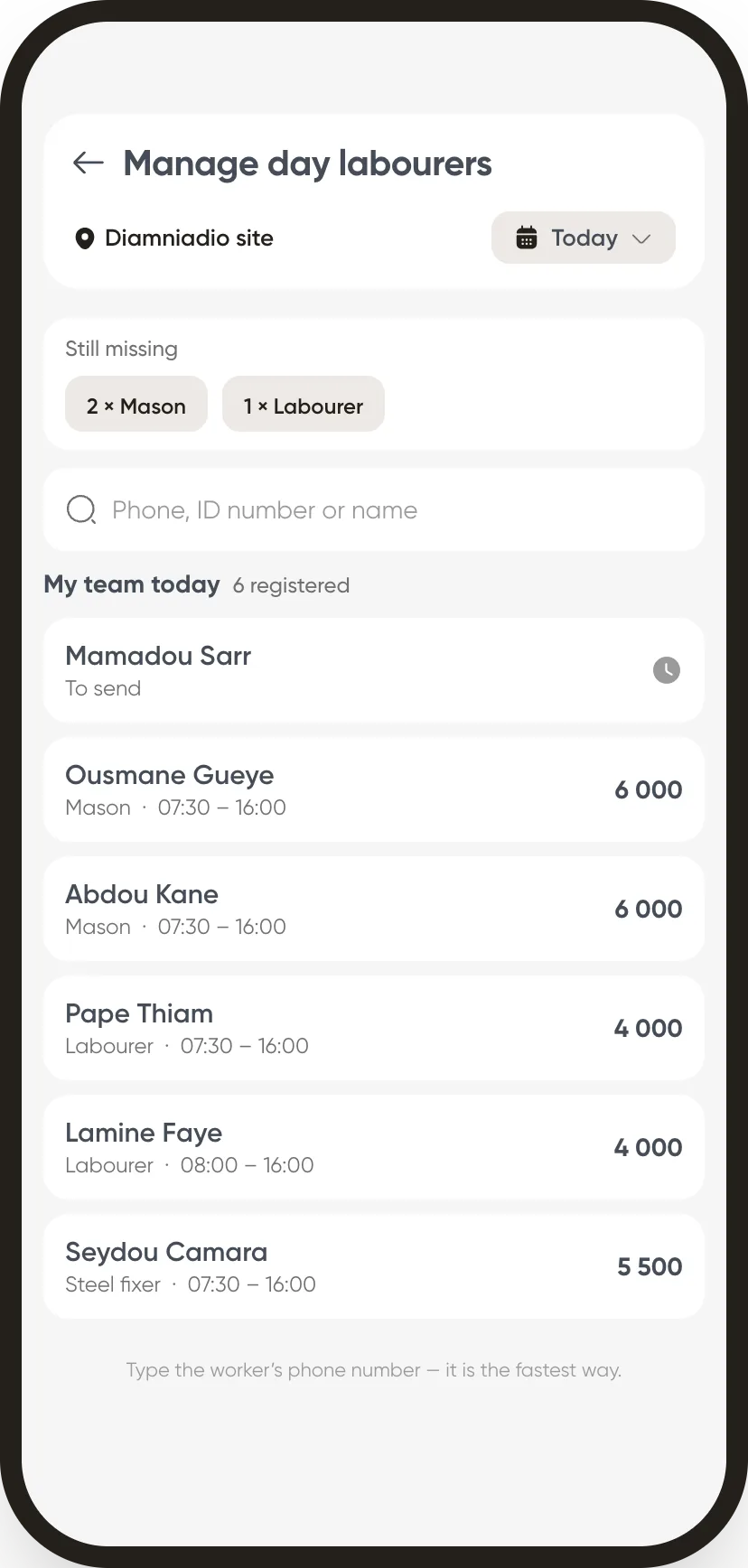
Nobody registers a day worker from a desk: they are standing at the gate at half past six. The module is built for that moment.
The phone number finds the regular. You type their number, ID or name, and the regular already on file comes up, with how many times they have worked. That is what stops one person being paid twice under two records.
The need fills up before their eyes. “Still missing 2 masons, 1 labourer”: each arrival recorded brings the counter down, and each person’s amount shows on their line.
No “pay” button on this screen. The day goes for approval. Paying a day that has not been approved would mean paying amounts nobody has checked.
In detail
What the module can do
Find a regular
By phone, ID or name: you are looking for a person, not a page. Each result says how many times they have worked, or whether they are already here today.
Who gets what
Several days paid at once: one line per person, and the total to take out of the cash box. In cash, by mobile payment or by transfer.
Recorded settlement
Method and reference kept, signed payment sheet attached as a photo: the trail exists, even for a cash payment.
Charged to the worksite
The day’s amount enters the unit’s cost, alongside salaried staff.
Monthly cost
Total day labour, by worksite and by period.
Per-company settings
Photo required, ID required, capped rate: your rules apply from registration onwards.
Why this order
A day only becomes payable once it is approved
Until the day is approved, you record arrivals, departures and rates: nothing is locked, nothing can be paid. Approval freezes the amounts, and a raise decided later will never rewrite that day. Payment comes only after.
The other modules
Register your regulars once.
After that a day is just ticking boxes, and the payment leaves a trail.