Feature · Forms and requests
What used to go through a sheet of paper or a message goes through a form, and reaches the right person.
HR requests, recruitment, evaluations, incident reports, surveys, training, checklists: each one starts from a ready template, is filled in from the phone and follows its circuit to a decision.
A catalogue in French and English, which you adjust before publishing
The default recruitment path, from “new” to “hired”, which you rename or extend
At the end of a trial period: confirm, renew the trial or end it
The module in one line
One request, one circuit, one decision
Sending
The employee picks a form in their app, attaches a photo or a file, and sends it. No more sheet lost between the site and the office.
The circuit
The request goes through the planned approvers, in order: line manager, HR, management. Each one finds what is waiting for them in “To do”.
The record
Every answer keeps who sent it, who decided and when. A certificate requested in March is found without digging through a messaging app.
HR requests and recruitment
Everyday requests and candidates, with no notebook and no messaging app
Certificate, equipment, training, exceptional absence, report to HR: each request has its form and its circuit. And each job offer has its candidates, sorted by stage.
 WeplanifySC
| Employee | Request | Sent | State |
|---|---|---|---|
| Awa Ndiaye | Employment certificate | 06/10 | approved |
| Moussa Diop | Equipment · safety shoes | 07/10 | with HR |
| Fatou Sow | Training request | 08/10 | to approve |
| Ibrahima Ba | Exceptional absence | 09/10 | to approve |
For a certificate, the document is attached when the request is approved: the employee receives it with the answer.
WeplanifySC| Candidate | Offer | Received | Stage |
|---|---|---|---|
| Khady Mbaye | Security officer | 30/09 | offer |
| Cheikh Gueye | Security officer | 01/10 | interview |
| Samba Ndour | Team leader | 03/10 | shortlist |
| Ousmane Kane | Team leader | 04/10 | new |
The candidate applies from the offer’s public page, with the application form you chose. “Hire” opens the new employee’s record already filled in: nothing is created until it is saved.
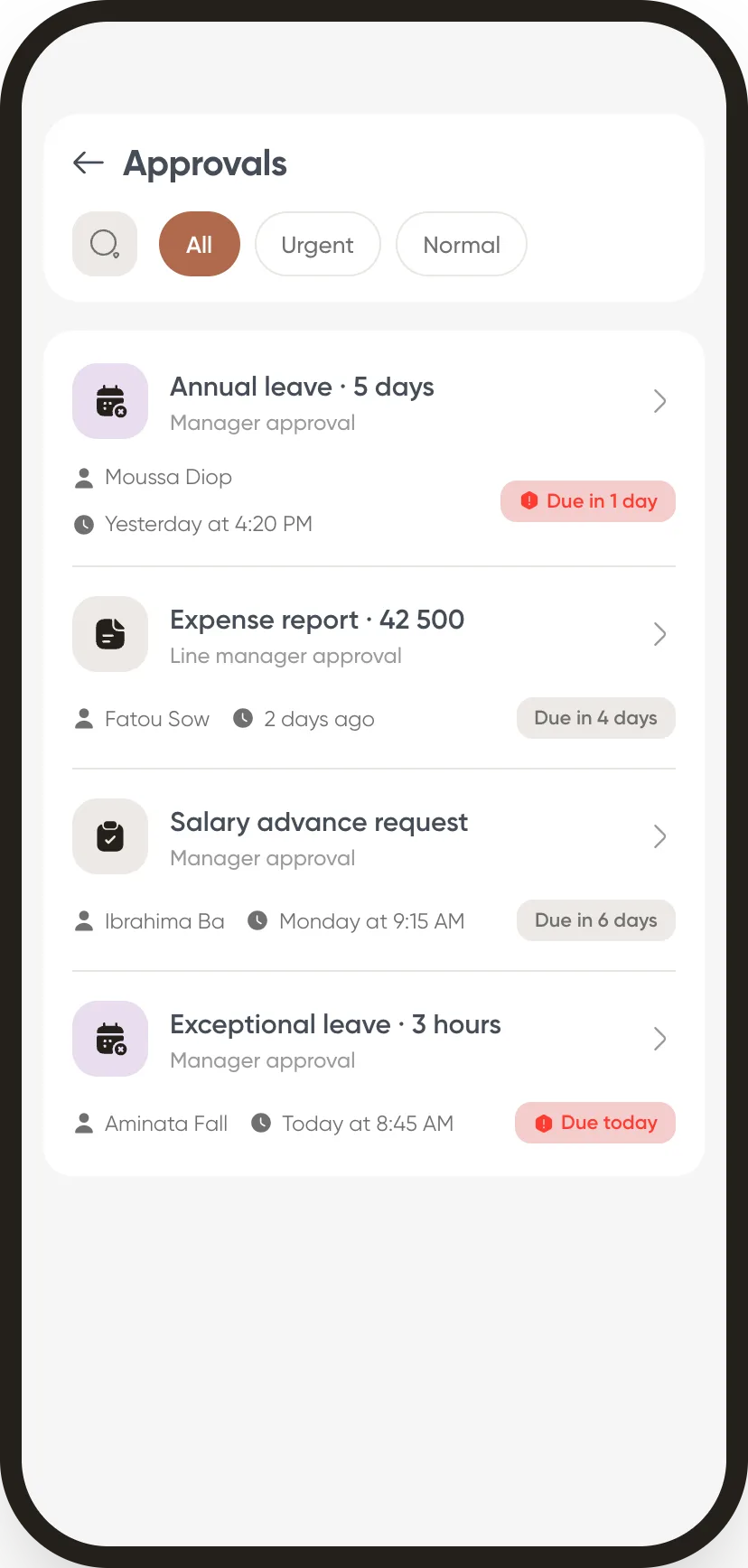
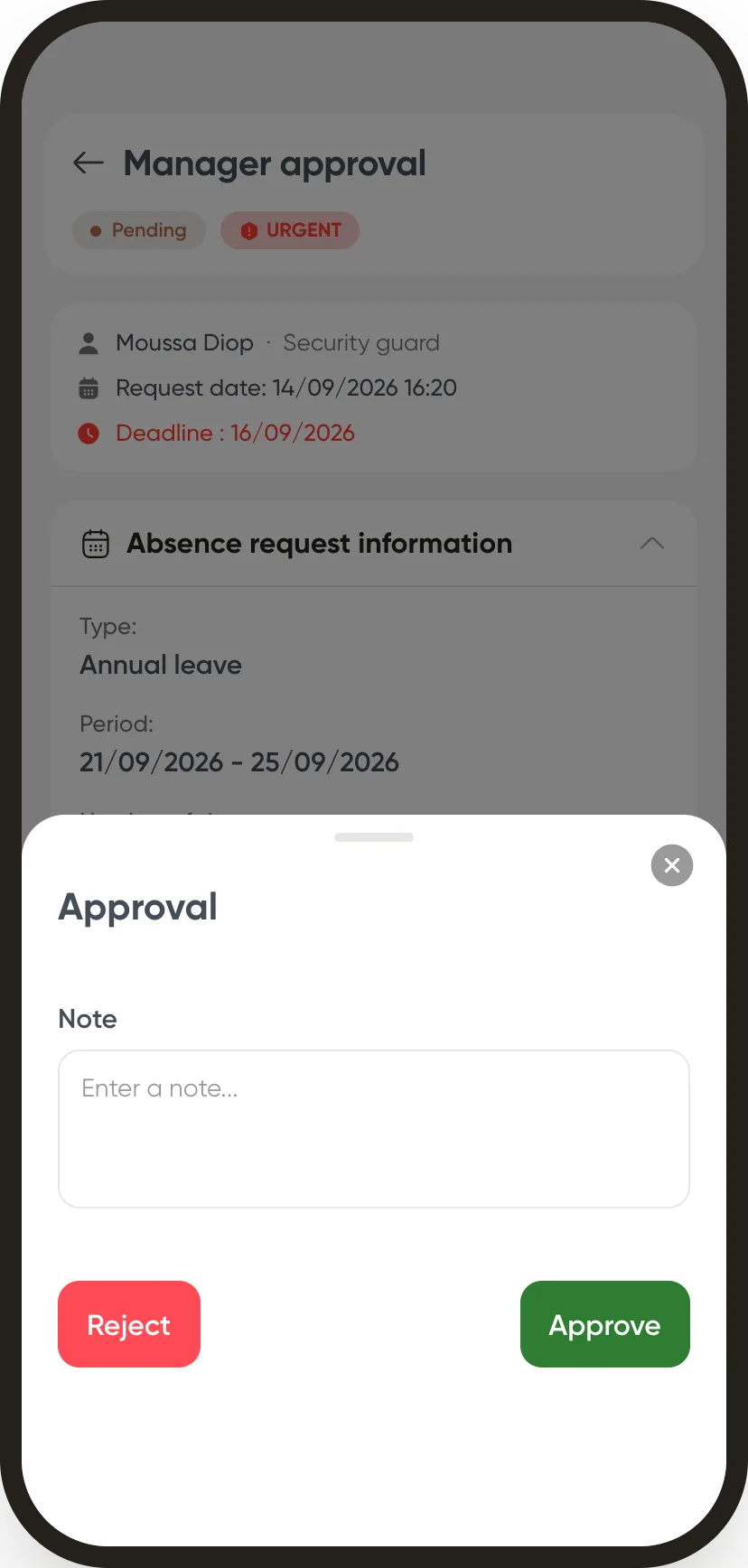
The approval circuit
Every request follows its circuit, and everyone knows what is waiting for them.
The circuit is set once per type of request, in one or more steps. It is the same one as for leave and advances: your approvers have only one habit to learn.
“To do”, in one place. Everything awaiting your decision, whatever the request, on the web and on the phone.
Files arrive with the request. Supporting document, photo, quote: they are attached before sending, and the approver has them in front of them.
A decision, a note. You approve or refuse with a word of explanation: the employee knows why, without coming to ask.
In the field
An incident is reported the moment it happens, with a photo.
The report leaves the phone of whoever saw it, with the place, the severity and the photos. It does not stop at sending: someone takes it on, and it stays open until it is resolved.
A critical incident does not wait. It alerts the people in charge of handling it straight away, without waiting for someone to open the screen.
A status everyone reads the same way. New, in progress, resolved or closed with no action: you know where each incident stands.
The site checklists. Opening and closing, inspection, end of shift: the same list, filled in by the team on duty, with photos of what is wrong.
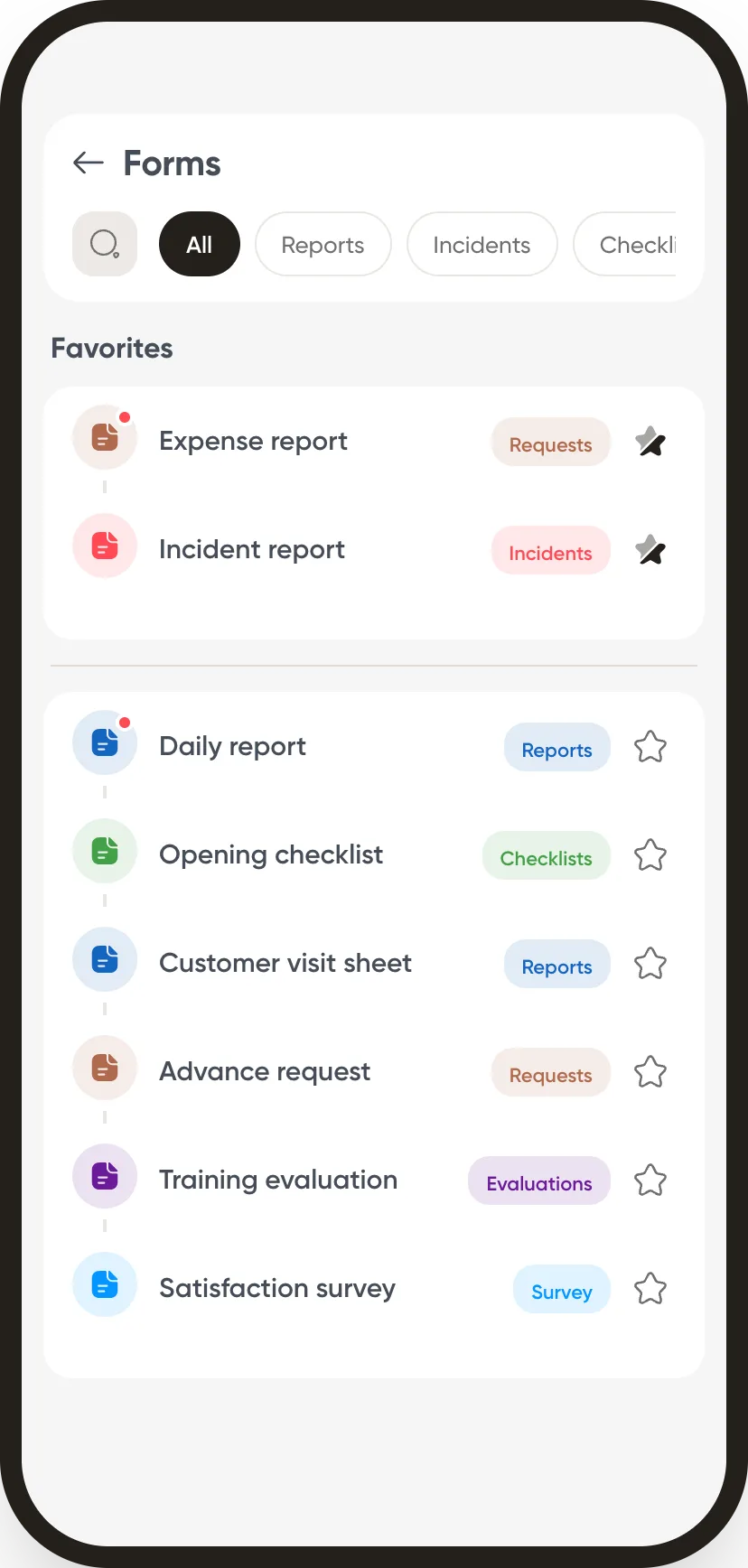
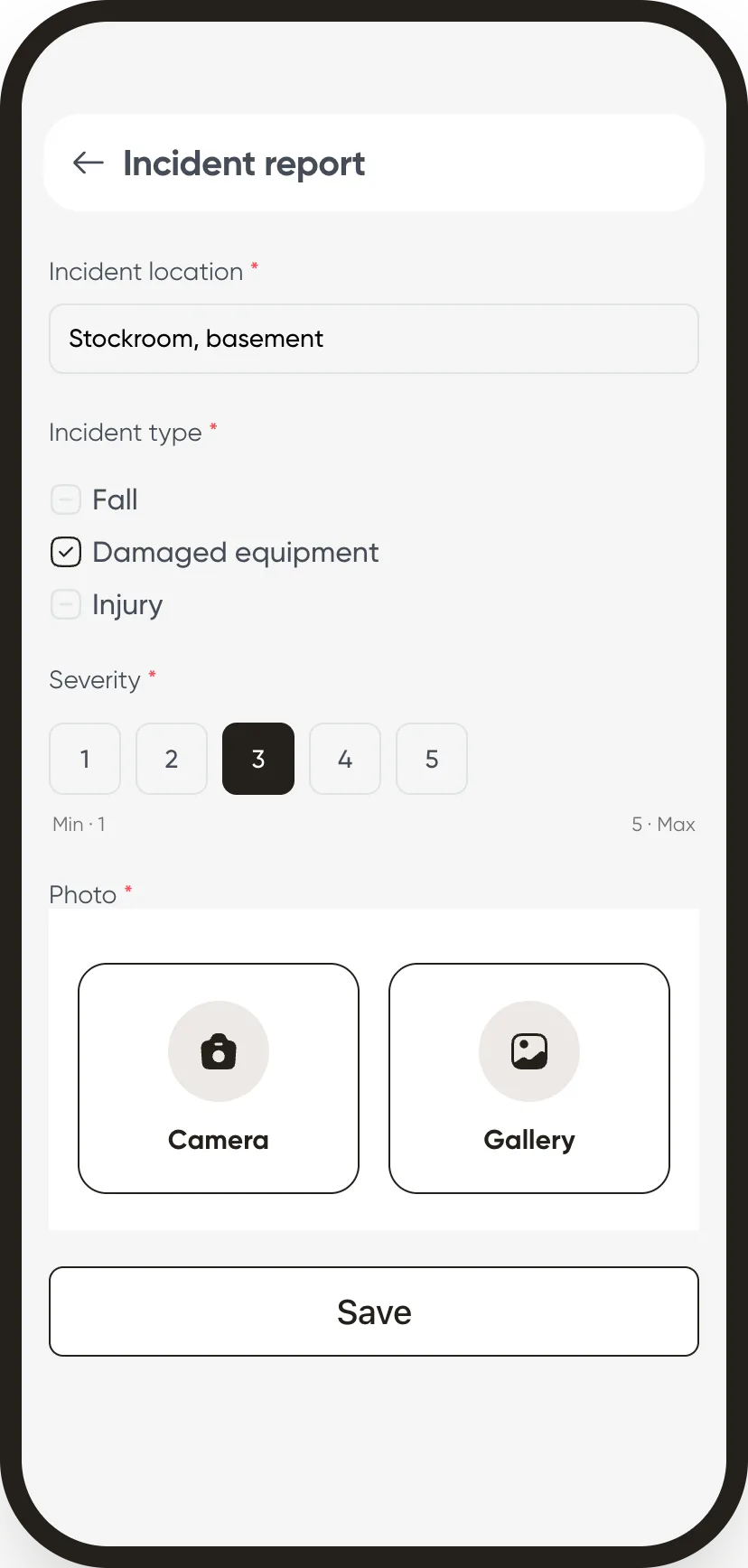
In detail
What the module can do
Recruitment
An offer, its public page, its application form and its stages. Candidates move from stage to stage until they are hired or turned down.
End of trial period
The evaluation creates itself before the trial ends, following the country’s rules. The manager recommends, the decision is made, then the employee signs.
Evaluation campaigns
Annual review or end of assignment: each evaluator sees the evaluations they owe, and is reminded if they are late.
Incidents and near misses
Severity, place, photos, the people involved. Unsafe situations and near misses have their own template: they are what prevents the next one.
Surveys
Team satisfaction, monthly pulse, onboarding feedback, anonymous if you wish. Those who have not answered are reminded.
Quizzes
A scored quiz, with a pass mark and attempts. Results read employee by employee.
Training
The request starts in the app and follows its circuit. After the session, a questionnaire collects the participants’ views and a quiz checks what was retained.
A catalogue of templates
You never start from a blank page: every form comes from a ready template, in French and English, which you adjust before publishing it.
What we do not claim to do
Not an e-learning platform, not a machine that sorts candidates
Training is requested, approved and checked with a quiz, but the course material stays yours. Applications are not ranked by an algorithm: someone on your side reads each candidate and moves them forward. And a checklist does not replace the check on site: it keeps a record of it. We would rather say so here than in a kick-off meeting.
See forms and requests in your industry
Further reading
Forms and requests: our guides
These guides are written in French.
Gestion des demandes internes au Sénégal : acomptes et frais
Acomptes sur salaire, notes de frais, attestations, EPI : structurer les demandes, avec validation et historique.
Logiciel RH opérationnel pour une PME de terrain
Planning, pointage, absences, documents, paie et coût par site sur une même donnée.
Publish a first template to your team.
A certificate or a checklist is enough to see the circuit at work.