Feature · Scheduling
A typical week that repeats itself. You only handle the exceptions.
A schedule is not a shared calendar. It is where you decide who works, where, and at what time. Payroll and costs then start from there, in Weplanify or in the payroll tool you already use.
The typical week, saved once, comes back on its own every week
No dialog box when you transfer or copy a shift
By employee, shift, position or team
The module in one line
The recurring and the real are one grid
A week that opens full
Until you enter anything, the typical week shows through. You always see a complete schedule.
Nothing drops by accident
You change one shift in a week that follows the typical week: every other shift stays put. A slip never wipes out the rest of the week.
One question, once
We only ask “this week or every week?” when you touch a shift from the typical week. Everywhere else, nothing interrupts you.
The grid
A week that opens already filled
The typical week shows by itself until something is entered. Colour says what kind of shift it is, the “Uncovered” cell says somebody is missing, and nothing publishes without you seeing it.
 WeplanifySC
The grid
What the manager actually handles
Instant drag and drop, multi-select, bulk edit. The grid stays smooth even with several hundred employees on screen.
WeplanifySC| Employee | Mon | Tue | Sun |
|---|---|---|---|
| Awa Ndiaye | 08–16 | 08–16 | Off |
| Fatou Sow | 08–16 | Leave | Off |
| Moussa Diop | 08–17 | 08–17 | Off |
| Abdou Cissé | Night 22–06 | Night 22–06 | Uncovered |
An uncovered shift is flagged before publishing; the conflict shows in red on the cell itself.
WeplanifySC| Action | Effect |
|---|---|
| Generate | Spreads employees across the week’s shifts |
| Copy a week | Reuses one of the previous six weeks, or copies a selection to another week |
| Transfer | Moves shifts from one employee to another, without prompting |
| Make recurring | Turns the selection into a week template |
| Publish | Sends the schedule to employees |
| Export to PDF | The schedule, or one timetable per employee |
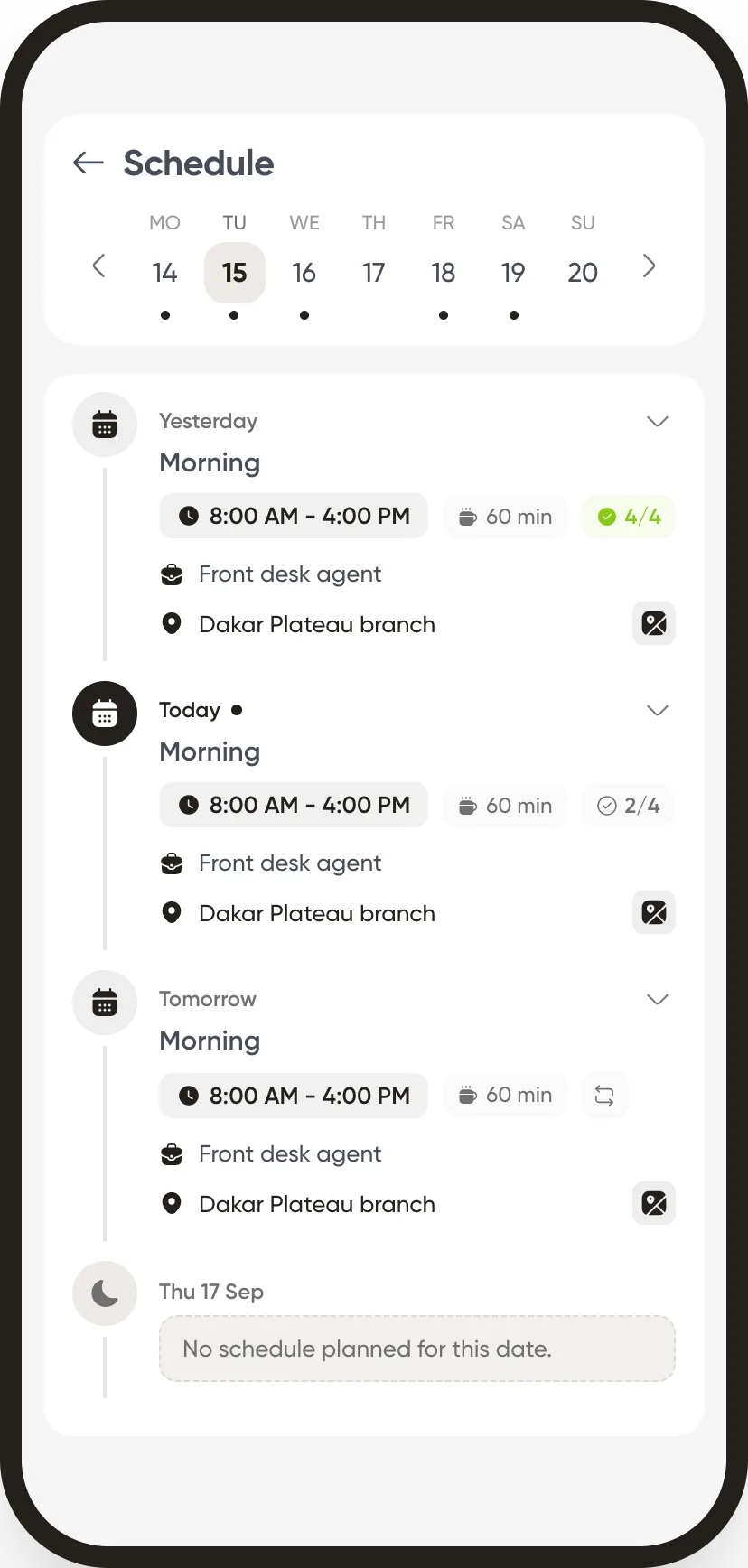
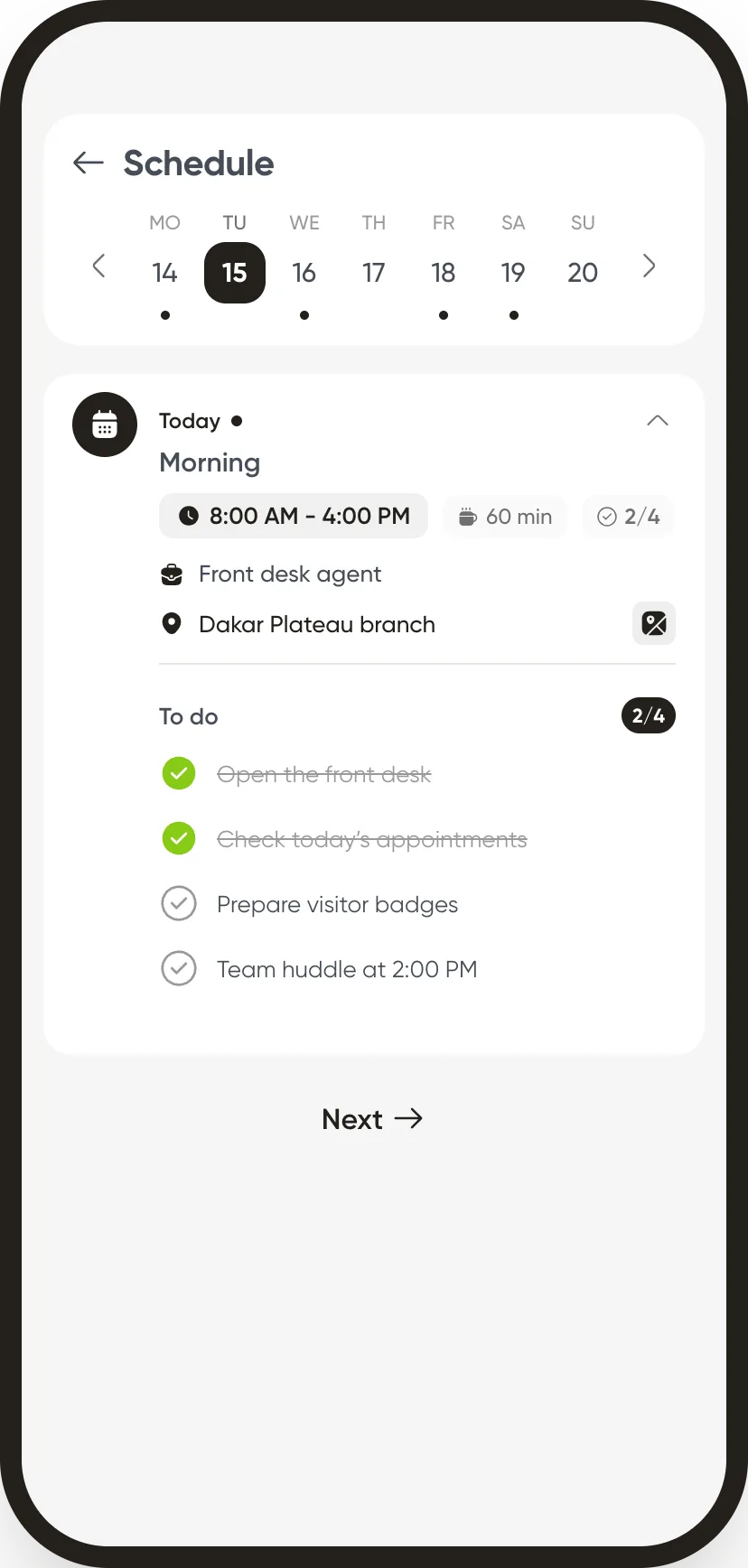
Employee side
The schedule you publish is in their pocket the same evening.
A schedule pinned to a wall gets photographed, forwarded on WhatsApp, and goes stale at the first swap. On the phone, only one version exists.
The week reads as a list. Day, hours, break, position and site. Seven columns do not read on a phone screen. The app does not pretend otherwise.
The shift’s tasks are inside. A shift unfolds into its to-do list, ticked off through the day. “Open the front desk” is no longer an instruction given out loud.
The payslip is in the same place. Check your net pay, download the PDF, find previous months, without going through HR.
In detail
What scheduling can do
Workspaces
A separate schedule per site, department or worksite, with its own shifts and teams. Your choice is kept from one visit to the next.
Week or month
Back and forward navigation, a week picker, and a monthly view per employee.
Filters
Groups, sites, positions, shifts, search by name: the same filters everywhere in the platform.
Alerts
A banner above the grid, a mark on the shifts concerned, the detail in a side panel. Leave, double bookings, headcount below the minimum: you see them before publishing.
Schedule notes
A banner across a date range, for what does not fit in a cell.
Public holidays
Shown in the grid and managed from the screen, per country.
The constraint to know about
An employee never has two recurring shifts on the same day
Two shifts in one day (a lunch service and an evening service, say) remain possible as one-offs. But a week template carries only one shift per person per day: that is what keeps the counters correct.
The other modules
Build your most complicated week.
We reproduce it in the platform and you judge for yourself.