Forms · Checklists and reports
The opening checklist is filled in on site, with a photo, and read at the office the same day.
The team on duty answers from their phone: yes or no, a rating, a photo of what is wrong, a signature. The office sees the answers come in, site by site, and exports them to Excel.
End of shift, daily site report, opening and closing, site inspection
Taken on the phone, at the moment of answering, with the location if you ask for it
An A4 poster lets people with no account answer
On the ground, today
The logbook stays on site, and the office never reads it
Boxes ticked in advance
The opening sheet is filled in at the end of the week, in one go. Nobody can say whether the extinguisher was really checked on Monday.
What is wrong stays on site
The door that does not close properly is noted in the logbook, but the logbook never leaves the gatehouse. The manager learns of it by chance.
Sites impossible to compare
Each site has its sheet, its way of filling it in, its binder. Putting two months side by side takes a day.
How it works
From the template chosen to the answers read at the office
They live in the “Reports and checklists” module, alongside end-of-shift reports and daily site reports.
Start from a template
Opening and closing, site inspection, end of shift, daily report: you adjust the questions before publishing.
Choose the questions
Yes or no, choice, number, rating out of 5, photo, file, signature, QR code scan. A question can show only after a given answer.
Say who answers
All employees, some sites or groups, or named people. Each answer can be about a site chosen when answering.
Answer on site
The officer opens the checklist in the app, takes their photos, signs and sends. The location can be recorded on sending.
Bring it back every day
A recurring task in the schedule can require the checklist: the officer fills it in while doing the task.
Read and export
The answers one by one, filtered by period, or the summary question by question. And the Excel export.
The screens
This week’s answers, and a completed checklist
The summary shows, for each question, how the answers split: you see straight away which point keeps coming back.
 WeplanifySC
| Employee | Site | Sent | Points to fix |
|---|---|---|---|
| Assane Gaye | Médina branch | 13/10 · 07:52 | none |
| Mame Diarra Fall | Yoff branch | 13/10 · 07:58 | 1 · photo attached |
| Kouadio N’Guessan | Treichville branch | 13/10 · 08:05 | none |
| Assane Gaye | Médina branch | 12/10 · 20:31 | 2 · photos attached |
You filter by period and search for an employee; the Excel export includes the employee, their job, the site and the time sent.
WeplanifySCYoff branch
Mame Diarra Fall · Monday 13 October, 07:58
- Alarm switched off
- yes
- Extinguishers in place
- yes
- Emergency exit clear
- no
- Photo
- Boxes in front of the back exit
- Signature
- Signed on the phone
Demonstration questions and answers: you write your own from the template.
The phone and the office
The team on duty fills in, the office reads
On the phone
The officer, the guard, the team leader
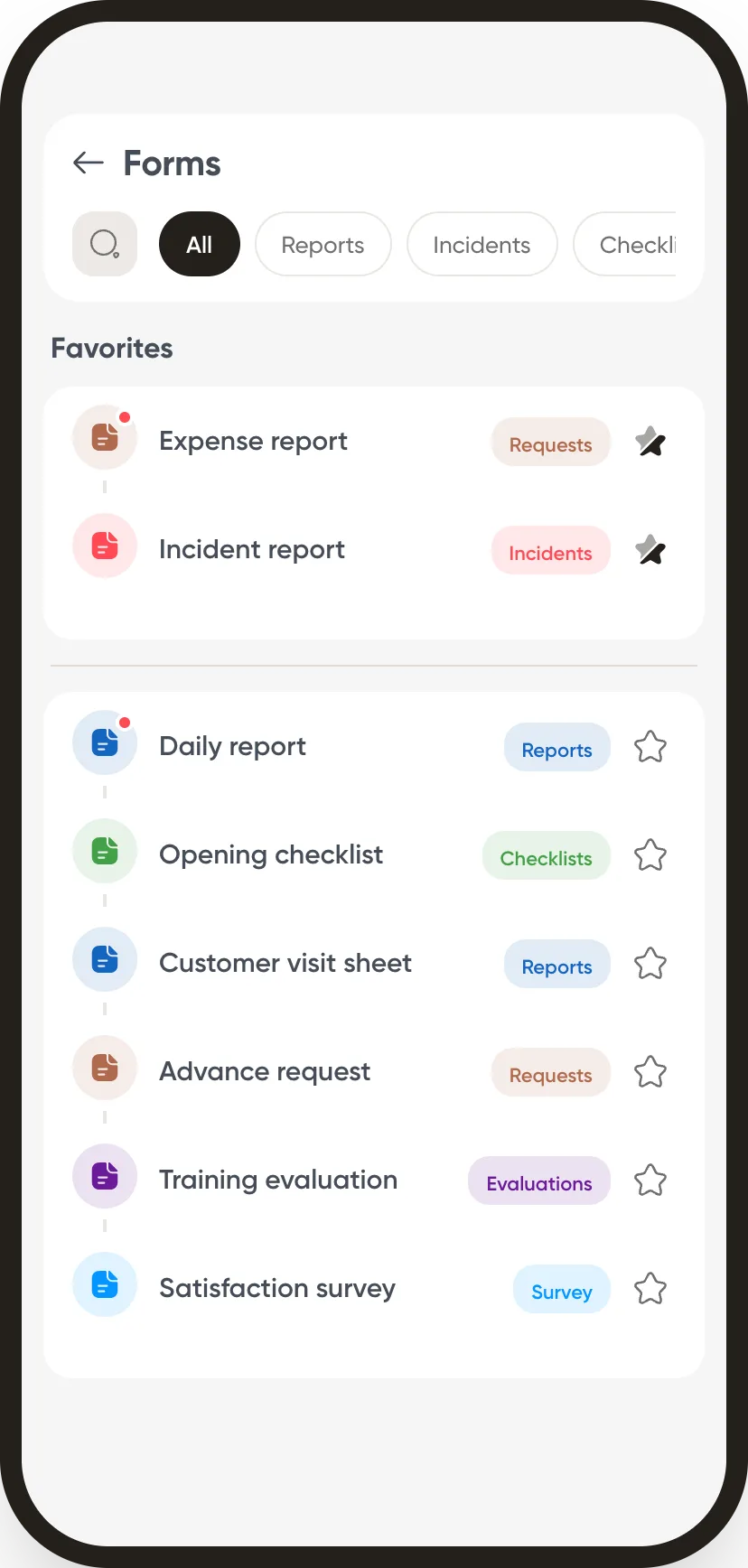
- Their forms, sorted. Reports, incidents, checklists, with their favourites at the top.
- The photo and the signature. Taken at the moment of answering, without going through another app.
- With no account, by QR code. The poster on site opens the checklist to those who do not have the app.
At the office
The sites manager
- Answers as soon as they are sent. No need to wait for the end-of-month binder.
- The summary by question. Bars per answer, to see at a glance which point keeps coming back.
- An approval, if you want one. A report can go through the site manager before it is filed.
What we do not claim to do
A checklist keeps a record of the check, it does not do it
A checklist does not replace the check on site: it says who did it, when, and what they saw. A “no” does not open an incident on its own: if it needs handling, the officer reports it as an incident. And the checklist does not come back by itself every morning: the recurring task in the schedule brings it back.
The other forms
The modules that go with it
Publish the opening checklist to one site.
One week of answers is enough to see which point keeps coming back.