Forms · Incidents
An incident is reported when it happens, and stays open until someone has dealt with it.
Whoever saw it opens their phone, describes it, picks the severity, takes a photo. The site manager is notified. Someone takes it on, and the person who reported it knows what was done.
New, in progress, resolved or closed with no action: nothing else to learn
Low, medium, high, critical. A critical incident also alerts the administrators
At most, attached to the report, with the location if the form asks for it
On the ground, today
A call, a voice note, and then nothing
Reports that get lost
The officer calls their supervisor. The supervisor is in a meeting. The next day, nobody remembers the exact time or place.
Nobody is in charge of fixing it
Everyone has heard about the leak in the storeroom, and each one thinks somebody else is on it.
The near miss is never written down
The trailing cable, the loose scaffolding: nothing happened, so nothing is written down. Until the day something does.
How it works
From the photo taken on site to the report back
Two ready templates: “Incident report” and “Unsafe situation or near miss”. An incident never goes through an approval circuit: it gets handled, not approved.
Report
What happened, the category, the severity, the site, the date and time, the people involved, the photos. The site is suggested from the day’s schedule.
Notify
The site managers get a notification on their phone. A critical incident also warns the administrators, straight away.
Take it on
A manager takes the incident, or hands it to someone, who is notified. The reporter knows it is being dealt with.
Discuss
A “Follow-up and discussion” thread keeps every step, every message and every photo added along the way.
Resolve or close
Resolving requires writing what was done, and the reporter gets that note. Closing with no action requires a reason.
Reopen if needed
The leak is back? The incident is reopened, with its full history, instead of creating a new one.
The screens
Open incidents, and a critical incident being handled
At the top of the list: open incidents, open critical ones, not yet taken on and average time to resolve. You filter by status, severity, site and dates, and the list exports to Excel.
 WeplanifySC
| Incident | Site | Severity | Status |
|---|---|---|---|
| Fall on staircase B | Diamniadio | critical | in progress |
| Generator stopped | Almadies | high | new |
| Cable on the floor, dock 2 | Port | medium | in progress |
| Storeroom door forced | Cocody | low | new |
Each employee also finds “My reports” and, if they have any, the incidents handed to them.
WeplanifySCFall on staircase B
Diamniadio worksite · reported by Ibou Ndiaye
- ✓Reported07:42
2 photos · managers and administrators notified
- ✓Taken on07:55
Khadim Seck, site manager
- •Follow-up and discussion09:10
“Handrail fixed back, step marked until it is repaired.”
- Resolved
With the note of what was done
The phone and the office
You report from the phone, you follow up from the phone or the office
On the phone
Whoever saw it, and whoever fixes it
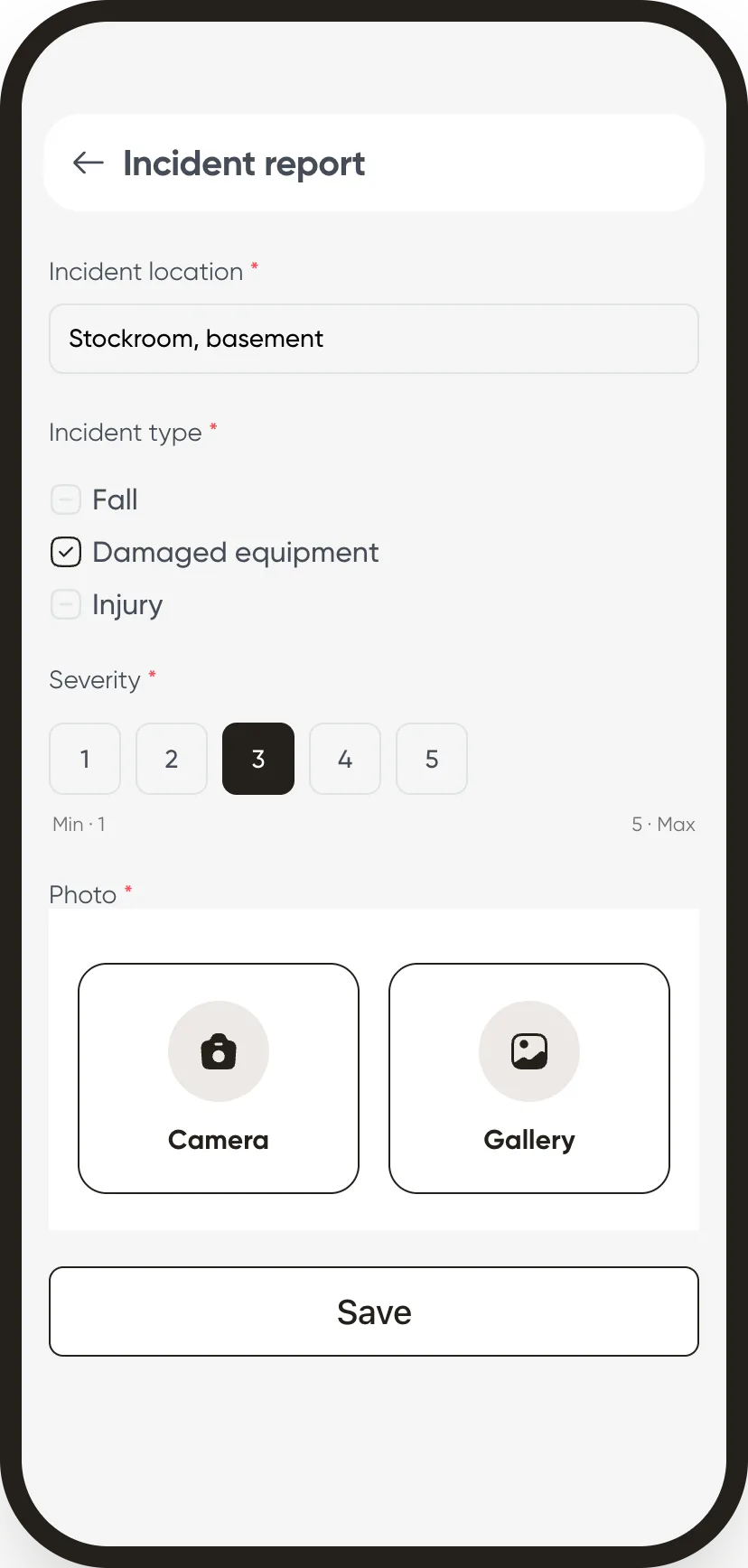
- Report in a minute. The place, the severity, the photo taken with the camera or picked from the gallery.
- Know where it stands. The reporter is notified when the incident is taken on, resolved, closed or reopened.
- Follow it from the app. Incidents are reported and followed from the mobile app too.
At the office
Site managers and management
- What has not been taken on yet. The “Not yet taken on” counter says what is waiting for someone.
- The average time to resolve. At the top of the list, to see whether things drag.
- An export for meetings. The filtered list goes to Excel, with what you have on screen.
What we do not claim to do
The alert goes through the app, the official filing stays yours
A critical incident alert arrives as a notification on the phone and in the app, not by e-mail: your managers need the app. A work accident reported here is not filed with the social security fund: the record and the photos help you do it, but the official filing remains yours to do.
The modules that go with it
Have the next incident reported from the phone.
The template is ready: publish it to a team and see who takes it on.