
Pay the day labourers
In Weplanify, tick the validated days to pay together, see who gets what and how much cash to take out, then record the payment of those days.
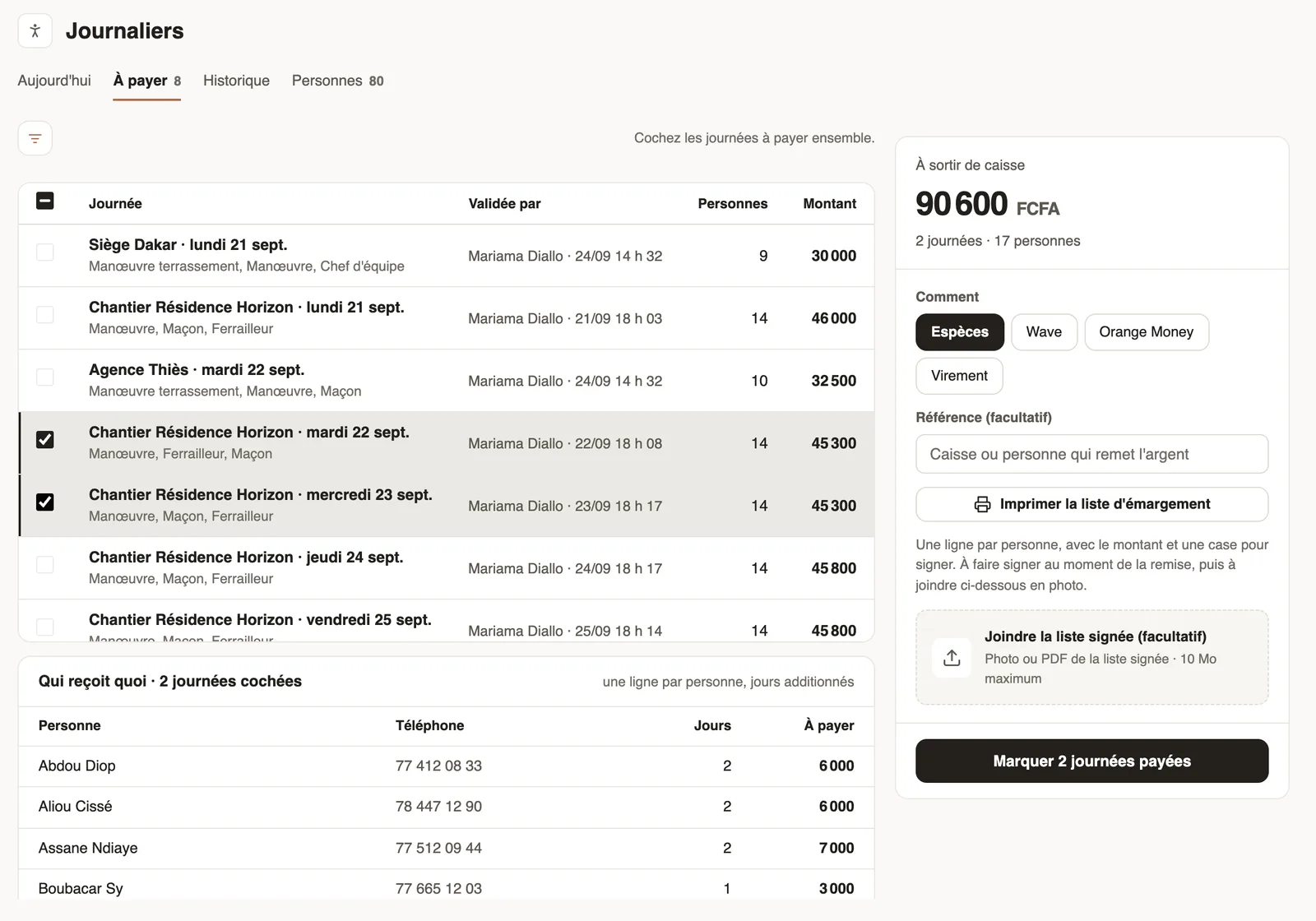
In Weplanify, the To pay tab lists the validated days, with who validated them, the number of people and the amount.
Steps
- In Day labourers → To pay, tick one or several days.
- Read Who gets what: one row per person, days added up, and the Cash out total.
- Choose How: cash, mobile money or bank transfer, and a reference if needed.
- Click Print the sign-off sheet, have it signed when handing out the money, then attach a photo of it.
- Click Mark … days paid.
Good to know
- A day that is not validated does not show here: validate it first.
- Paid days stay in the history, with the date and payment method; the signed sheet can still be viewed.
- The filter at the top limits the list to one site.
Go further
Validate a day labourers' dayIn Weplanify, validate a site's day to freeze what each day labourer is owed; the day then moves to the To pay tab, ready to be paid out in full.The cost of day labourIn Weplanify, the day labourers' History tab gives the month's cash out by site and by job, compared with the previous month, and every day.Manage day labourers from mobileRecord the day labourers who came to work on a site from the Weplanify app, with their position and daily rate.Manage day labourers: arrivals, days and paymentsIn Weplanify, follow the workers paid by the day: need announced, arrivals on site, validated day, then payment in cash or by mobile money too.