
A day labourer's record and hiring them
In Weplanify, a day labourer's record shows their days, what they were paid and what is still owed; a regular day labourer can be hired in one click.
In Weplanify, clicking a person in the People tab (or ⋯ → Open record on a day) opens their day labourer record.
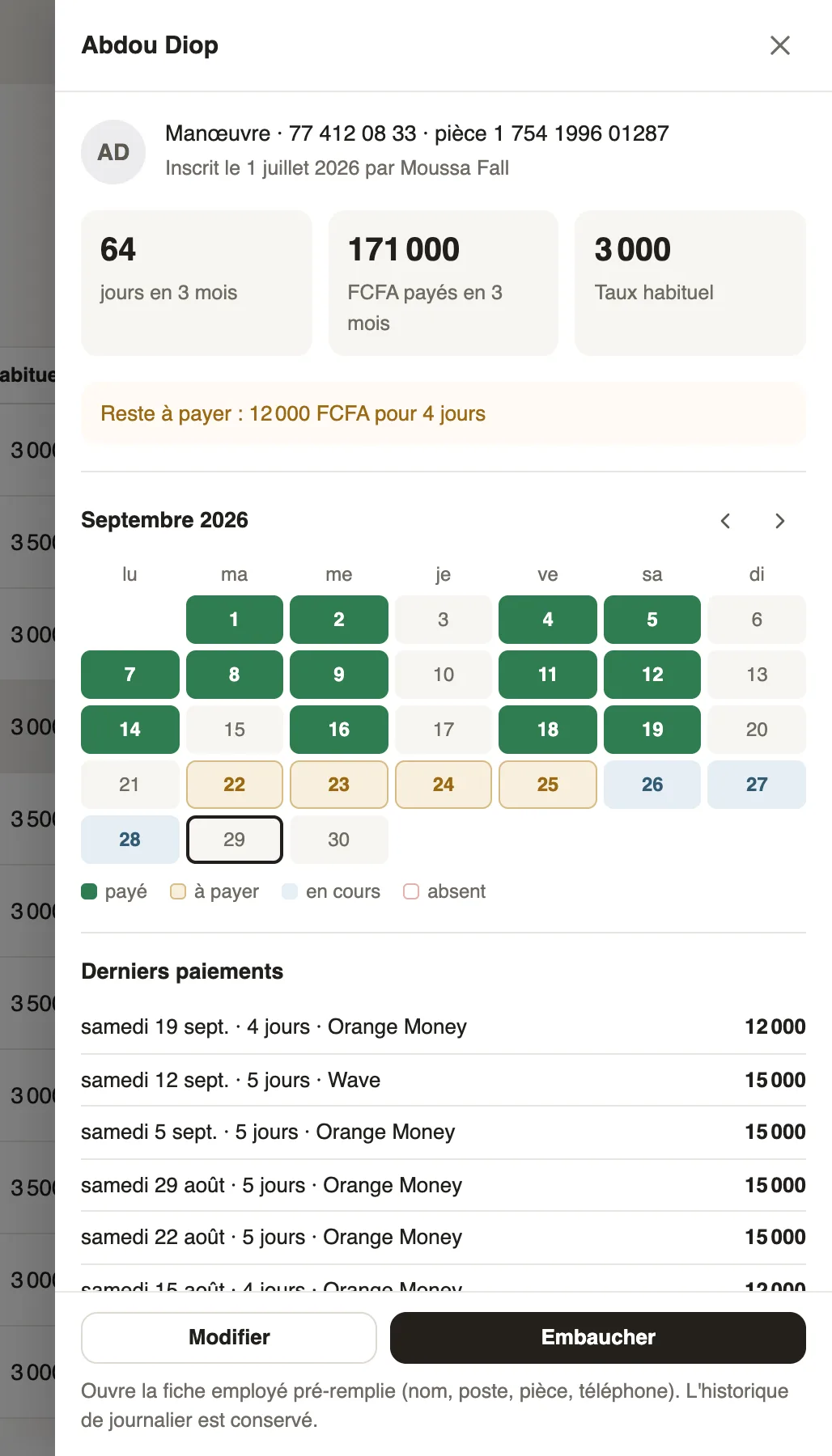
What it holds
- Their job, phone, ID document, and who registered them.
- Days worked and amount paid over 3 months, the usual rate, and what is still to pay.
- The month's calendar: paid, to pay, in progress, absent; then the Latest payments and the sites where they worked.
Steps
- Edit corrects their name, phone, job or usual rate.
- For a regular, Hire opens a pre-filled employee record (name, job, ID, phone): complete it, then their contract.
Good to know
- Once hired, they are no longer offered as a day labourer; their day labour history is kept.
- Beyond a certain number of days, the record reminds you that a regular day labourer should have a contract.
Go further
Create or edit an employment contractIn Weplanify, record an employee's contract and pay so that they are included in payroll; only one contract can be running for them at a time.Manage day labourers: arrivals, days and paymentsIn Weplanify, follow the workers paid by the day: need announced, arrivals on site, validated day, then payment in cash or by mobile money too.Register a day labourer in the fileIn Weplanify, register the day labourers who come back so that a phone or ID number finds them again, with their usual job and their usual rate.