
DocumentationCosts & expenses
Follow the company's expenses
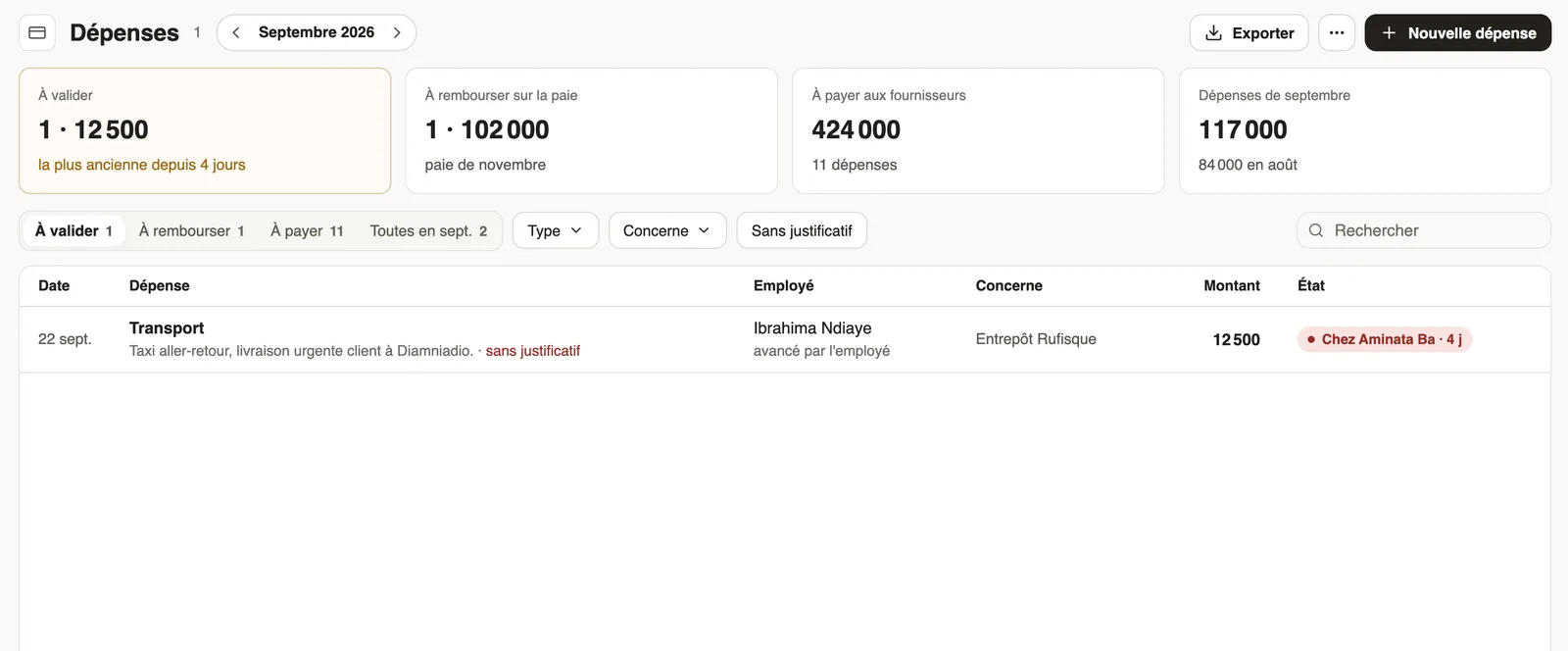
In Weplanify, the Expenses screen gathers purchases paid by the company and costs advanced by employees: to approve, to reimburse and to pay.
In Weplanify, the Expenses screen (Payroll and costs menu) is the single register of everything the company spends: purchases paid by the company and costs advanced by an employee.
Steps
- Prepare your expense types: fuel, supplies, meals, business trip…
- Record expenses as they come, starting from the receipt.
- Approve costs advanced by an employee: they become expense claims, repaid on their payslip.
- Mark as paid the expenses settled with suppliers.
Good to know
- The counters at the top: To approve, To reimburse on payroll, To pay to suppliers and the month's expenses compared with the previous month; the tabs of the same name filter the list.
- Pick the month at the top of the screen; Export downloads the list.
- For the month's total cost, salaries and day labourers included, by site, job or department: cost analysis.
- The screen only shows if your company runs payroll in Weplanify.
Go further
Analyse costs by site, job or departmentIn Weplanify, the cost analysis adds up the month's salaries, day labourers and expenses, then splits them by site, by job or by department, month by month.Record an expenseIn Weplanify, record an expense starting from the receipt: its type, who paid, the amount, date and site concerned, then see what will happen next.Repay an expense claim on the payslipIn Weplanify, repay an employee, through their payslip, the money they advanced for the company: meals, taxi rides, fuel or a business trip.Create an expense typeIn Weplanify, an expense type (fuel, meals, road tolls) decides who pays, how the amount is computed, what must be attached and who approves it.Payroll in WeplanifyIn Weplanify, the monthly payroll is prepared in five steps, from time, absences and variable elements up to the payslips, the payment and the closing.Export the payroll accounting entryIn Weplanify, download a month's payroll accounting entry in Excel or CSV, balanced, with an account per employee and the analytical section per site.