
Test an approval circuit before using it
In Weplanify, pick an employee and describe a request (duration, site, amount) to see, step by step, who will approve it, without sending anything.
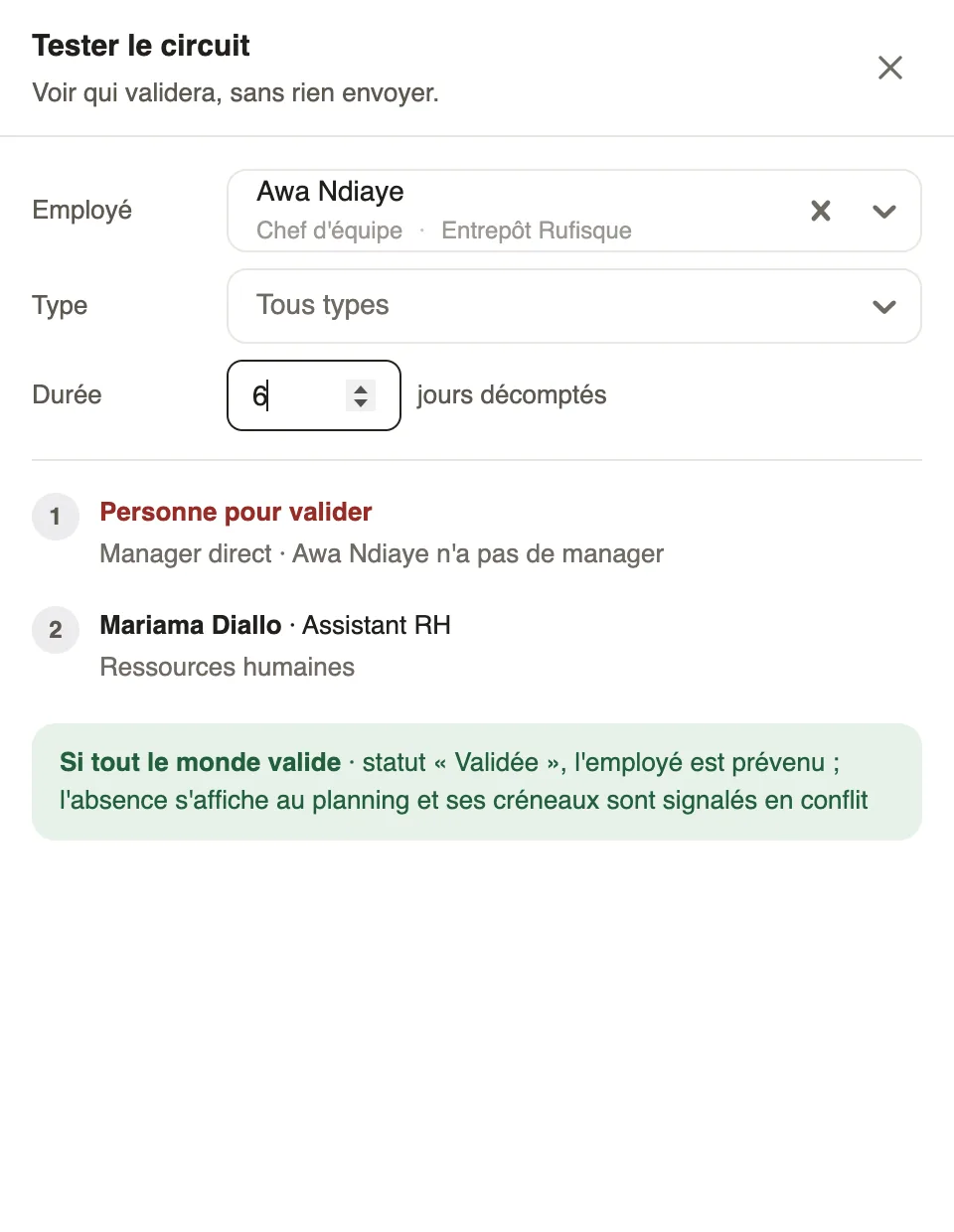
In Weplanify, the Test the circuit button simulates a request: you see who will approve each step and which steps are skipped, without creating a request. It sits at the top of each circuit; the overview of Settings → Approvals also offers Test a circuit for expense claims and advances.
Steps
- Open a circuit and click Test the circuit.
- Choose the Employee, or the Concerned person and the Concerned site for a form about them.
- Describe the request if the circuit depends on it: the Type and Duration of a leave, the site chosen in a Site question, the Amount of an expense or an advance.
- Read the result: for each step, the person who will approve, or why nobody will.
Good to know
- The result also shows the manager of the site used, the people asked together ("or" when the first to answer decides), the reminder and the handover to the substitute.
- "Nobody to approve" points to a gap: an employee without a manager, a site without a manager. Set a substitute or complete the record.
- The test uses the saved circuit and sends no notification. To change the approver: who approves a step.
Go further
Configure an approval circuitIn Weplanify, build the approval steps of a leave request, an expense, an advance or a form: the order, the name, the approver and when each step applies.Choose a substitute and people in copyIn Weplanify, a substitute approves instead of an absent, silent or missing approver; people in copy follow every request and decision without approving.Choose who approves a step of the circuitIn Weplanify, choose who approves a step: the manager, the head of a site or a department, specific people, or a different person depending on rules.Request approval circuitsIn Weplanify, a leave request, an expense claim, an advance or a form answer moves from one approver to the next, following its circuit, until the decision.