
Repay an expense claim on the payslip
In Weplanify, repay an employee, through their payslip, the money they advanced for the company: meals, taxi rides, fuel or a business trip.
In Weplanify, an expense claim is an expense paid by the employee with their own money; it is repaid on the payslip of the expense's month, or the next one if that month is already closed.
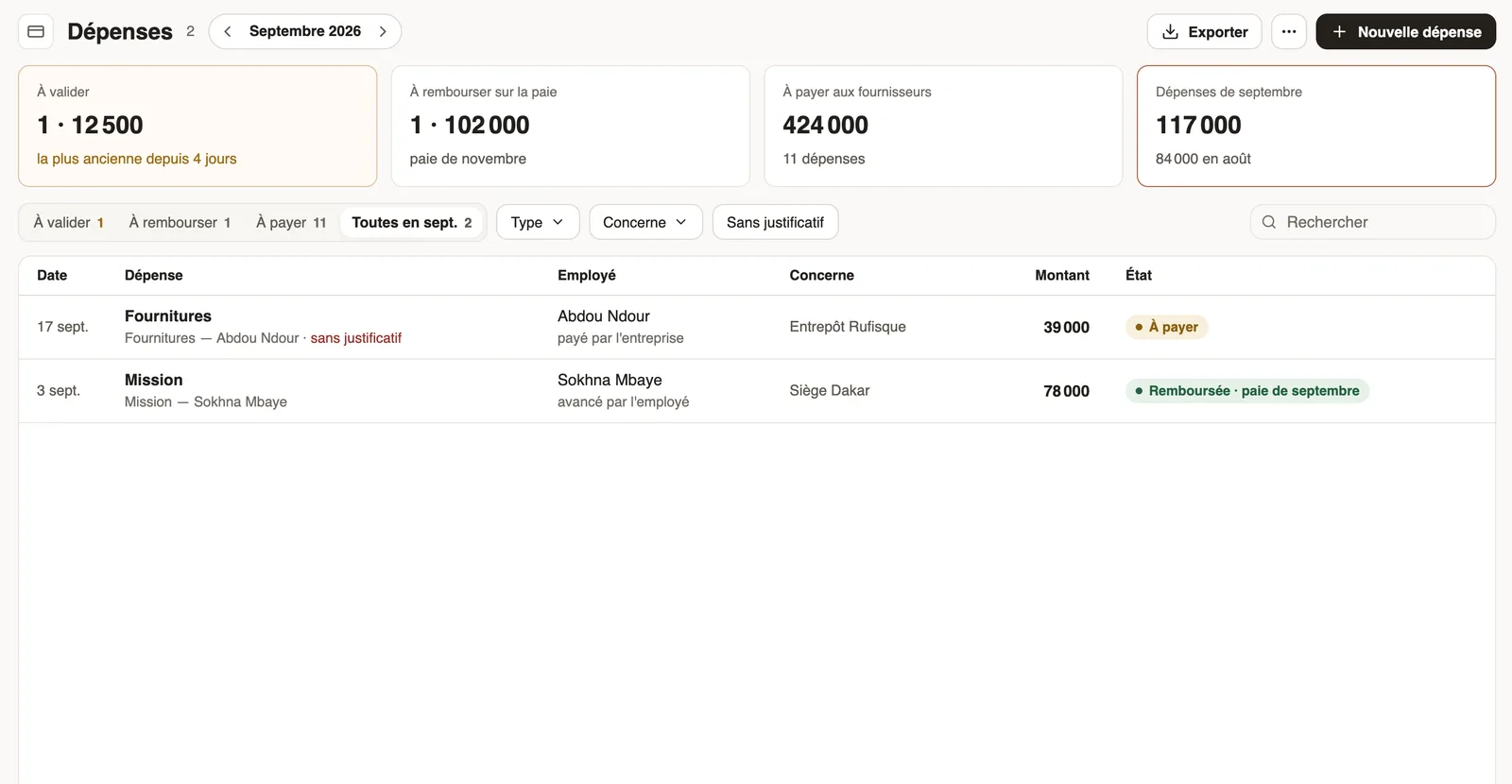
Steps
- Most often, the employee sends the claim from the mobile app; it waits in the To approve tab.
- Approve it (see pending requests): it moves to To reimburse.
- An administrator can also enter it: New expense, then Who paid? → The employee.
- In the month's payroll, the repayment shows in the variable elements then on the payslip; the expense turns "Reimbursed".
Good to know
- Until it is approved, an expense claim has no effect on payroll.
- The repayment is a line subject neither to tax nor to contributions.
- The expense type says whether employees may advance the costs (expense types).
Go further
Make a request or fill in a form on mobileIn Weplanify, employees make their requests from the app: an expense, an advance, a schedule change, a report or any other form, then follow them.Decide on pending expense claims and advancesIn Weplanify, decide on expense claims and advance requests from To handle: see their effect on pay, then grant them, refuse them or have them corrected.Check the month's variable elementsIn Weplanify, the Variable elements step sums up the bonuses, benefits in kind, advance deductions and expense claims that will be on the month's payslips.Create an expense typeIn Weplanify, an expense type (fuel, meals, road tolls) decides who pays, how the amount is computed, what must be attached and who approves it.Follow the company's expensesIn Weplanify, the Expenses screen gathers purchases paid by the company and costs advanced by employees: to approve, to reimburse and to pay.Payroll in WeplanifyIn Weplanify, the monthly payroll is prepared in five steps, from time, absences and variable elements up to the payslips, the payment and the closing.Set up payroll accounting accountsIn Weplanify, choose the accounting account of each payroll line to produce a balanced payroll entry, ready to import into your accounting software.