
Register a day labourer in the file
In Weplanify, register the day labourers who come back so that a phone or ID number finds them again, with their usual job and their usual rate.
In Weplanify, the People tab of the Day labourers screen keeps each person's name, phone, ID document, job and usual rate.
Steps
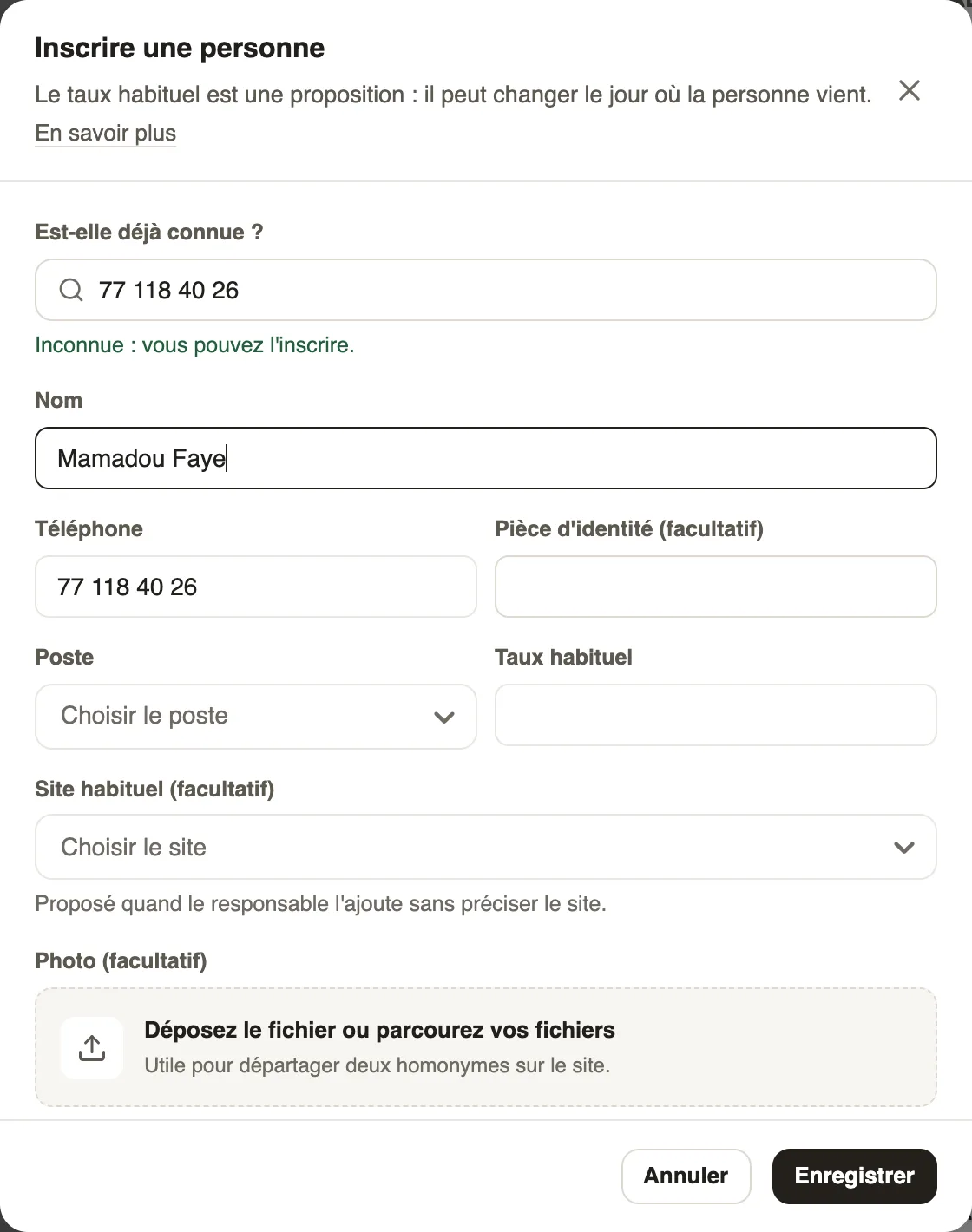
- In Day labourers → People, click Register a person.
- Type their number in Already known?: if they are already registered, open their record instead of creating a second one.
- Fill in the name, phone, ID document, job and Usual rate.
- If needed, choose a Usual site and add a photo (useful to tell two namesakes apart), then Save.
Good to know
- The usual rate is a proposal: it can change on the day of arrival.
- An unknown person can also be created right at their arrival (New person).
- The Came this month and Regulars filters find the regulars; a click opens the day labourer's record.
Go further
Record a day labourer's arrivalIn Weplanify, record that a day labourer came to work, on which site, in which job and at what rate; the site manager often does it from their phone.A day labourer's record and hiring themIn Weplanify, a day labourer's record shows their days, what they were paid and what is still owed; a regular day labourer can be hired in one click.Manage day labourers: arrivals, days and paymentsIn Weplanify, follow the workers paid by the day: need announced, arrivals on site, validated day, then payment in cash or by mobile money too.