
Set leave accrual and counting
In Weplanify, set how many leave days each employee earns per month and how leave is counted: Monday to Saturday or Monday to Friday working days.
In Weplanify, the Settings → Leave → Accrual and counting page sets the leave rules for the whole company.
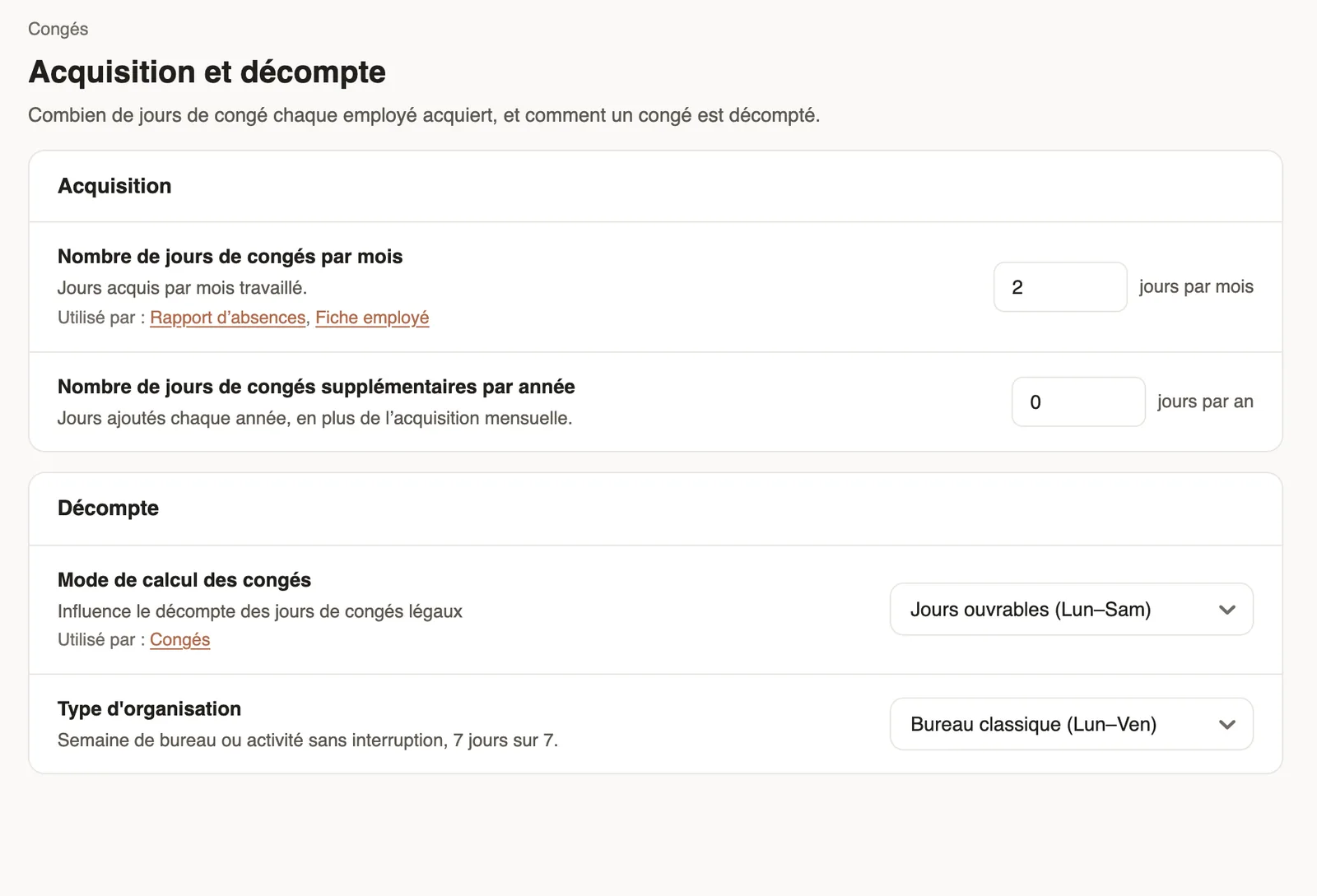
Steps
- Open Settings → Accrual and counting.
- Accrual: enter the number of leave days earned per month worked and, if needed, the extra days per year.
- Counting: choose the counting mode, Monday–Saturday or Monday–Friday working days, and the organisation type: office week or 7-day activity.
Good to know
- The counting mode changes the number of days counted for the same absence (how days are counted).
- These values feed the leave balances and the absence report; an employee's opening balance is entered on their record.
- Legal rules vary from one country to another: set these values according to your agreement.
Go further
How absence days are countedIn Weplanify, the number of days of an absence depends on its type: calendar days for paid or unpaid absence, working days for leave taken from the balance.Leave balancesIn Weplanify, each employee has a leave counter: earned since the return date, taken, and available balance, shown on their record and in the report.The absence and balance reportIn Weplanify, the absence report gives, for the chosen period, the days of absence, the absenteeism rate and each employee's own leave balance.Your company settings in WeplanifyIn Weplanify, settings are sorted by theme in a menu on the left: company, approvals, expenses, time and attendance, leave, payroll and account.