
Announce a need for day labourers
In Weplanify, announce in advance how many day labourers each site needs per job: the site manager sees the need and each arrival fills it in.
In Weplanify, a need says for example "8 labourers tomorrow on the building site". The site manager sees it on their phone.
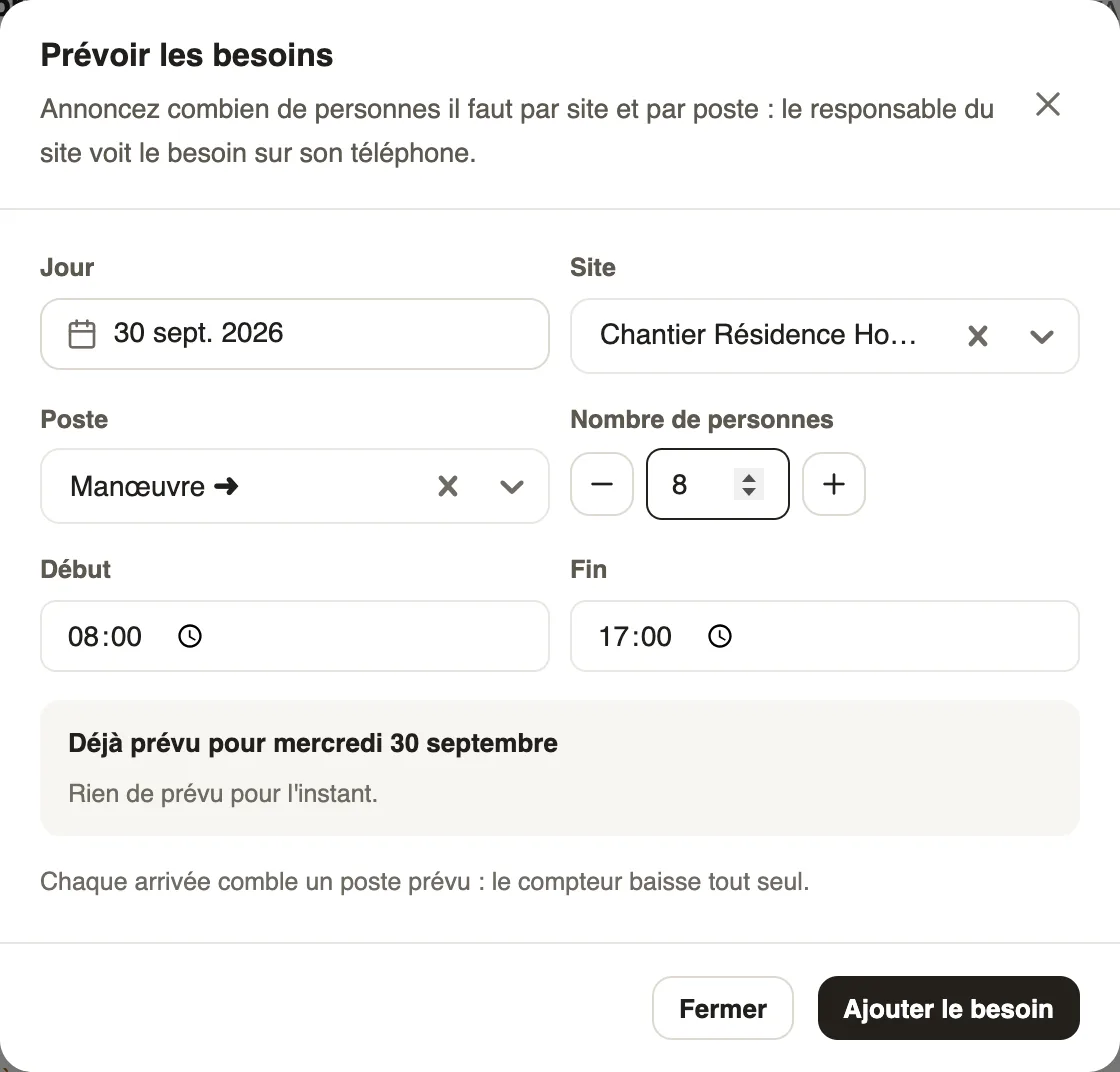
Steps
- In Day labourers, click Plan tomorrow.
- Check the Day, then choose the Site and the Job.
- Set the Number of people with − and +, and the hours.
- Click Add the need; the "Already planned for …" list sums up the day's needs.
Good to know
- Each arrival for the same site and job fills a planned position: the counter goes down on its own.
- On the day, the chips ("Labourer 10 / 12") and "… positions to fill" show what is still missing.
- For extra employees rather than day labourers: an open slot in the planning.
Go further
Offer an open slotIn Weplanify, publish a slot without a name, for example extra help on Saturday: the employees it is offered to can take it from their phone.Manage day labourers from mobileRecord the day labourers who came to work on a site from the Weplanify app, with their position and daily rate.Manage day labourers: arrivals, days and paymentsIn Weplanify, follow the workers paid by the day: need announced, arrivals on site, validated day, then payment in cash or by mobile money too.Record a day labourer's arrivalIn Weplanify, record that a day labourer came to work, on which site, in which job and at what rate; the site manager often does it from their phone.