
Manage day labourers from mobile
Record the day labourers who came to work on a site from the Weplanify app, with their position and daily rate.
In Weplanify, a site's timekeeper records the day's labourers directly in the field.
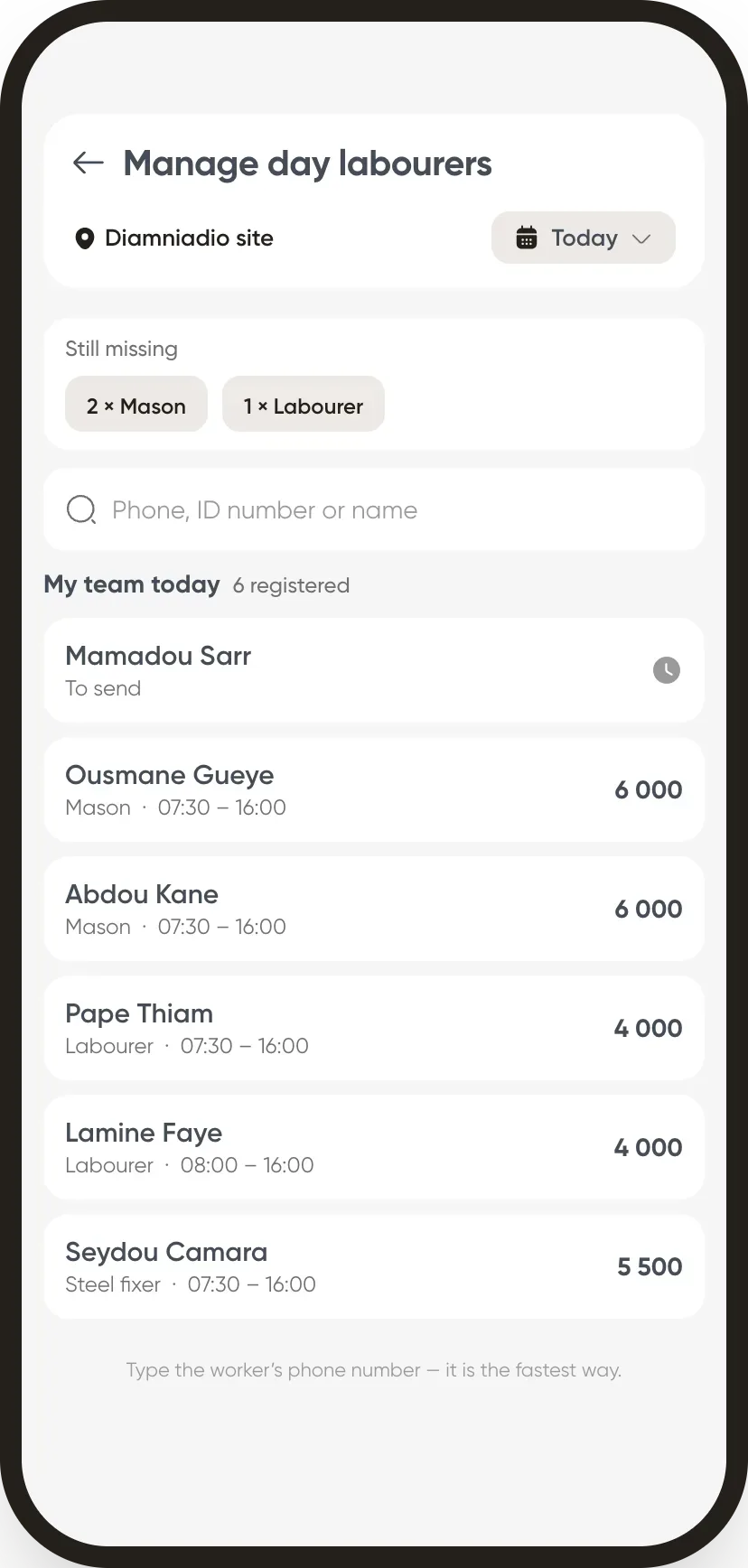
Steps
- Open Settings → Manage day labourers.
- Choose the site and date: the remaining need appears (for example 2 masons, 1 labourer).
- Search for a day labourer by name, phone or ID number and add them to the day's team.
- Check the position and rate, then save.
Good to know
- The need comes from the needs announced on the web.
- Each addition is an arrival recorded, then a day to approve and pay.
- Overview: day labourers.
Go further
Announce a need for day labourersIn Weplanify, announce in advance how many day labourers each site needs per job: the site manager sees the need and each arrival fills it in.Record a day labourer's arrivalIn Weplanify, record that a day labourer came to work, on which site, in which job and at what rate; the site manager often does it from their phone.Validate a day labourers' dayIn Weplanify, validate a site's day to freeze what each day labourer is owed; the day then moves to the To pay tab, ready to be paid out in full.Pay the day labourersIn Weplanify, tick the validated days to pay together, see who gets what and how much cash to take out, then record the payment of those days.Manage day labourers: arrivals, days and paymentsIn Weplanify, follow the workers paid by the day: need announced, arrivals on site, validated day, then payment in cash or by mobile money too.The Weplanify mobile app for your employeesWhat your employees do from their phone with Weplanify: clock in, see their schedule, request leave, fill in a form, read their payslips.Clock in your site's employees (timekeeper)Let a site manager mark expected employees present or absent on their site from the Weplanify app.Finish the day labourers' day in the eveningIn Weplanify, the site manager finishes the day in the evening: who left early, who was absent. The day then becomes ready to be validated too.