
Payroll settings
In Weplanify, the Payroll group of settings gathers payroll setup, paid leave handling, contributions, pay elements and the accounting export.
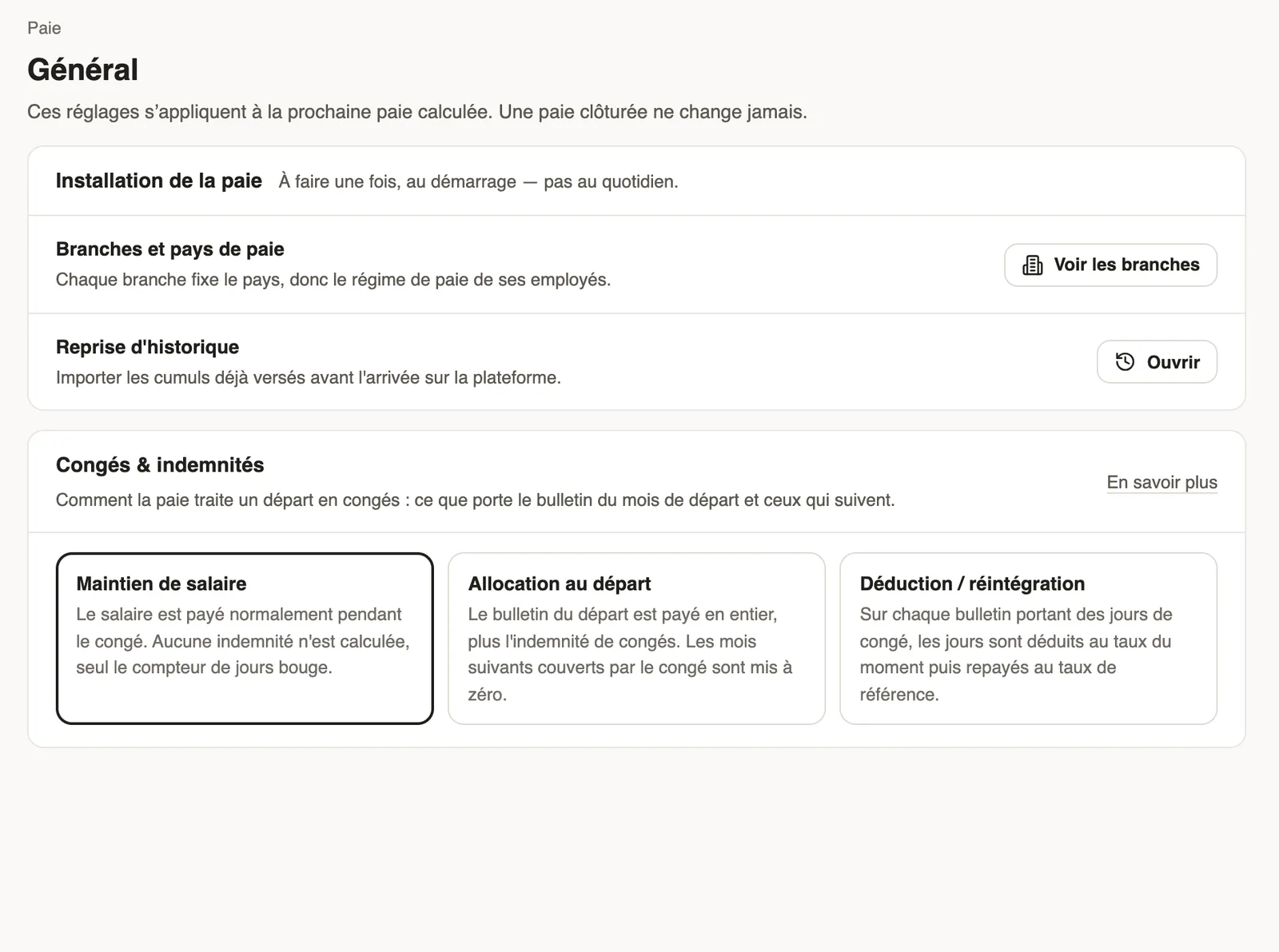
In Weplanify, the Payroll group of the settings menu only shows to people with payroll access. Its settings apply to the next payroll computed; a closed payroll never changes.
The pages
- General: payroll setup, once at the start (branches and payroll countries, opening history), and how leave and indemnity are handled.
- Contributions: the country's contribution rates, which you can adjust if your company departs from them.
- Pay elements: the pay elements and their checks.
- Accounting export: the chart of accounts used for the payroll entry.
Good to know
- Payroll rules change from one country to another: Weplanify applies the base of the branch's country.
- Who sees this group: payroll access.
Go further
Branches: agencies and payroll countriesIn Weplanify, a branch is an agency of the company: its country decides the payroll rules applied to its employees; create one for each country.Import payroll history at installationIn Weplanify, import the payroll totals paid before you started using it, so that annual totals, the annual statement and allowances start out right.Choose how leave is handled in payrollIn Weplanify, choose how a departure on leave is paid: salary maintained, allowance on departure, or deduction then add-back on the payslips.The contribution and tax rates appliedIn Weplanify, the Contributions page shows your country's rates applied on payslips, and those your company may change from a given month onwards.Pay elements: bonuses, benefits, advances and deductionsIn Weplanify, the Pay elements page lists what can appear on a payslip: bonuses, benefits in kind, advances and deductions, for whom and when they apply.Set up payroll accounting accountsIn Weplanify, choose the accounting account of each payroll line to produce a balanced payroll entry, ready to import into your accounting software.Give an employee a role and accessIn Weplanify, make an employee a manager or an administrator from the Access tab of their record: role, groups they manage and what they can do.Your company settings in WeplanifyIn Weplanify, settings are sorted by theme in a menu on the left: company, approvals, expenses, time and attendance, leave, payroll and account.Set up the company's payrollIn Weplanify, payroll settings are in Settings → Payroll: installation, leave, contributions, control bounds and the accounts used by the accounting export.