
DocumentationForms & requestsWeplanify forms: requests, reports and surveysCreate a form and add its questions
Link each response to an employee or a site
In Weplanify, link each response of a form to an employee or a site: for an evaluation, an inspection or an incident report written on the ground.
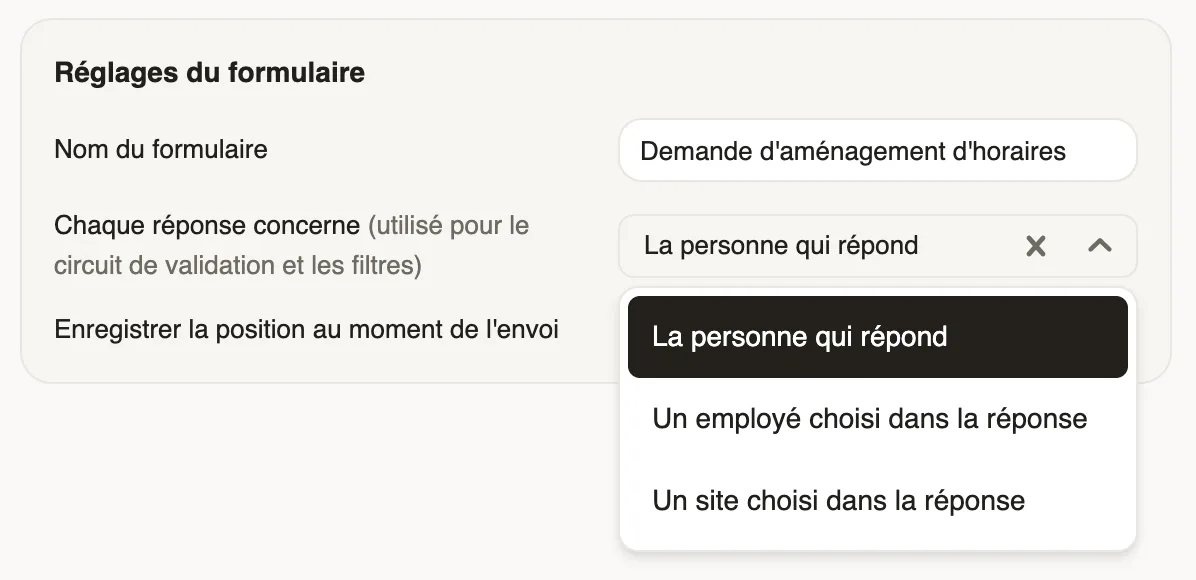
In Weplanify, a response is about the person who fills it in by default. For an evaluation or an inspection, it can be about an employee or a site picked in the response ("Evaluation of Awa Ndiaye", "Inspection of Entrepôt Rufisque").
Steps
- Open the form, Questions step, Form settings block.
- In Each response is about, choose An employee picked in the response or A site picked in the response.
- In Who can be picked, narrow the list if needed.
- The setting saves itself.
Good to know
- The person answering picks the employee or site at the top of the form.
- The Responses tab shows an About column, also in the export.
- The circuit can have the person concerned or their manager approve (who approves a step).
- For such a form, public links are created from Public links, picking the subject (public link).
Go further
Follow, approve and export a form's responsesIn Weplanify, a form's Responses tab sorts answers by status, opens each one on the side so you can decide, and exports everything to Excel.Choose who approves a step of the circuitIn Weplanify, choose who approves a step: the manager, the head of a site or a department, specific people, or a different person depending on rules.Share a form through a public link or a posterIn Weplanify, open a form to people who have no account (day workers, subcontractors, clients) with a public link or a poster carrying a QR code.Create a form and add its questionsIn Weplanify, create a form from your need and a ready-made template, then adjust its questions while the phone preview shows what employees see.Run a survey or an evaluation with your employeesIn Weplanify, run a satisfaction survey or an evaluation with your teams, without any approval step, and read the results question by question.