
A manager's access by module: none, view or manage
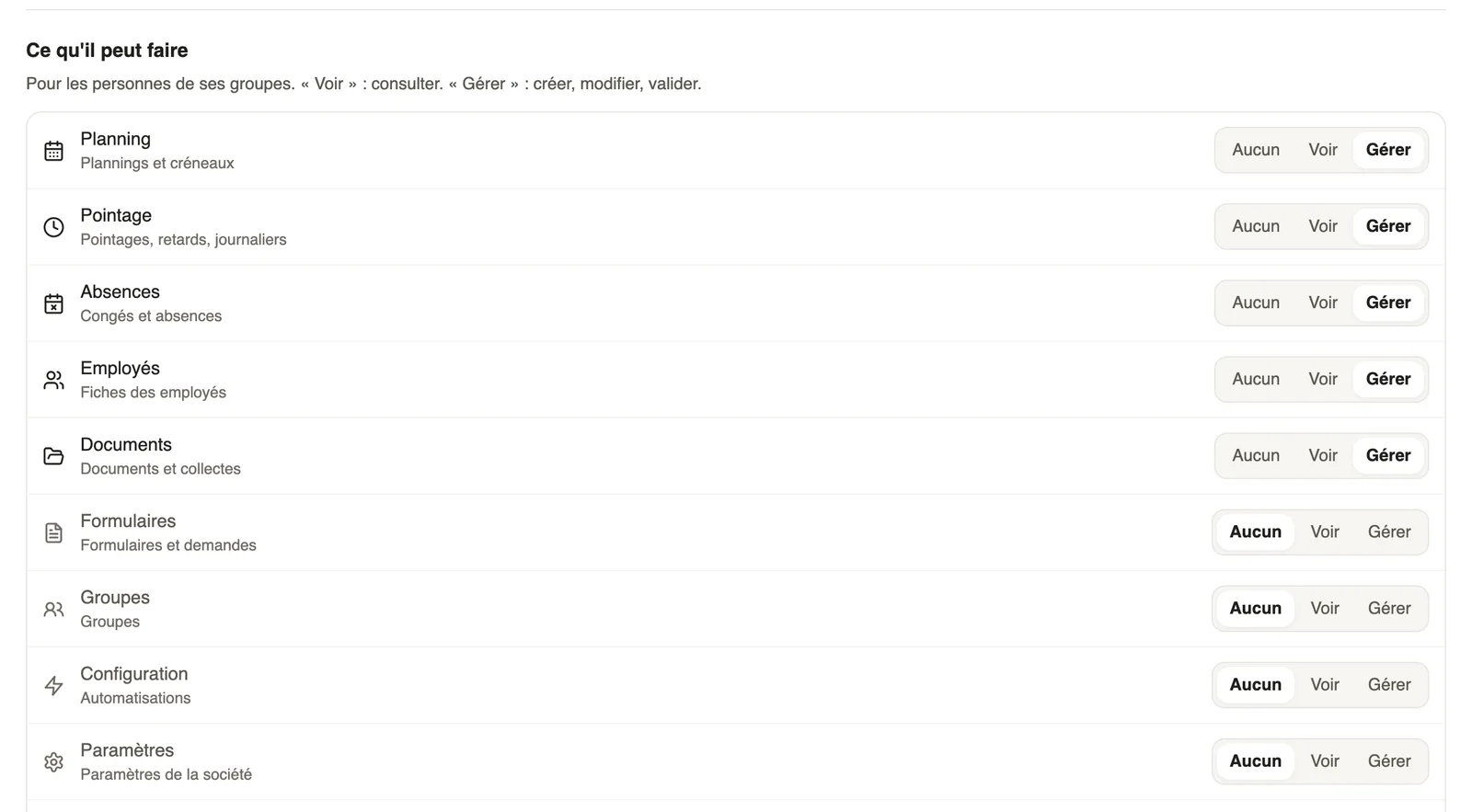
In Weplanify, a manager only opens the chosen modules, for the employees of their groups: View to consult, Manage to create, edit and approve.
In Weplanify, the What they can do section of the Access tab sets, module by module, what a manager can do for the people of their groups.
Steps
- Open the employee record, Access tab, and choose the Manager role.
- For each module, choose None, View (consult) or Manage (create, edit, approve).
- Click Save settings.
The modules
- Planning, Time clock (time entries, lateness, day labourers), Absences, Employees, Documents, Forms.
- Groups, Configuration (automations) and company Settings.
Good to know
- A module set to None disappears from the manager's menu; they keep access to their own data.
- Payroll is not in this list: it is reserved for administrators with payroll access.
Go further
The employee recordIn Weplanify, the employee record brings together everything about a person in five tabs, with sections that you edit one at a time, separately.Give an employee a role and accessIn Weplanify, make an employee a manager or an administrator from the Access tab of their record: role, groups they manage and what they can do.Your company settings in WeplanifyIn Weplanify, settings are sorted by theme in a menu on the left: company, approvals, expenses, time and attendance, leave, payroll and account.Find your way in Weplanify: menu and top barIn Weplanify, the left menu sorts the screens into four sections, and the top bar gathers the search, the help, the notifications and your account.Employee, manager, administrator: who sees what in WeplanifyIn Weplanify, each person has a role that sets what they see: their own data, the employees of the groups they manage, or the whole company at once.