
An employee's family and payroll situation
In Weplanify, the record keeps an employee's family situation, social security numbers and bank details, which every payroll run takes into account.
In Weplanify, three sections of the Information tab feed payroll: Identity, Identity documents and Payroll. They matter when your company runs its payroll in Weplanify.
Steps
- Identity: family situation, dependent children and, if relevant, non-resident for tax. Depending on the country's rules, they can change the tax.
- Identity documents: the ID number and the social security numbers required in your country.
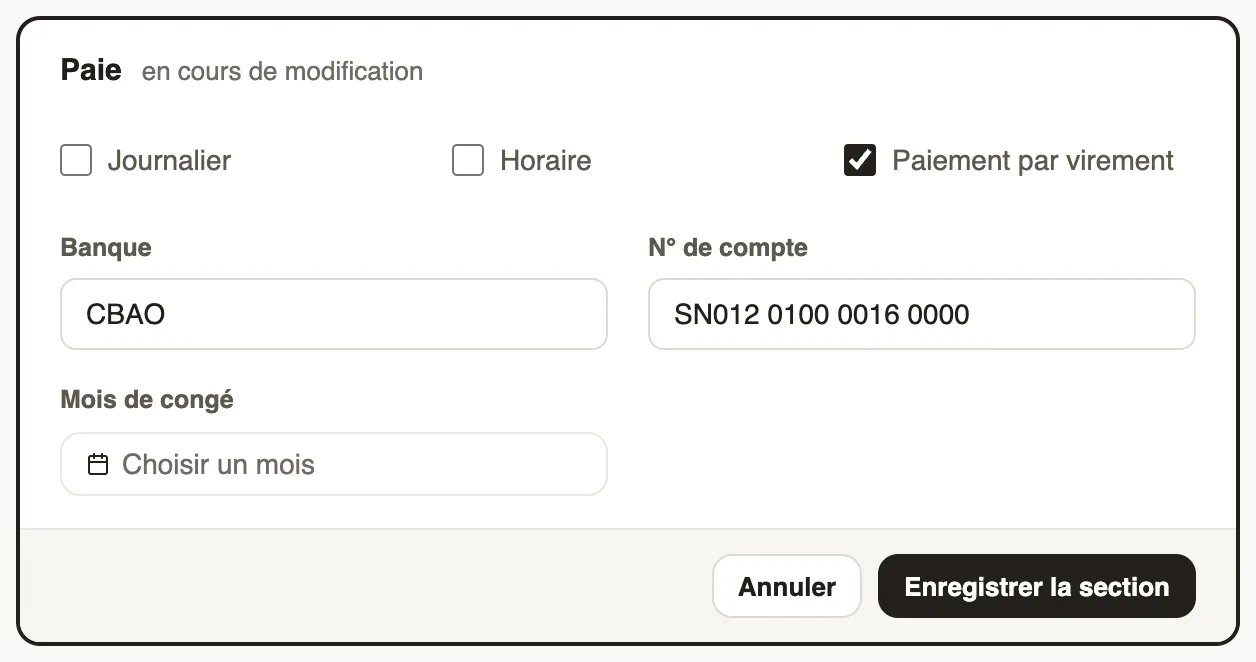
- Payroll: tick Daily-rated or Hourly-rated for a daily or hourly wage, Payment by transfer with the bank and account number.
- Click Save section after each section.
Good to know
- The salary itself is entered in the contract.
- This information is used in every monthly payroll.
Go further
Create or edit an employment contractIn Weplanify, record an employee's contract and pay so that they are included in payroll; only one contract can be running for them at a time.Payroll in WeplanifyIn Weplanify, the monthly payroll is prepared in five steps, from time, absences and variable elements up to the payslips, the payment and the closing.The employee recordIn Weplanify, the employee record brings together everything about a person in five tabs, with sections that you edit one at a time, separately.