
Merge the time sheets entered on mobile
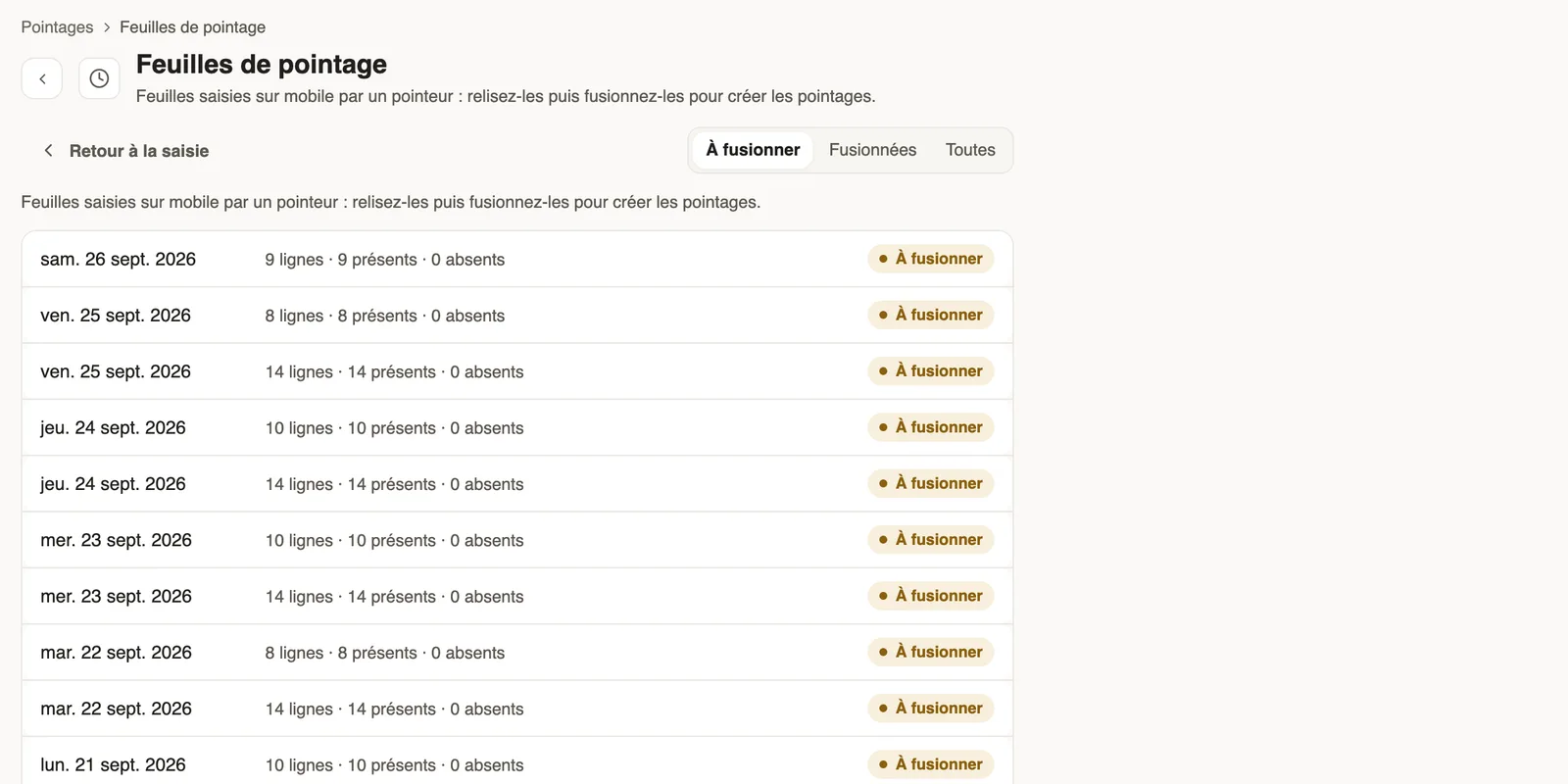
In Weplanify, review the attendance sheets entered on a phone by a time clerk, then merge them to create the day's clock-ins for everyone listed.
In Weplanify, a time clerk can note who is present on a site from their phone. Their sheets wait in Time sheets until a manager merges them.
Steps
- In Time entries, open the ⋯ menu → Time sheets, or click See the sheets on the Manual clock-in page.
- To merge tab: click a sheet to review it (employees, hours, present or absent).
- Choose the Reason, then Merge the sheet: the clock-ins are created.
Good to know
- Days already clocked are not changed; each clock-in created keeps the reason and your name.
- A merged sheet moves to the Merged tab.
- It is also the path of the evening clock-in of day labourers; on mobile: clocking in for others.
Go further
Finish the day labourers' day in the eveningIn Weplanify, the site manager finishes the day in the evening: who left early, who was absent. The day then becomes ready to be validated too.Clock in your site's employees (timekeeper)Let a site manager mark expected employees present or absent on their site from the Weplanify app.Enter a clock-in by handIn Weplanify, enter by hand the day of an employee who forgot to clock in, or clock in a whole team on a shift from the hours of the planning.