
Request leave from your phone
Request leave or an absence in the Weplanify app, attach a supporting document, see your balance and track approval.
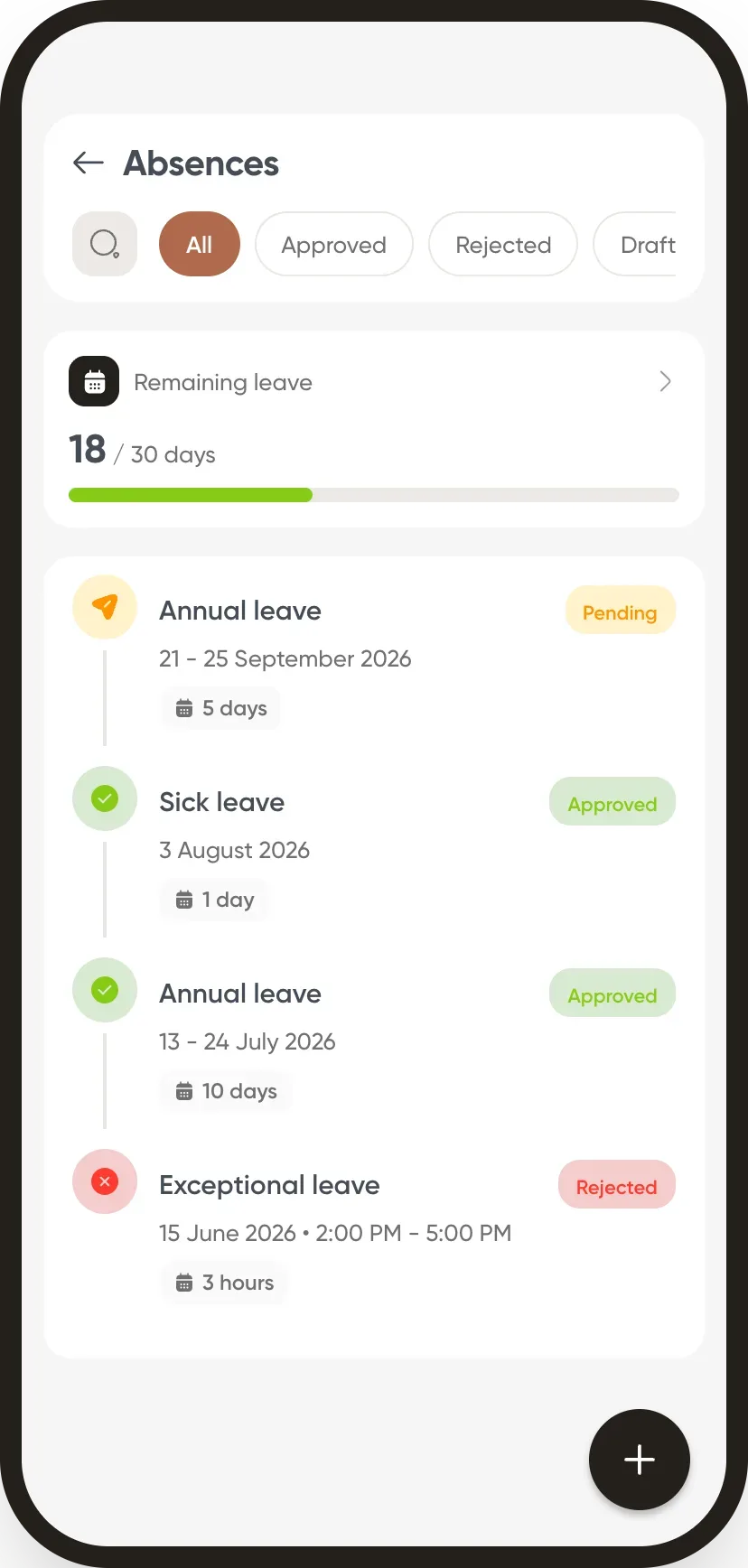
In Weplanify, the employee sees their leave balance and the status of each request, and creates a new one in a minute.
Steps
- On the home screen, tap Absences: your balance and requests appear.
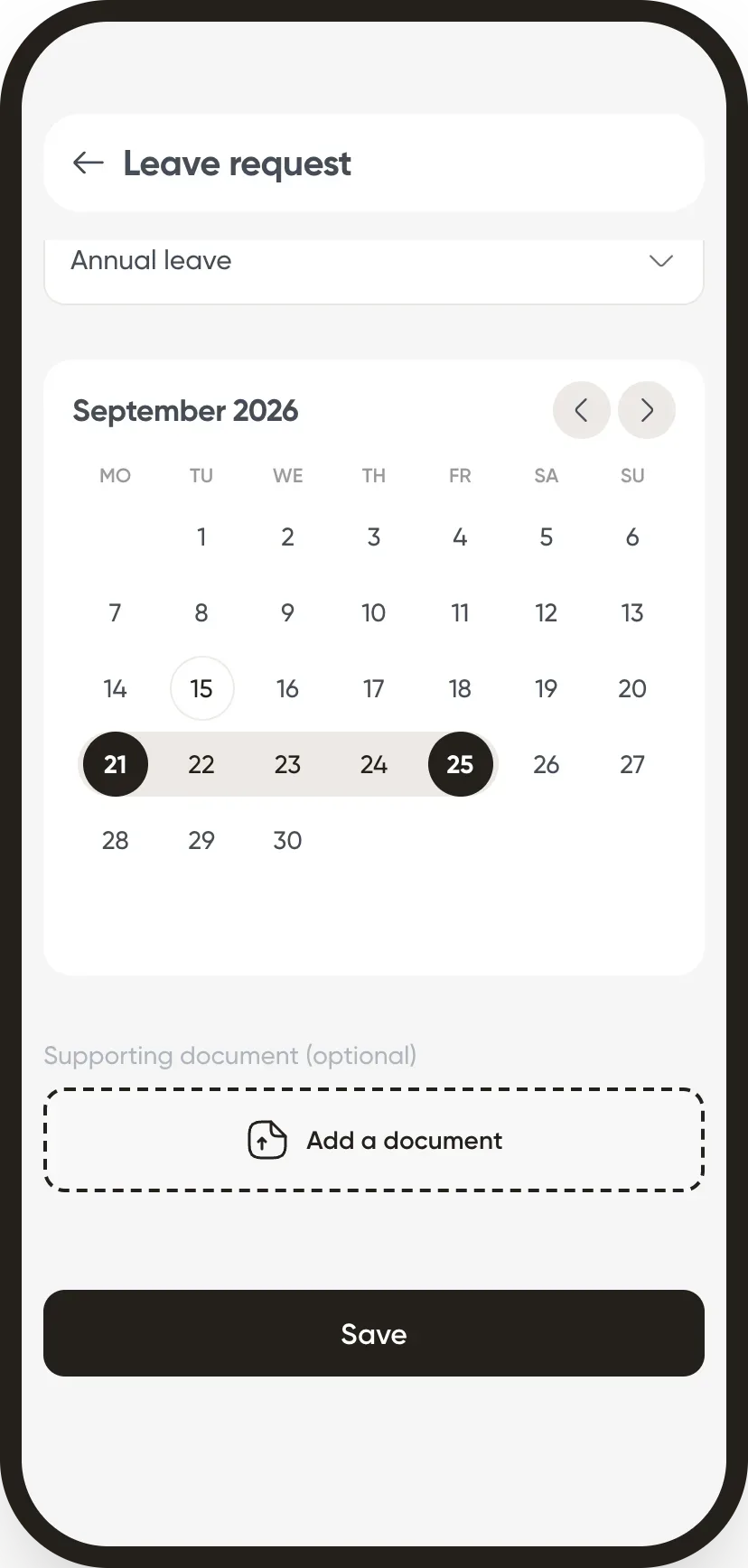
- Tap + for a new request.
- Choose the absence type, then the dates in the calendar.
- Add a supporting document if needed, then tap Save.
Good to know
- The request follows the approval workflow; the employee is notified of the decision.
- Filters show approved, rejected or draft requests.
- The balance shown comes from leave balances.
Go further
Absence typesIn Weplanify, each absence type says whether it is paid, unpaid or deducted from the leave balance: it is the type that decides the effect on payroll.Choose who approves absencesIn Weplanify, the leave circuit says who receives each absence request, in which order, under which conditions, and who stands in for an absent approver.Leave balancesIn Weplanify, each employee has a leave counter: earned since the return date, taken, and available balance, shown on their record and in the report.Manage leave and absencesIn Weplanify, the Leave and absences screen gathers the whole team's requests, as a list or a calendar, with the requests to approve shown first.The Weplanify mobile app for your employeesWhat your employees do from their phone with Weplanify: clock in, see their schedule, request leave, fill in a form, read their payslips.