
Sign in to the mobile app
How an employee signs in to the Weplanify app with their phone number and a text code, and what to do if the code doesn't arrive.
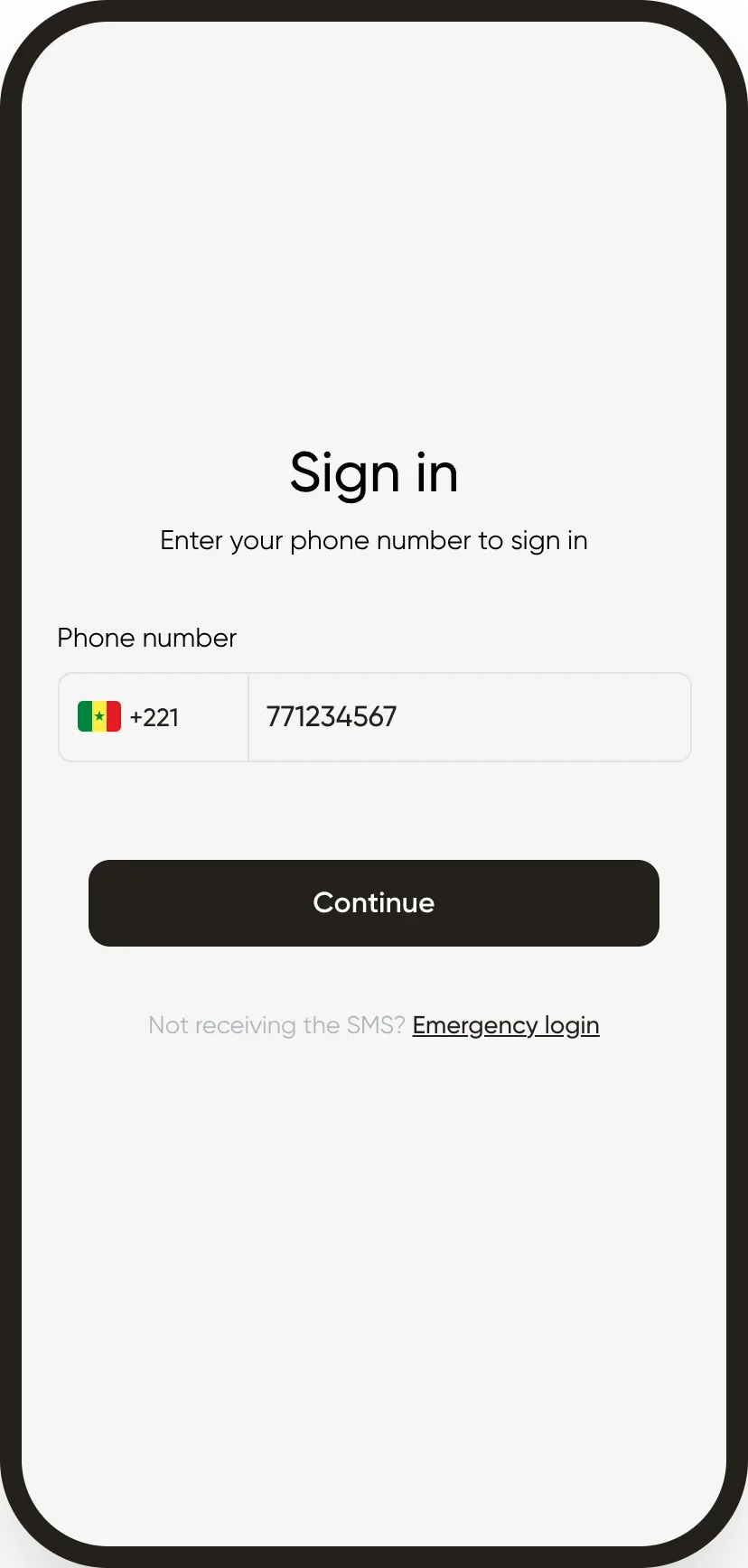
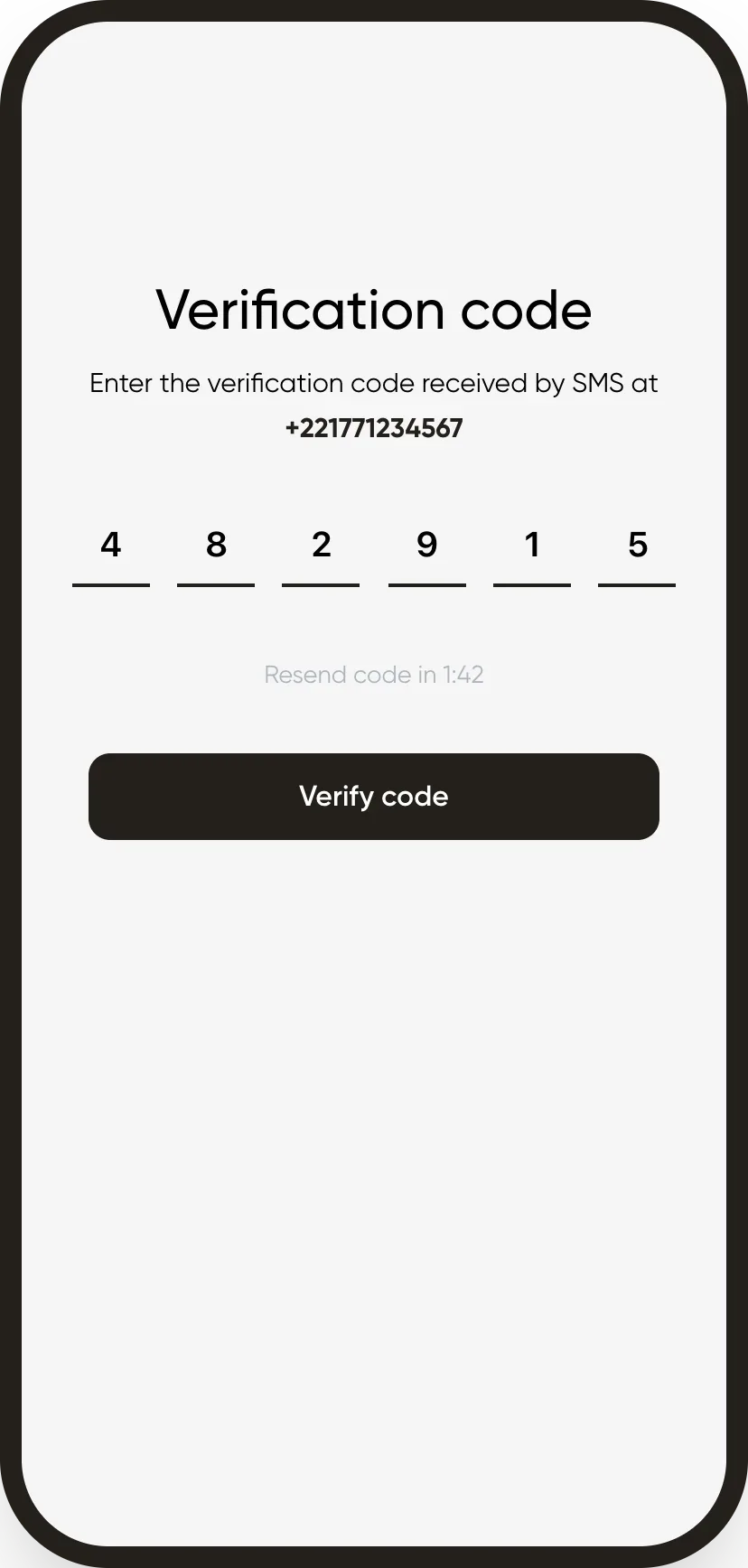
In Weplanify, the employee signs in with the phone number saved on their record: no password to remember.
Steps
- Install the Weplanify app on the phone and open it.
- Enter your phone number and tap Continue.
- Enter the validation code received by text and tap Verify code.
Good to know
- The number must match the one on the employee record exactly.
- If the text doesn't arrive, tap Emergency login and enter the code of the day your manager gives you.
- Access to the web version is by invitation.
Go further
Add an employee in WeplanifyIn Weplanify, an employee is created in four short steps; the name and phone number are enough, the rest can be completed later on their record.The emergency login codeIn Weplanify, help out an employee who does not receive the mobile app sign-in text message with today's code, valid across the whole company.Invite an employee to the web versionIn Weplanify, invite an employee, often a manager, to the web version: they receive an email link to create their password and then sign in.The Weplanify mobile app for your employeesWhat your employees do from their phone with Weplanify: clock in, see their schedule, request leave, fill in a form, read their payslips.Sign in to Weplanify on the web and on mobileIn Weplanify, managers sign in on the web with their email address, and employees sign in to the mobile app with their phone number and a code.See who uses the app and cut someone's accessIn Weplanify, see for each employee whether they use the mobile app, send them the link, or cut their access without touching their record at all.