
Create or edit an employment contract
In Weplanify, record an employee's contract and pay so that they are included in payroll; only one contract can be running for them at a time.
In Weplanify, only a running contract brings the employee into payroll. The pay to enter depends on the contract type and your country's rules.
Steps
- In the record, Contracts tab, click New contract (or the contract's pencil to edit it).
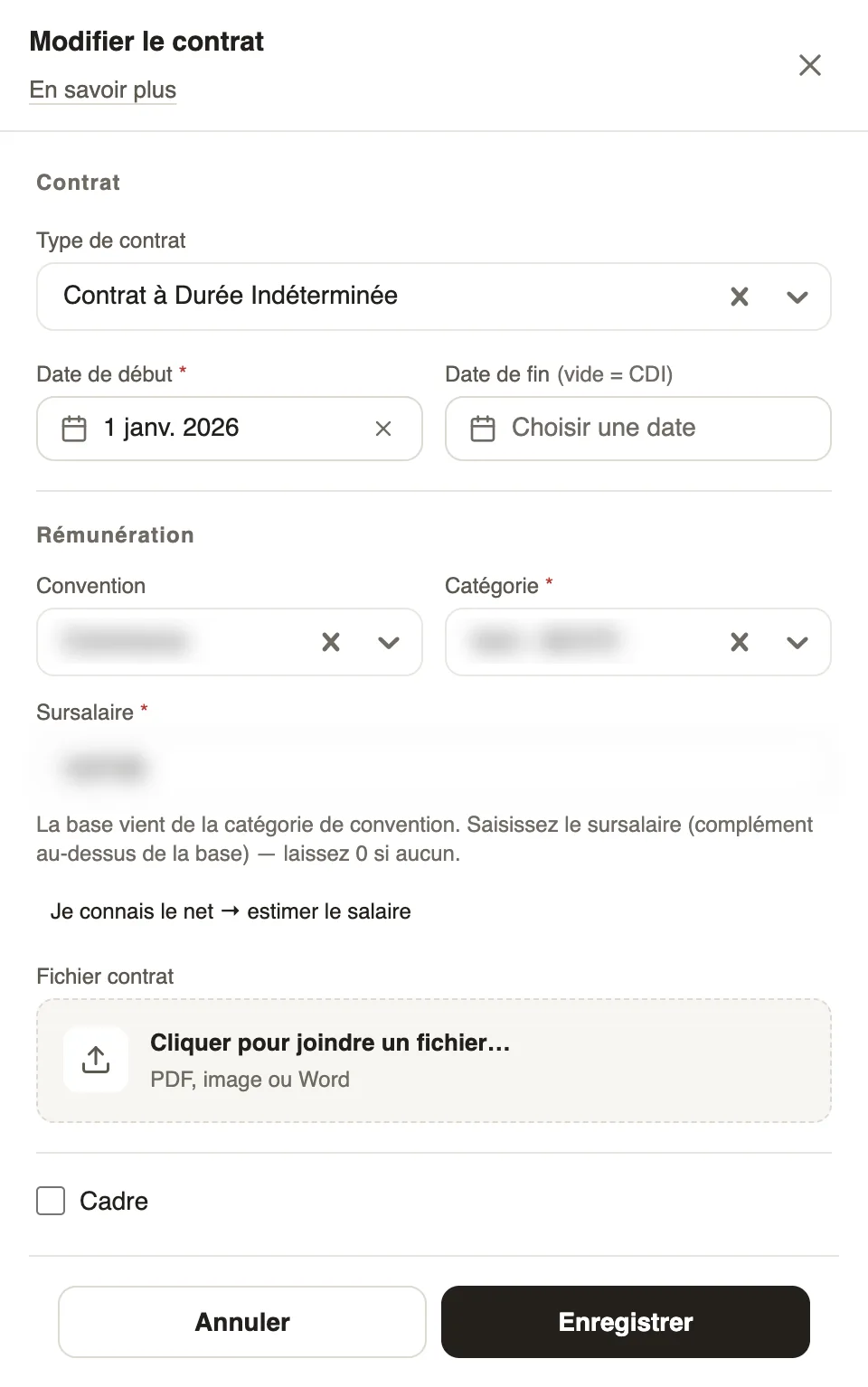
- Choose the Contract type and the Start date; leave the end date empty for an open-ended contract.
- Under Compensation, enter the salary as your country requires: a fixed amount, or agreement, category and supplement.
- If you know the net pay wanted, click I know the net → estimate the salary.
- Attach the Contract file if needed, tick Executive if relevant, then Save.
Good to know
- Only one contract can be running at a time.
- The employee's branch is set when the contract is created, then no longer changes (branches).
- To suspend or close: a contract's statuses.
Go further
Branches: agencies and payroll countriesIn Weplanify, a branch is an agency of the company: its country decides the payroll rules applied to its employees; create one for each country.A contract's statuses: suspend, terminate, activateIn Weplanify, the record's Contracts tab shows the running contract and its history, and what each action changes for the employee's payroll.Follow employment contractsIn Weplanify, the Contracts page lists every employee's contracts, spots those nearing their end date and lets you create or import new ones.An employee's family and payroll situationIn Weplanify, the record keeps an employee's family situation, social security numbers and bank details, which every payroll run takes into account.Recruit: job offers and candidate trackingIn Weplanify, publish a job offer, share its application link and move each candidate forward, from their application to their employee record.A day labourer's record and hiring themIn Weplanify, a day labourer's record shows their days, what they were paid and what is still owed; a regular day labourer can be hired in one click.Payroll in WeplanifyIn Weplanify, the monthly payroll is prepared in five steps, from time, absences and variable elements up to the payslips, the payment and the closing.