
Choose how leave is handled in payroll
In Weplanify, choose how a departure on leave is paid: salary maintained, allowance on departure, or deduction then add-back on the payslips.
In Weplanify, the chosen mode decides what the payslip of the month of departure on leave, and those of the following months, carry. It is set in Settings → Payroll → General, Leave & indemnity block.
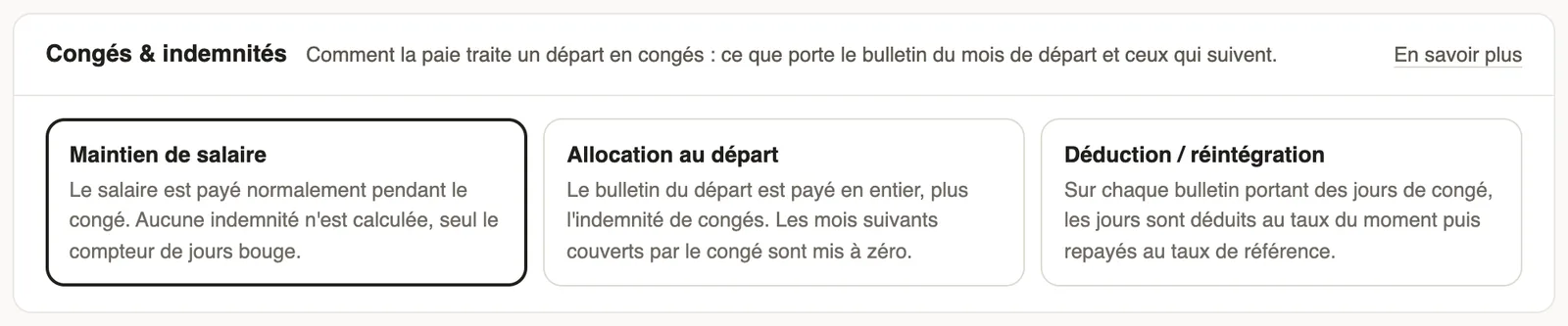
The three modes
- Salary maintained: the salary is paid normally during the leave; only the day counter moves.
- Allowance on departure: the departure payslip is paid in full, plus the leave allowance; the months covered by the leave are set to zero.
- Deduction / add-back: each payslip carrying leave days deducts them at the current rate, then pays them back at the reference rate.
Good to know
- Choose the mode set by your collective agreement or your country's rule.
- The departure itself is declared on the contract: declare a departure.
- The leave must be of a "paid leave" type.
Go further
Declare a departure on leave or a final departureIn Weplanify, declare a departure on leave or a final departure from the employee's record, Contracts tab, so that payroll prepares what is due to them.Absence typesIn Weplanify, each absence type says whether it is paid, unpaid or deducted from the leave balance: it is the type that decides the effect on payroll.Payroll settingsIn Weplanify, the Payroll group of settings gathers payroll setup, paid leave handling, contributions, pay elements and the accounting export.Set up the company's payrollIn Weplanify, payroll settings are in Settings → Payroll: installation, leave, contributions, control bounds and the accounts used by the accounting export.Prepare a departure on leaveIn Weplanify, prepare an employee's departure on leave from their record: days counted, balance, leave request and allowance, then validate the departure.