
View your schedule on mobile
See your week in the Weplanify app: hours, break, position and location for each day, and your shift's task list.
In Weplanify, the employee sees in the app the schedule their manager has published.
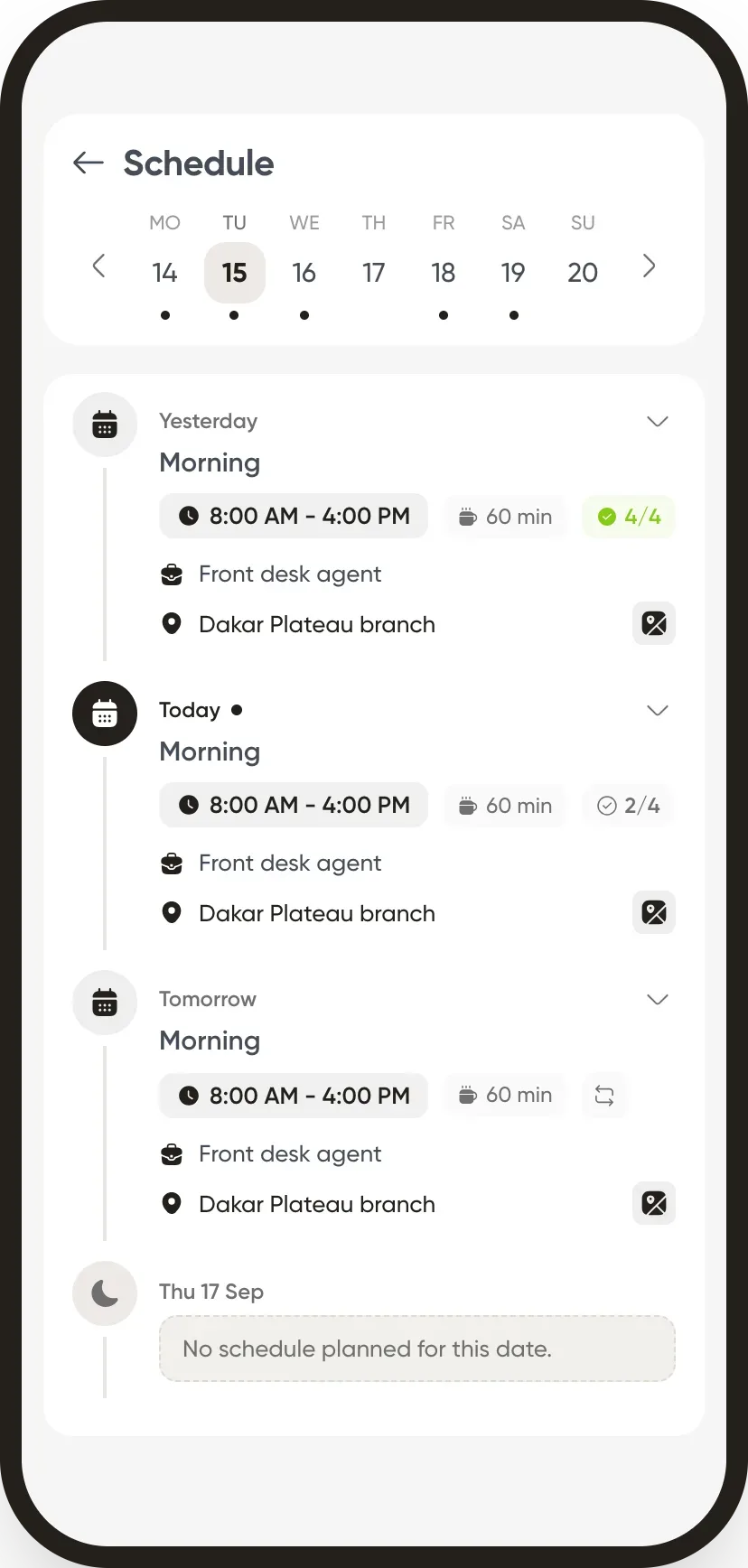
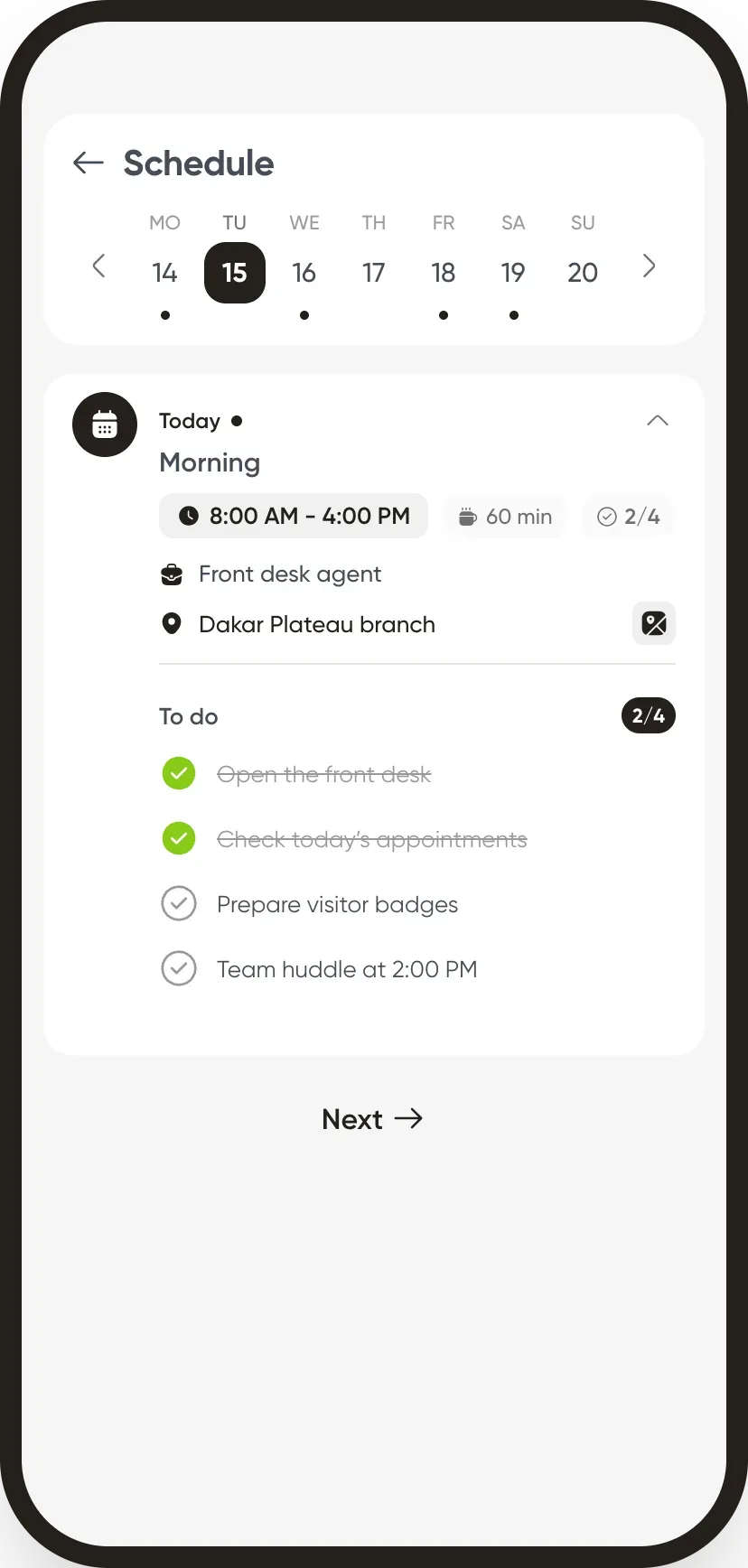
Steps
- On the home screen, tap Schedule.
- Choose a day of the week: hours, break, position and work location appear.
- Expand a shift to see its tasks and tick them off during the day.
Go further
Publish the planningIn Weplanify, publish the week so that your employees see their slots: as long as they are drafts, only the people managing the planning can see them.Create a slot in the planningIn Weplanify, a slot says who works, on which days, at what time, on which site and in which job; it is created as a draft, for one or several employees.The Weplanify mobile app for your employeesWhat your employees do from their phone with Weplanify: clock in, see their schedule, request leave, fill in a form, read their payslips.The team planningIn Weplanify, the planning says who works, when and where, week after week; the slots stay as drafts until you publish them to your employees.Offer an open slotIn Weplanify, publish a slot without a name, for example extra help on Saturday: the employees it is offered to can take it from their phone.