
Clock in from your phone
Clock in and out with the Weplanify app, by geolocation on site or by scanning the QR code posted at the workstation.
In Weplanify, the employee clocks in from the app's home screen. The time is recorded even offline and sent as soon as the connection is back.
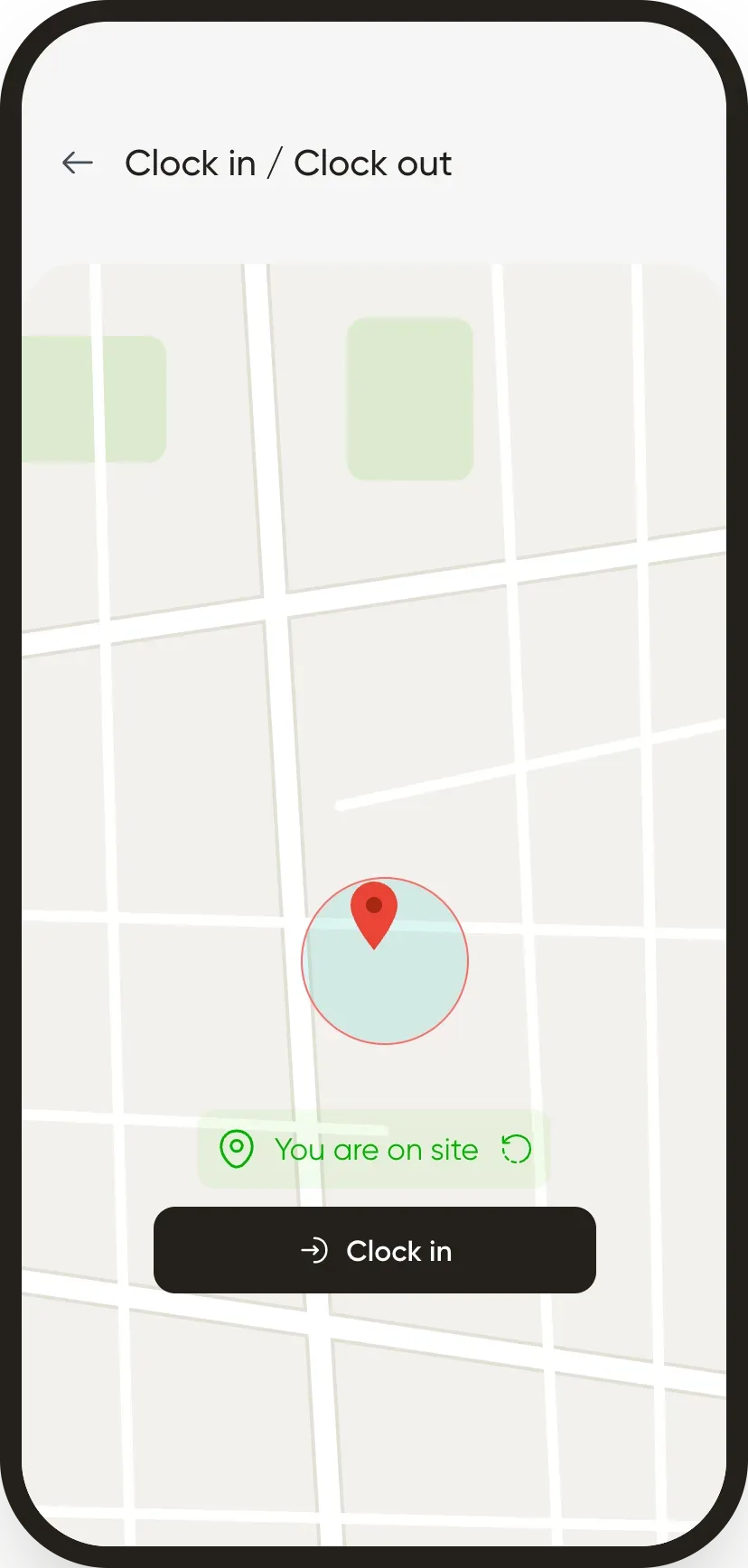
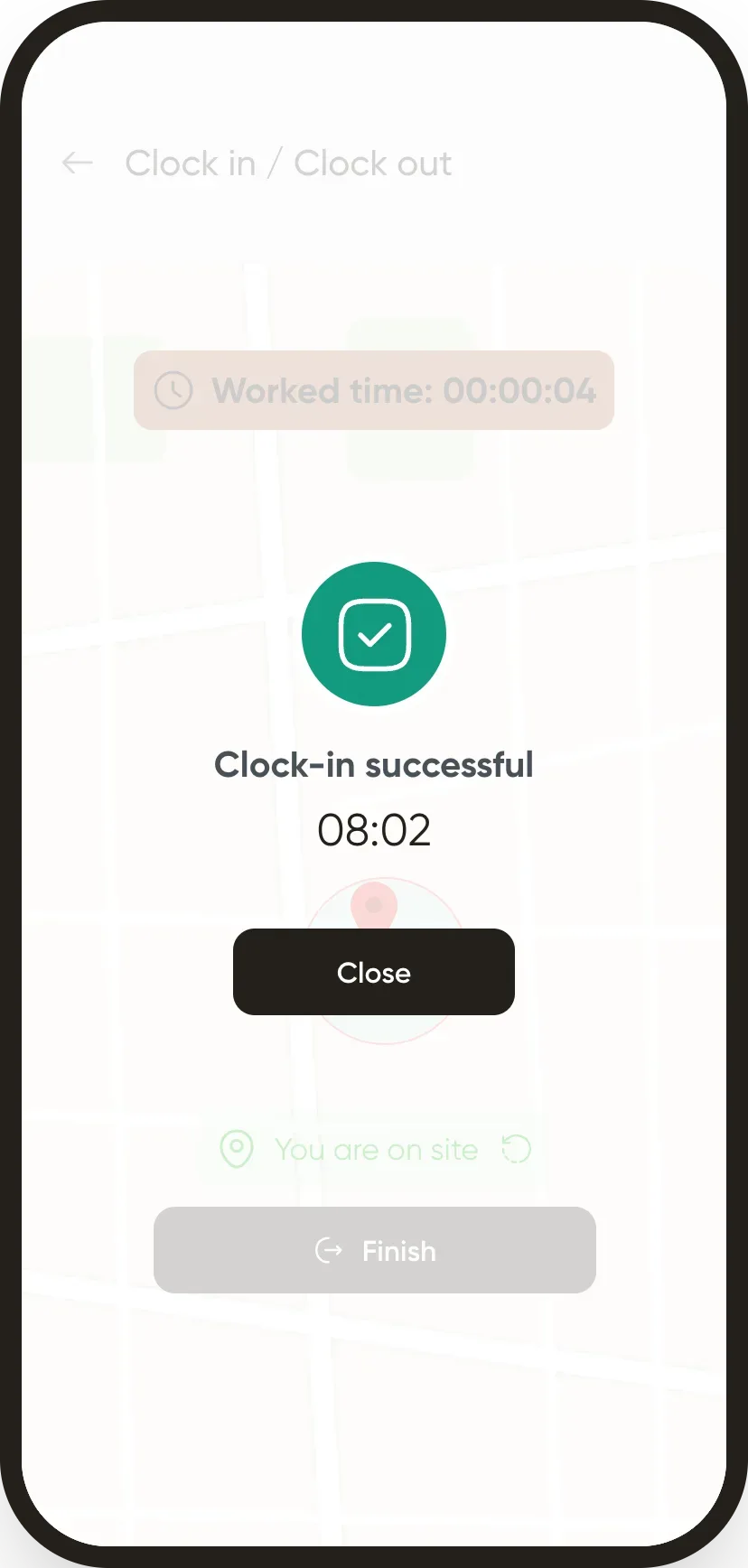
Steps
- On the home screen, tap Clock in.
- With geolocation: allow location access; the app shows You're on site when you're inside the site area. Tap Clock in.
- With a QR code: scan the site QR code posted at the workstation.
- When you leave, do the same to clock out.
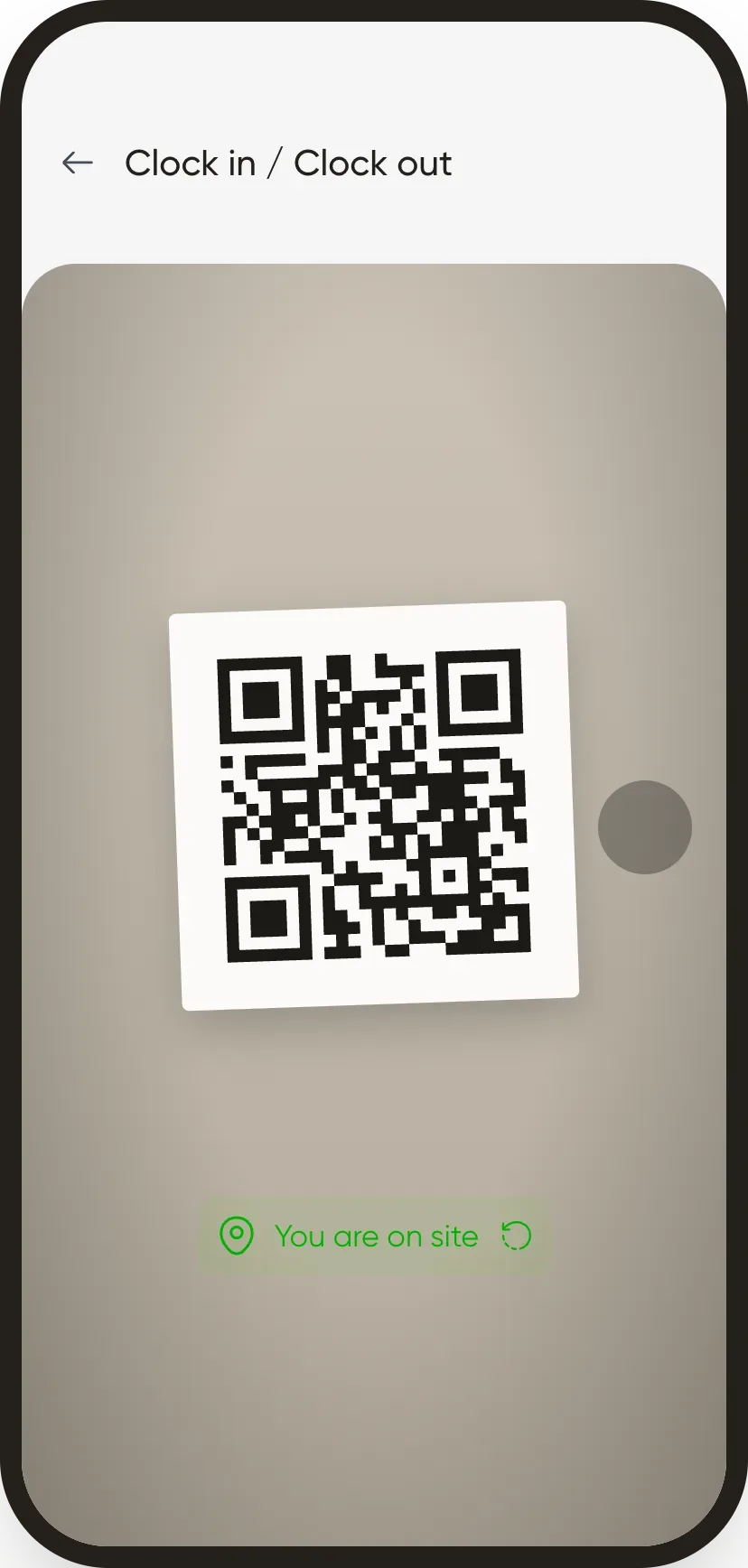
Good to know
- The method (geolocation, QR code or face) is chosen by the company on the employee record.
- A reminder tells the employee to clock out before leaving.
- Clock-ins go to the Attendance module and are used for payroll.
Go further
Create and set up a siteIn Weplanify, declare your workplaces, their geolocation clock-in area, their time zone and their own overtime rules, one site at a time here.Print the clock-in QR codeIn Weplanify, print from the dashboard the clock-in QR code poster, to put up at the site entrance so that employees can clock in with their phone.An employee's clock-in settingsIn Weplanify, the Time tracking and leave section of the record sets how the employee clocks in and what, for them alone, differs from company rules.Employee time clockIn Weplanify, the Time entries screen shows, day by day, each employee's arrival and exit against what was planned, and what is left to fix.Prepare the month's time and absencesIn Weplanify, the Time and absences step gives each employee's paid days, leave, absences and overtime, taken from the source chosen for their site.The Weplanify mobile app for your employeesWhat your employees do from their phone with Weplanify: clock in, see their schedule, request leave, fill in a form, read their payslips.Clocking in with facial recognitionIn Weplanify, facial recognition compares the photo taken at clock-in with the employee's profile photo; here is what to do when the check fails.