
DocumentationForms & requestsWeplanify forms: requests, reports and surveysRecruit: job offers and candidate tracking
Move candidates from step to step
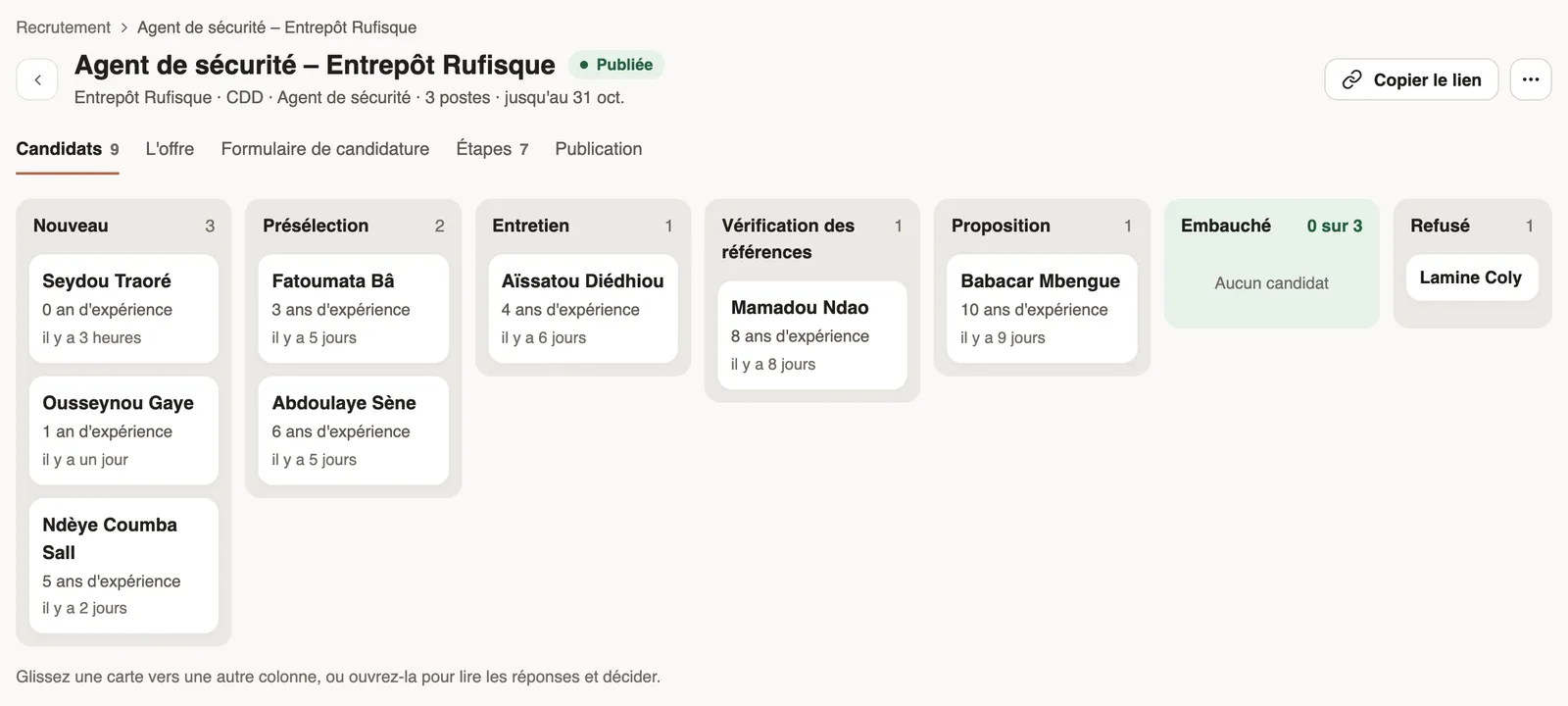
In Weplanify, an offer's Candidates tab puts each candidate in the column of their step: drag their card, or open it to read the answers and decide.
In Weplanify, an offer's Candidates tab shows one column per step. Each card gives the candidate's name, their first short answers ("8 years of experience") and the date of their application.
Steps
- To move a candidate forward, drag their card to another column, or open its … menu and choose, for example, Move to "Interview".
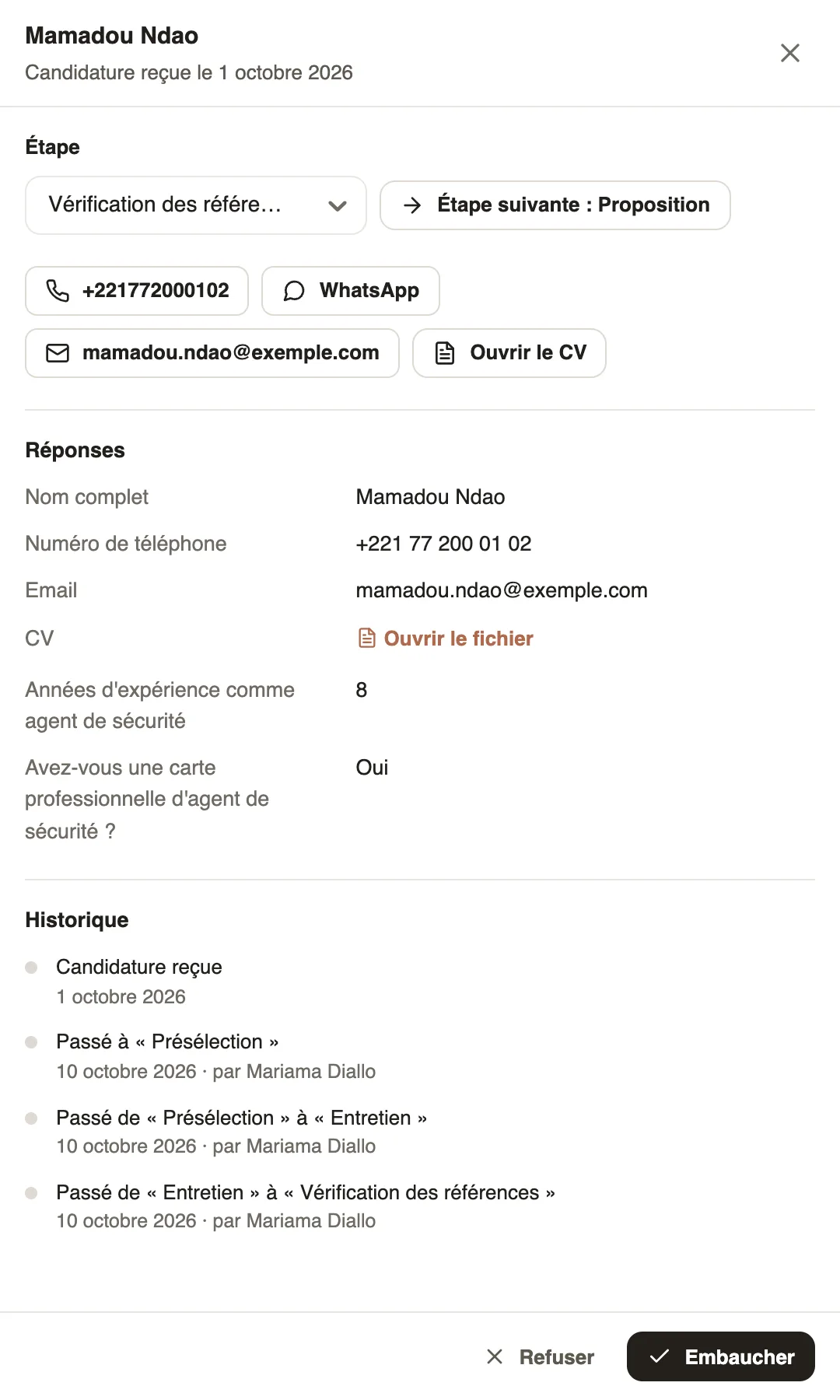
- Click a card to open the candidate's panel: their phone, WhatsApp, their email, Open the CV, their Answers and the History of their steps.
- In the panel, change the Step in the list, or click Next step.
- To turn a candidate down, click Reject and confirm: they move to the last column.
- To keep them: hire a candidate.
Good to know
- Weplanify does not tell the candidate about a rejection: let them know yourself. To undo a rejection, change their step.
- The history shows every change of step, with the date and the person who made it.
- A very full column shows "Show 5 more candidates", for example.
- The columns are set in the Steps tab (set up the steps).
Go further
Hire a candidate and create their employee recordIn Weplanify, hiring a candidate moves them to the Hired step and prepares their employee record, prefilled with their name, phone, job and site.Set up the selection steps of an offerIn Weplanify, an offer's steps are set in its Steps tab: add, rename, reorder or delete the steps of your selection, between arrival and decision.Recruit: job offers and candidate trackingIn Weplanify, Recruitment shows your job offers as cards: create an offer, share its link and follow every candidate from application to hiring.What candidates see of a job offerIn Weplanify, an offer's link opens a page with no account needed: company, job, contract, site, deadline and description, then the form to fill in.The job offer page and its tabsIn Weplanify, every job offer has its own page with five tabs: Candidates, The offer, Application form, Steps and Publication, plus its actions.