
DocumentationForms & requestsWeplanify forms: requests, reports and surveysRecruit: job offers and candidate tracking
What candidates see of a job offer
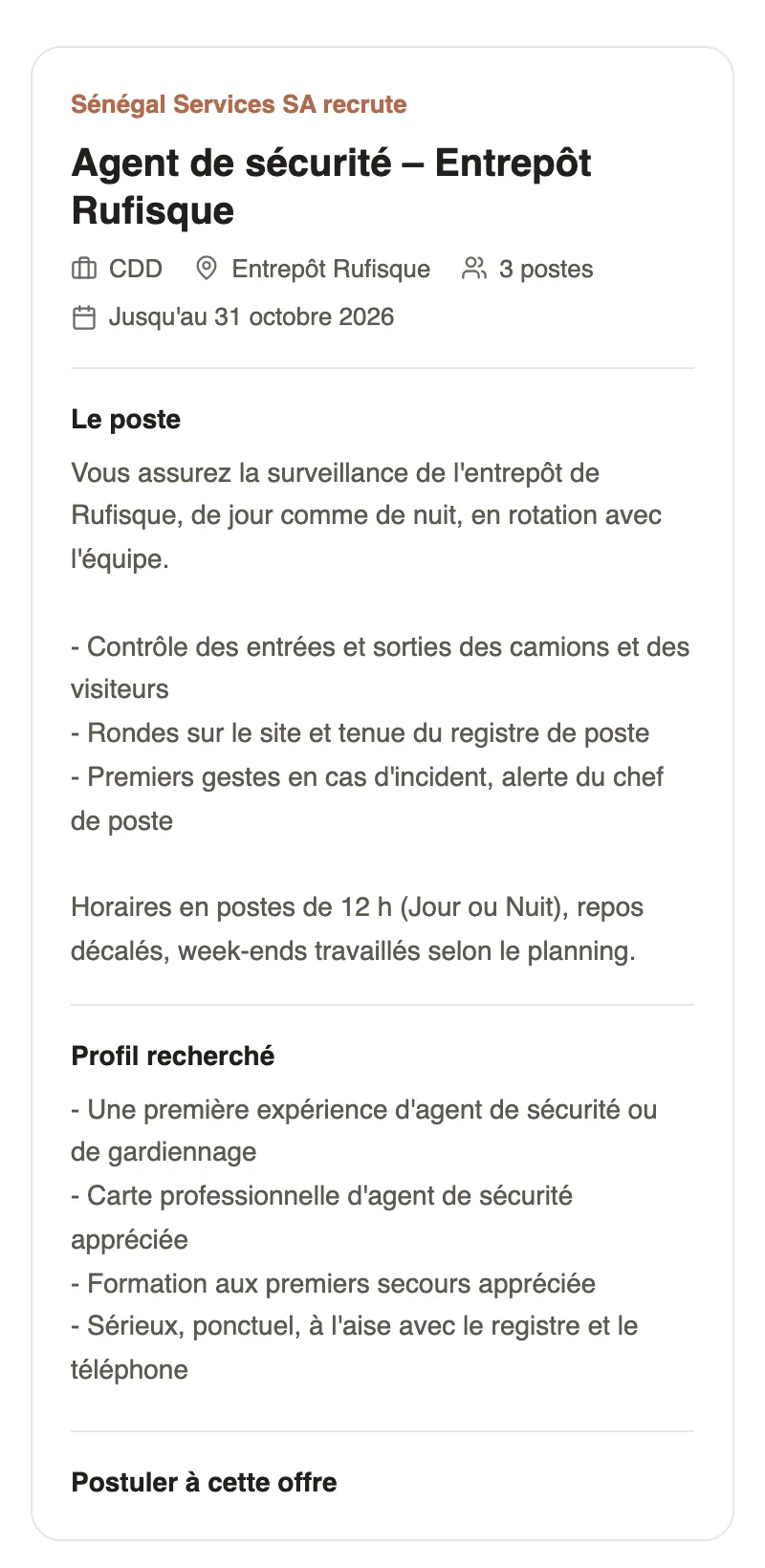
In Weplanify, an offer's link opens a page with no account needed: company, job, contract, site, deadline and description, then the form to fill in.
In Weplanify, the application link opens, on a phone as on a computer, a page that presents the offer and then the form. The candidate needs neither an account nor the app.
Steps
- The candidate opens the link received on WhatsApp or by email, or scans the QR code of the poster.
- They read the offer: your company name, the title, the contract, the site, the number of positions, the deadline, The job and the Profile wanted.
- Under Apply for this position, they answer the questions and attach their CV.
- They click Submit: "Your application has been sent. The company will contact you if your profile is selected."
Good to know
- The application lands at once in the first column of the Candidates tab (follow the candidates).
- A file over 10 MB is refused before sending; if an attachment could not be added, the page tells the candidate.
- A draft or closed offer, or one whose deadline has passed, shows "Offer closed: this job offer no longer takes applications".
- To change this text: the The offer tab (create an offer); for the questions: the application form.
Go further
Move candidates from step to stepIn Weplanify, an offer's Candidates tab puts each candidate in the column of their step: drag their card, or open it to read the answers and decide.Create a job offerIn Weplanify, a job offer takes a few fields to create: title, job, site, contract and number of positions, then its description and its deadline.Choose the questions asked to candidatesIn Weplanify, an offer's application form is set in its own tab: name, phone, email and CV by default, then your own questions for the candidates.Recruit: job offers and candidate trackingIn Weplanify, Recruitment shows your job offers as cards: create an offer, share its link and follow every candidate from application to hiring.Publish a job offer and share its linkIn Weplanify, publishing an offer opens its application link: copy it, send it on WhatsApp or by email, or print a poster with a QR code to scan.