
Leave balances
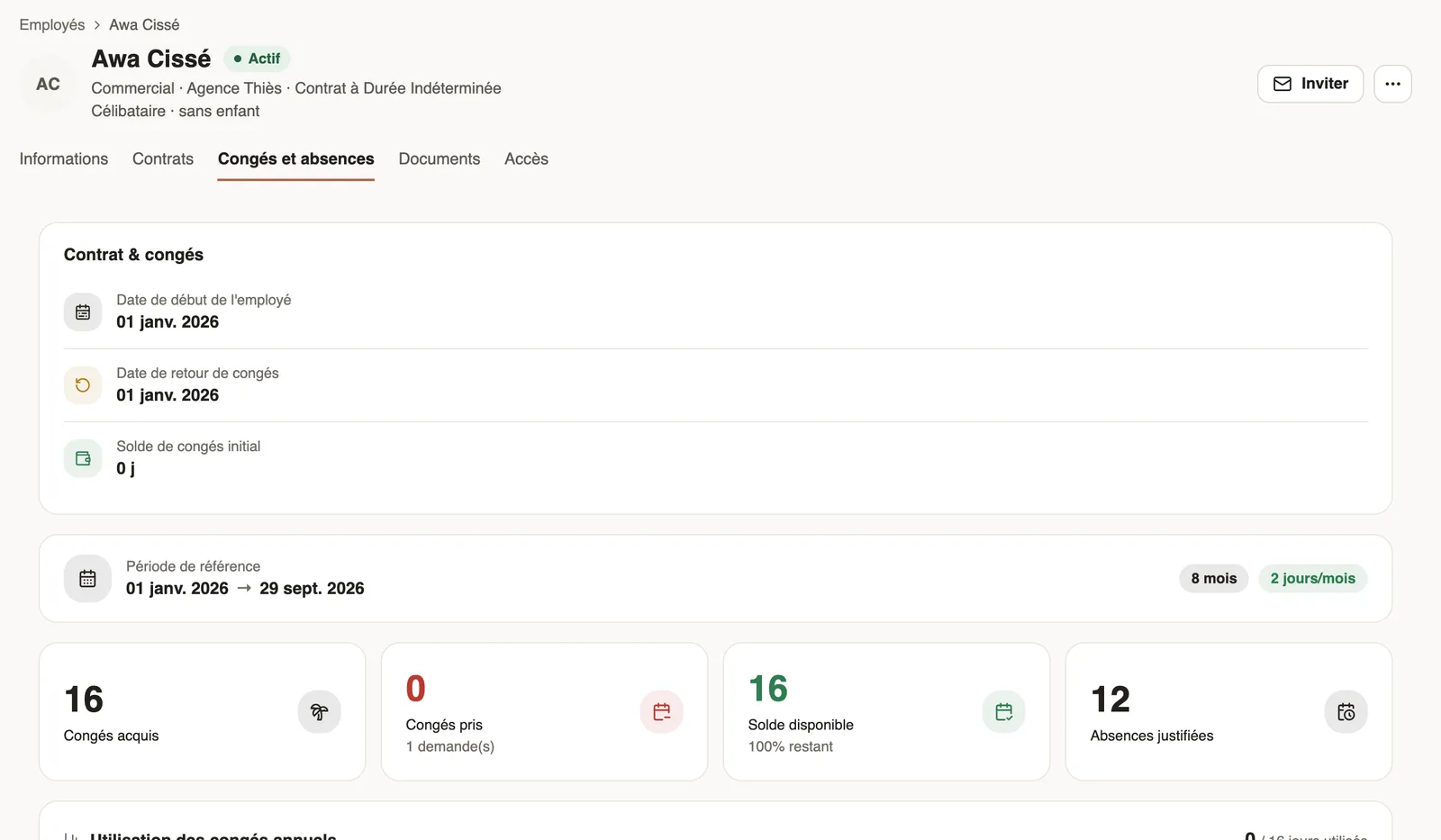
In Weplanify, each employee has a leave counter: earned since the return date, taken, and available balance, shown on their record and in the report.
In Weplanify, an employee's leave counter is read in the Leave and absences tab of their record.
Steps
- On the record, Time tracking and leave section, fill in the Return from leave date (start of the counter; by default, the start date) and the Initial leave balance (carried over).
- Check the monthly accrual in Settings → Accrual and counting, according to your country's rule.
- Read the Leave and absences tab: reference period, leave earned, leave taken and available balance.
The calculation
- Earned = months since the return date × days earned per month (+ any extra days).
- Taken = approved absences deducted from leave since the return date.
- Balance = initial balance + earned − taken.
Good to know
- For the whole team: the absence report, Balances view.
- When someone leaves on holiday, payroll computes the allowance: see departures and leave in payroll.
Go further
The employee recordIn Weplanify, the employee record brings together everything about a person in five tabs, with sections that you edit one at a time, separately.Set leave accrual and countingIn Weplanify, set how many leave days each employee earns per month and how leave is counted: Monday to Saturday or Monday to Friday working days.Absence typesIn Weplanify, each absence type says whether it is paid, unpaid or deducted from the leave balance: it is the type that decides the effect on payroll.The absence and balance reportIn Weplanify, the absence report gives, for the chosen period, the days of absence, the absenteeism rate and each employee's own leave balance.Declare a departure on leave or a final departureIn Weplanify, declare a departure on leave or a final departure from the employee's record, Contracts tab, so that payroll prepares what is due to them.Request leave from your phoneRequest leave or an absence in the Weplanify app, attach a supporting document, see your balance and track approval.An employee's dashboardIn Weplanify, an employee invited to the web sees their own dashboard: their leave balance, their next absence and the follow-up of this year's requests.