
Documents and payslips on mobile
Upload the documents HR requests from the Weplanify app, follow their review and find your payslips.
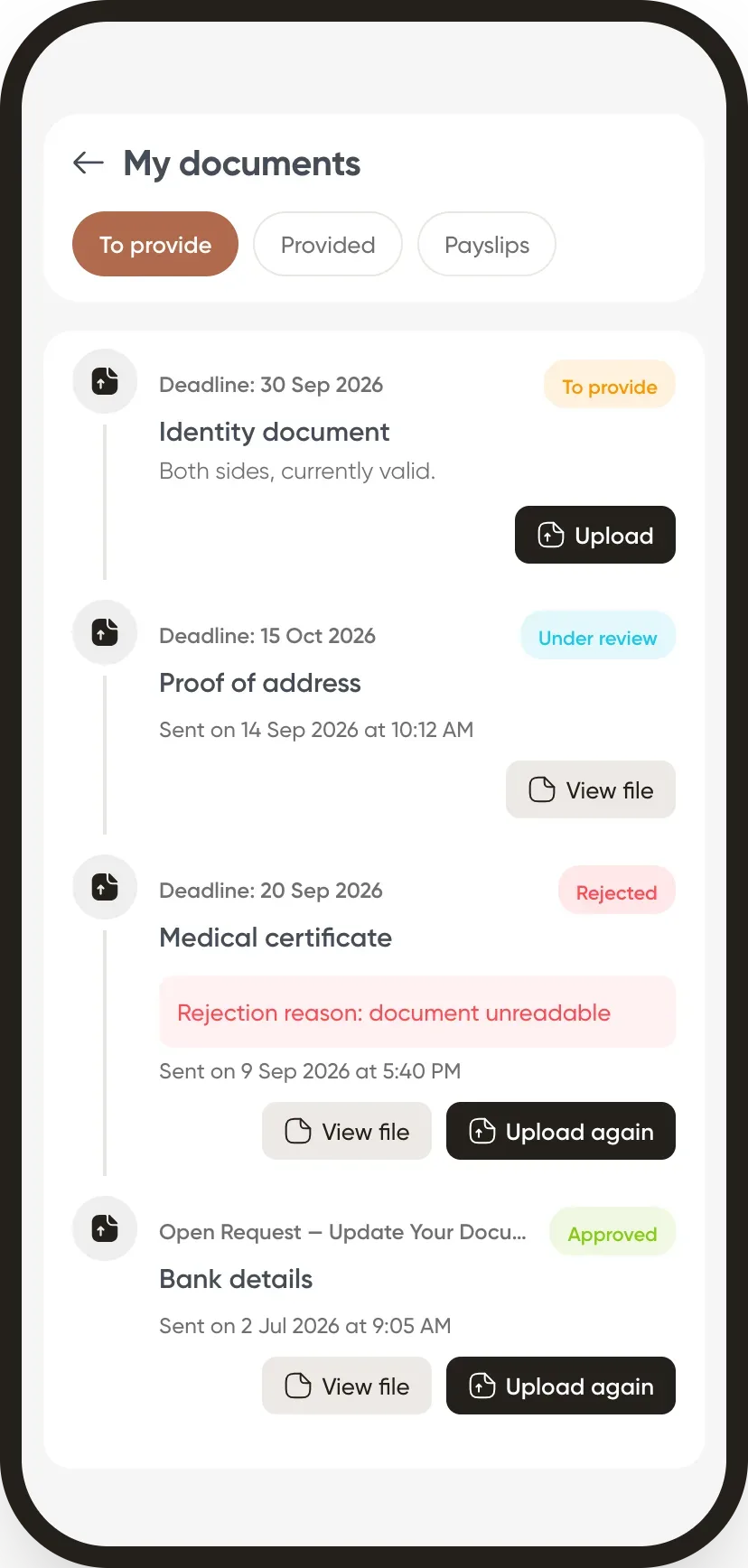
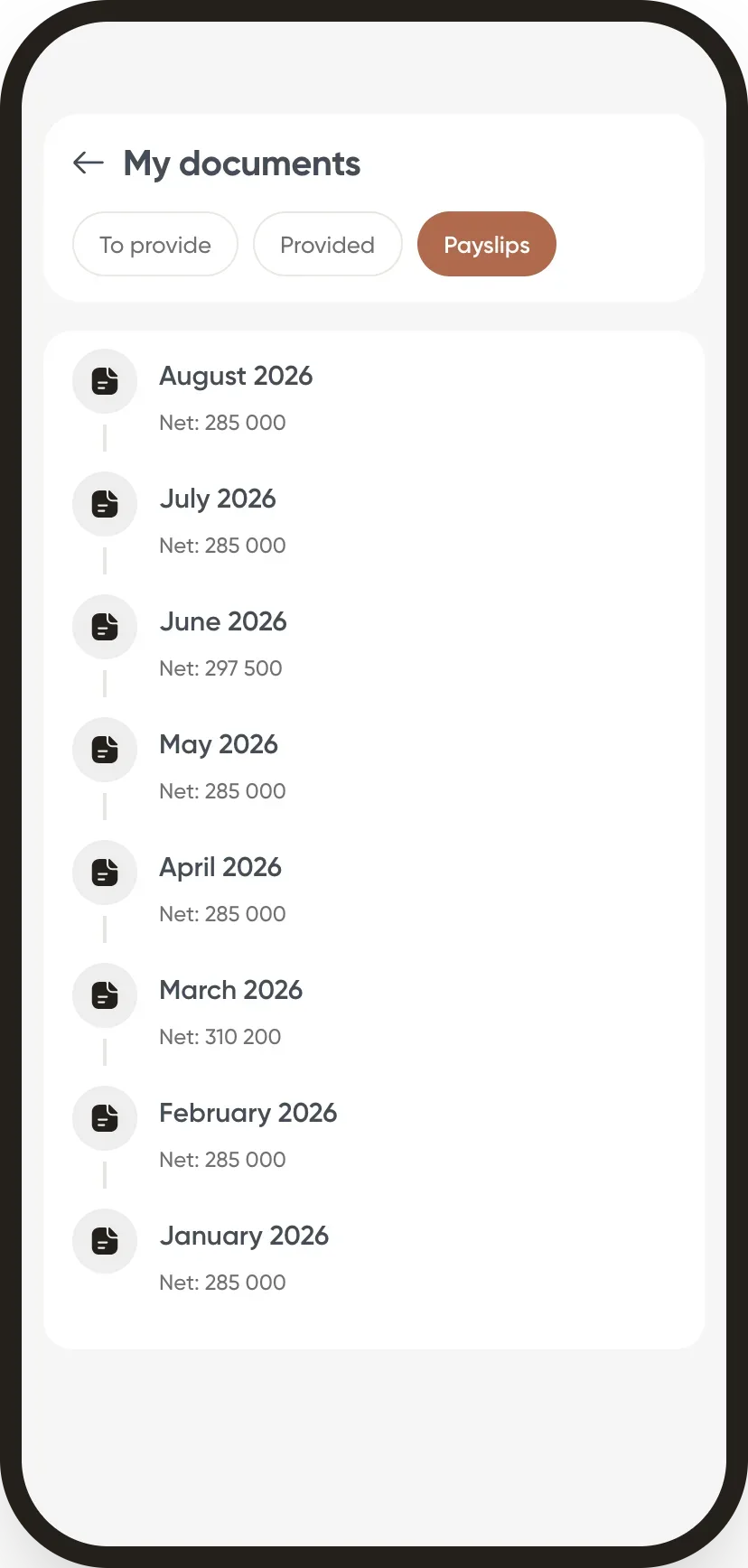
In Weplanify, the app's My documents screen gathers what HR requests and what the employee has received.
Steps
- On the home screen, tap Documents.
- To provide tab: each requested document with its deadline; tap Upload to send a photo or a file.
- Provided tab: your documents and their status (under review, approved, rejected with the reason).
- Payslips tab: tap a month to open the payslip as a PDF.
Good to know
- Documents to provide come from document collections; a rejection lets you upload a new one.
- A payslip only appears after the payroll month is closed.
- Documents HR adds to the record and marks as downloadable are also visible.
Go further
Request a document from your employees (collection)In Weplanify, a collection requests the same paper (ID card, bank details, medical certificate…) from a group of employees, with a deadline to meet.Close the month, pay salaries and declareIn Weplanify, closing locks the payroll month, publishes payslips to employees and prepares the next month; the step then helps you pay and declare.An employee's documentsIn Weplanify, the Documents section of the employee record gathers their papers by type: contract, ID document, certificates and signed copies.The Weplanify mobile app for your employeesWhat your employees do from their phone with Weplanify: clock in, see their schedule, request leave, fill in a form, read their payslips.HR documents in WeplanifyIn Weplanify, the Documents module files HR papers, spots incomplete staff files, gets PDFs signed and collects documents from your employees.Sign a document from a personal linkIn Weplanify, each signer has a personal link: they read the document, sign with a finger or the mouse, or decline, with no account and even on a phone.Check, approve and print payslipsIn Weplanify, the Payslips step shows the month's payslips: totals, each person's gross and net, preview, recompute, approval and printing in one PDF.