
Deduct lateness from the salary
In Weplanify, turn the month's accumulated lateness into unpaid days, with a monthly tolerance granted before anything is deducted from the salary.
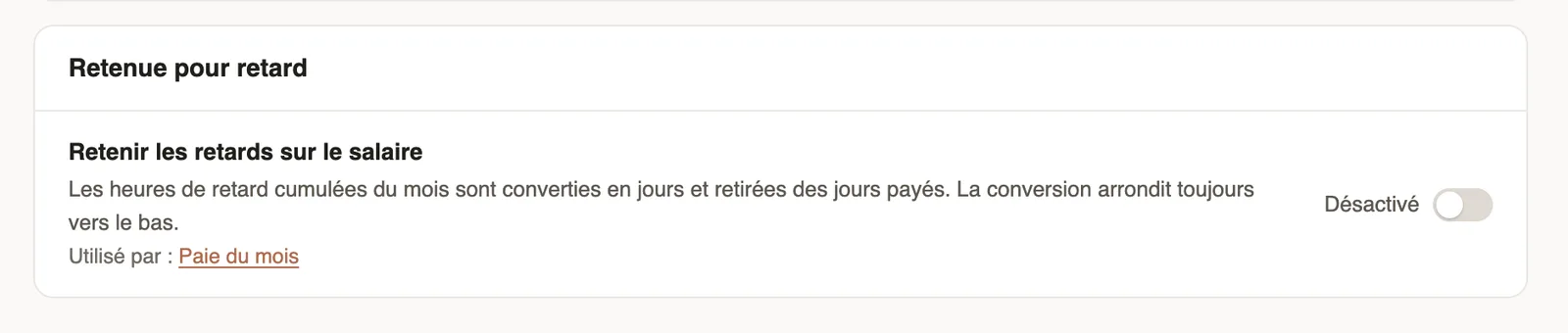
In Weplanify, the lateness deduction turns the month's hours of lateness into days removed from the paid days.
Steps
- Open Settings → Time and attendance → Time clock, Lateness deduction block.
- Turn on Deduct lateness from salary.
- Enter the Monthly tolerance: the hours of lateness granted each month before any deduction.
Good to know
- Lateness hours are converted into days with the Hours per day on the same page; the conversion always rounds down.
- Removed days show in the paid days of the monthly payroll.
- Lateness comes from the time clock.
Go further
Prepare the month's time and absencesIn Weplanify, the Time and absences step gives each employee's paid days, leave, absences and overtime, taken from the source chosen for their site.How lateness, missing time and overtime are computedIn Weplanify, each clocked day is compared with the planned slot: here is where lateness, missing time, time worked and overtime all come from.Your company settings in WeplanifyIn Weplanify, settings are sorted by theme in a menu on the left: company, approvals, expenses, time and attendance, leave, payroll and account.Set up the time clock and overtimeIn Weplanify, allow several clock-ins per day, set the length of a working day and set up overtime tracking for the whole company in one place.