
Organise documents in folders
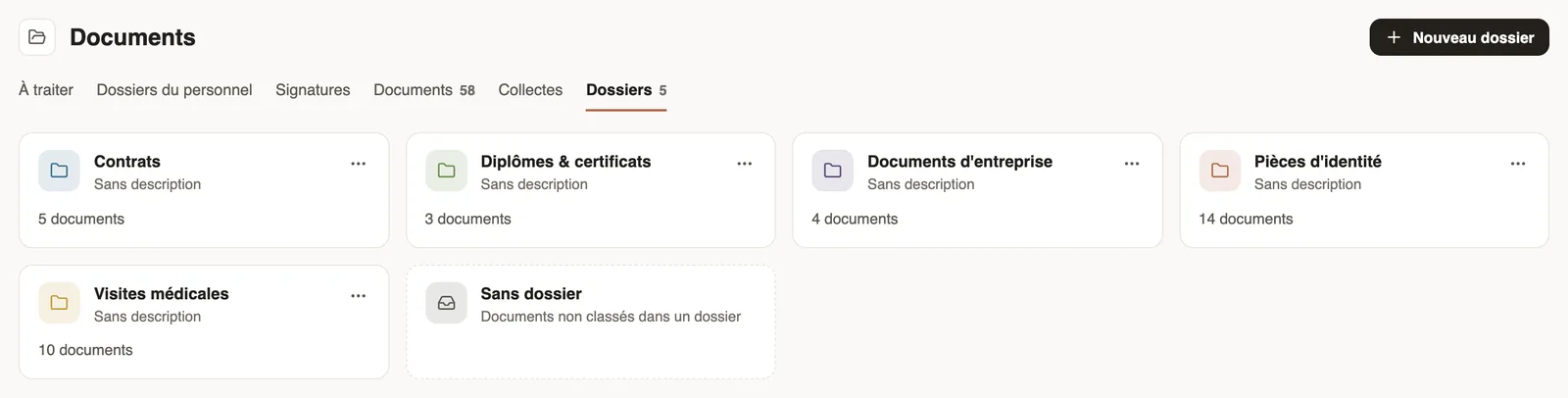
In Weplanify, create folders (Contracts, ID documents, Medical check-ups…) to file company documents and those of your employees in one clear place.
In Weplanify, folders are for filing: one folder can hold documents of several employees and company documents.
Steps
- Open People → Documents, Folders tab, and click New folder.
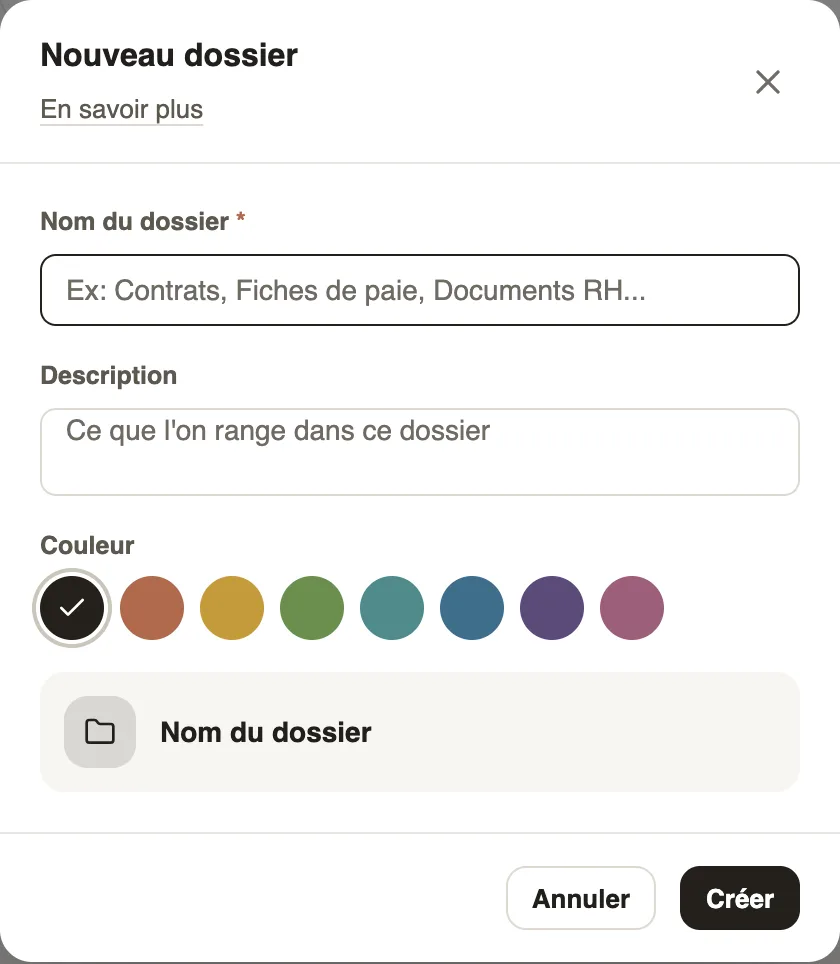
- Enter the Folder name, a Description if needed, pick a Colour, then click Create.
- Open a folder: the collections that file their papers there show at the top, the documents below.
- Click Add a document to drop a file in it (add a document).
Good to know
- Each card shows the number of documents; No folder gathers those that are not filed.
- A collection can file the papers it receives in a folder automatically.
Go further
Add a documentIn Weplanify, add a file with its name, its type, the employee concerned, its expiry date and whether the employee may download it from the app.Request a document from your employees (collection)In Weplanify, a collection requests the same paper (ID card, bank details, medical certificate…) from a group of employees, with a deadline to meet.HR documents in WeplanifyIn Weplanify, the Documents module files HR papers, spots incomplete staff files, gets PDFs signed and collects documents from your employees.