
Structure the company: divisions, departments, teams
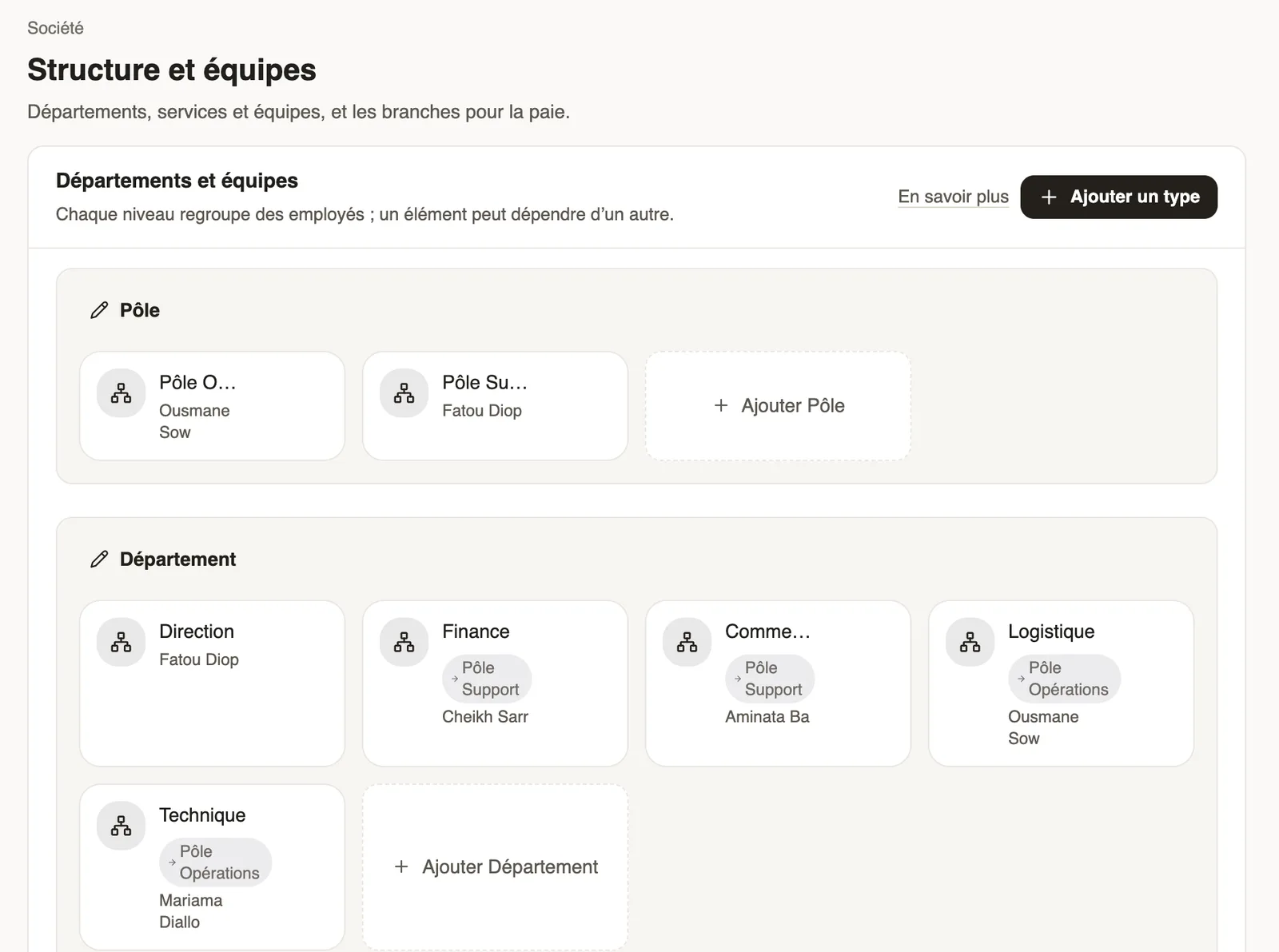
In Weplanify, describe how the company is organised in levels (division, department, team) with a manager for each one and the level it reports to.
In Weplanify, the structure sorts employees by team; it is used by records, filters, approval circuits and the org chart.
Steps
- Open Settings → Company → Structure and teams.
- Click Add type to create a level (for example Division, then Department).
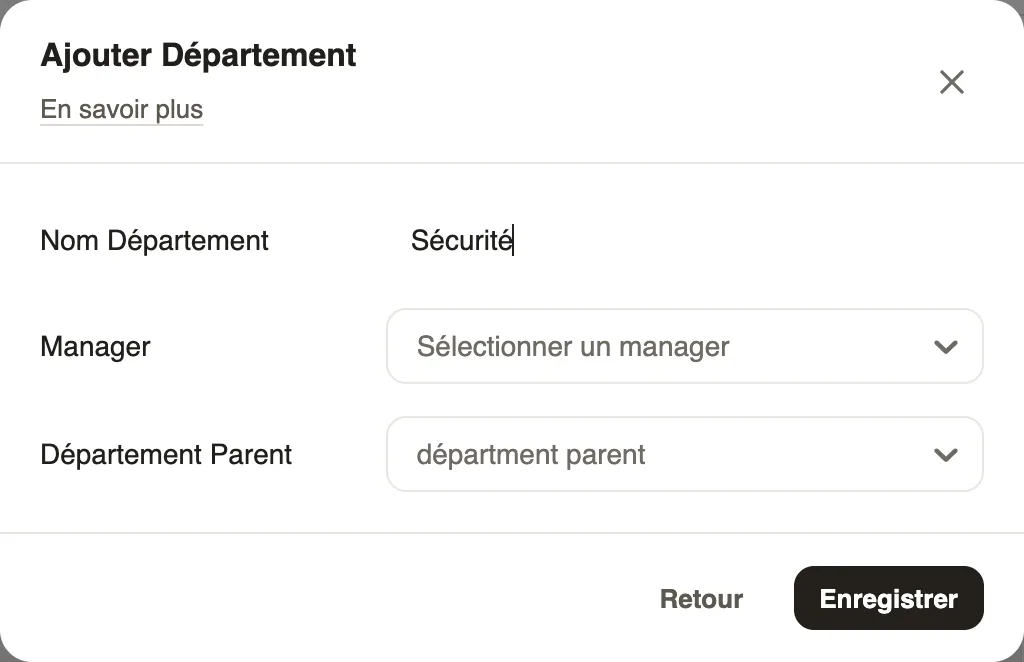
- Under a level, click Add …: enter the name, choose the Manager and, if needed, the parent item, then Save.
- Click a card to edit or delete it.
Good to know
- The team is then chosen on each employee record and serves as a filter.
- A level's manager can approve their team's requests (circuits).
- See also the org chart and the branches, on the same page.
Go further
The employee recordIn Weplanify, the employee record brings together everything about a person in five tabs, with sections that you edit one at a time, separately.Filter a list by site, group, job or contractIn Weplanify, the same filter bar narrows a list or a report down to a group of people: site, department, job, group, manager or contract type.Configure an approval circuitIn Weplanify, build the approval steps of a leave request, an expense, an advance or a form: the order, the name, the approver and when each step applies.The company org chartIn Weplanify, the org chart shows who reports to whom, by manager, by team or by site, and lets you change a person's manager in a single click.Branches: agencies and payroll countriesIn Weplanify, a branch is an agency of the company: its country decides the payroll rules applied to its employees; create one for each country.Your company settings in WeplanifyIn Weplanify, settings are sorted by theme in a menu on the left: company, approvals, expenses, time and attendance, leave, payroll and account.Import your employees from ExcelIn Weplanify, create or update dozens of employees at once from an Excel or CSV file, each of them being recognised by their own phone number.