
Handle pending documents: the To do tab
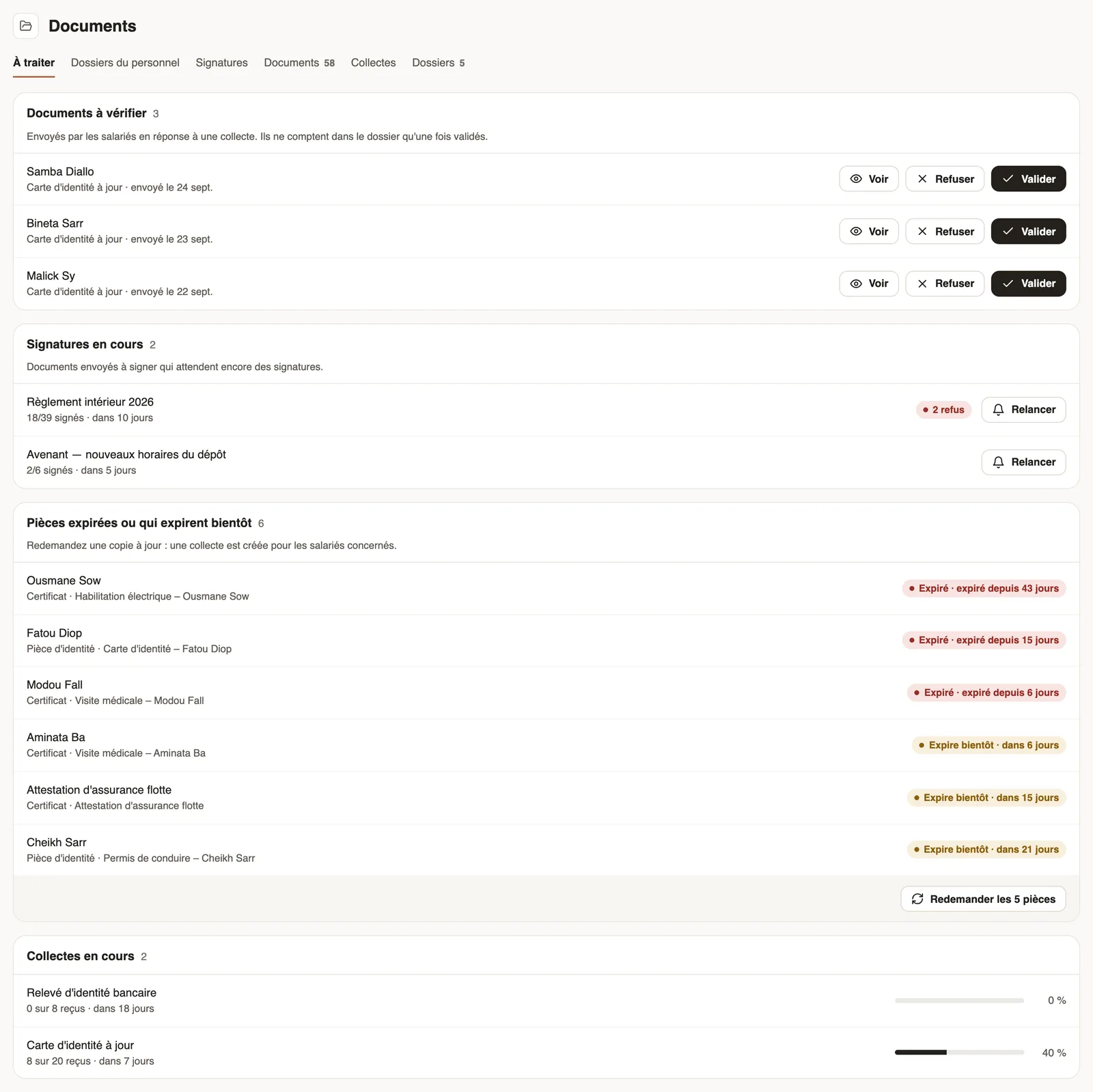
In Weplanify, the To do tab lists papers to approve, signatures still pending, expired papers to request again and the collections in progress.
In Weplanify, the To do tab is the first page of the Documents module: it gathers everything waiting for an HR decision, without opening each collection.
Steps
- Open People → Documents: the To do tab is shown.
- In Documents to check, click View to open the paper, then Approve or Reject (with a reason the employee will see).
- In Signatures in progress, click Remind to notify those who have not signed yet, or click the document to see the detail.
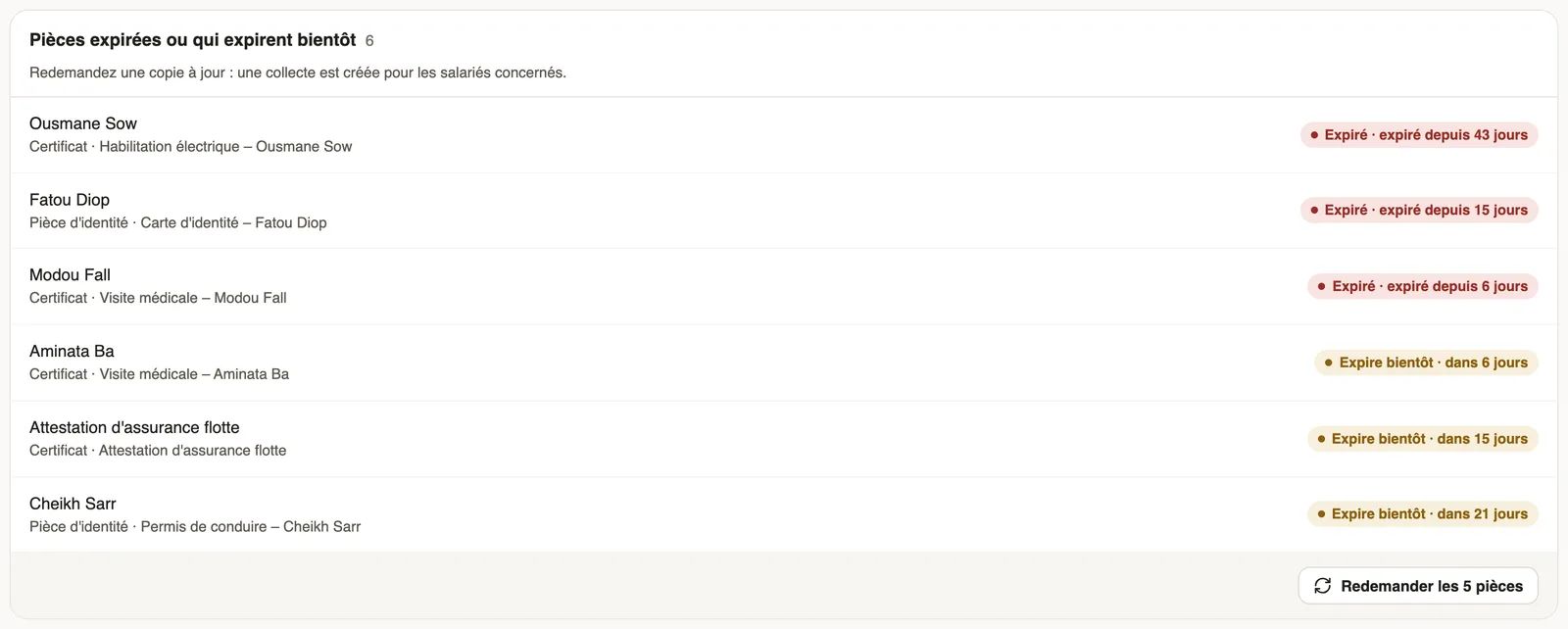
- In Expired or expiring papers, click Ask for new copies: a "Renewal" collection is created per document type, due in 15 days.
- In Collections in progress, click a collection to follow the uploads.
Good to know
- A paper sent in answer to a collection only counts in the employee's file once approved.
- Only papers linked to an employee can be requested again; a company document (an insurance certificate, for example) is renewed by hand.
- When everything is up to date, the tab shows "Nothing to do".
Go further
Follow the signatures of a request and send remindersIn Weplanify, the detail of a request shows where each signer stands, copies their signing link, reminds late signers and opens the signed document.Follow a collection and approve papersIn Weplanify, check the papers uploaded for a collection, approve them or refuse them with a reason, and upload a paper on an employee's behalf.Request a document from your employees (collection)In Weplanify, a collection requests the same paper (ID card, bank details, medical certificate…) from a group of employees, with a deadline to meet.HR documents in WeplanifyIn Weplanify, the Documents module files HR papers, spots incomplete staff files, gets PDFs signed and collects documents from your employees.Document statuses and expiryIn Weplanify, understand the Valid, Expiring soon and Expired statuses of a document, and those of a paper requested by collection: To upload, To check.The document list and its countersIn Weplanify, the Documents tab lists every filed paper, with the Expired and Expiring soon counters and filters by type, folder, employee and status.