
DocumentationForms & requestsWeplanify forms: requests, reports and surveysReport and follow up incidents in the field
Get notified of incidents and critical alerts
In Weplanify, each incident notifies the managers of its site; a critical incident also alerts the administrators right away, through a notification.
In Weplanify, a new incident notifies the managers of its site: the employees whose Supervised sites include that site. If there are none, the administrators are notified. A Critical incident notifies both, right away.
Steps
- Name the managers of each site: on the employee's record, tick Attendance manager in Position and organization and choose their Supervised sites. They then have Requests → Incidents in their menu.
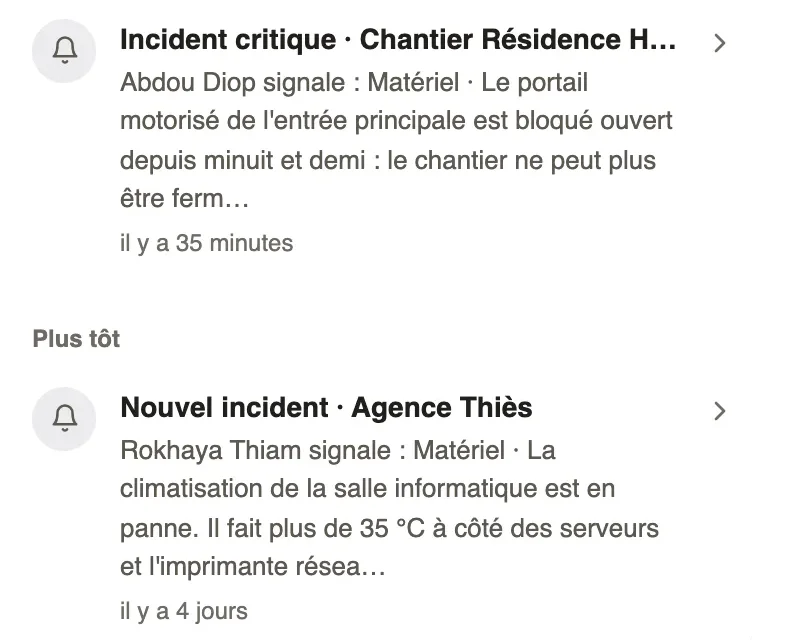
- A critical incident sends the Critical incident notification to the phone and to the Weplanify bell, with the site, the reporter and the start of the text.
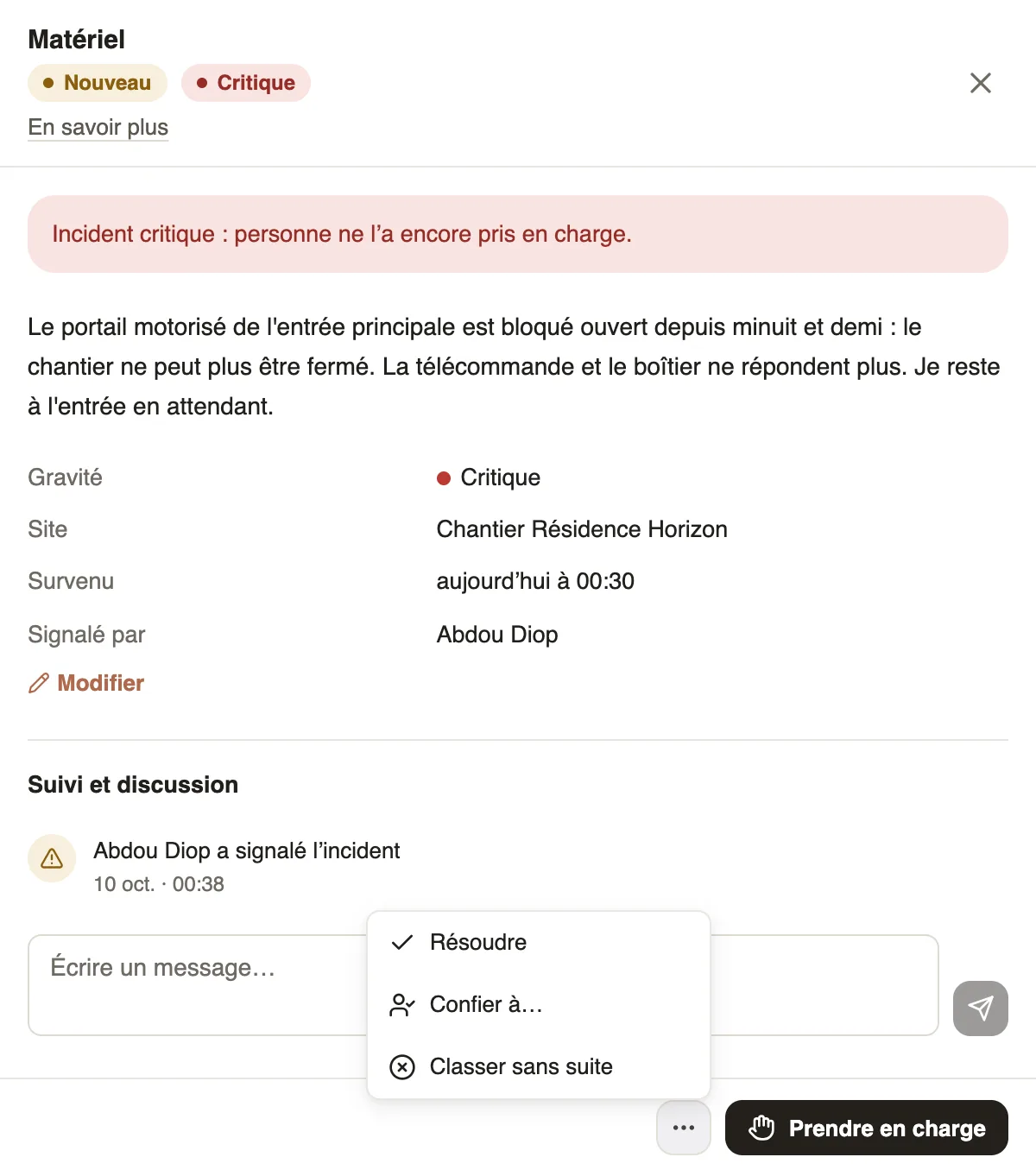
- Click the notification: the incident opens, with a red banner as long as nobody has taken charge of it.
- Click Take charge, or assign it from the ⋯ button, so the reporter knows someone is handling it.
Good to know
- An incident set to Critical later, with Edit, triggers the same alert if it is still open.
- The reporter is told when their incident is taken in charge, assigned, resolved (with the note), closed without action (with the reason) or reopened.
- The person an incident is assigned to receives the An incident is assigned to you notification; if they are not a manager, they find it in the Assigned to me tab of Requests → Incidents.
- The Critical open indicator of the Incidents screen counts those still to handle.
Go further
Filter and export the incident listIn Weplanify, the Incidents screen shows open and most serious incidents first, with its indicators, its filters by site or by date and an Excel export.Report and follow up incidents in the fieldIn Weplanify, an incident is reported in a few seconds and warns the site manager, who takes charge of it and then resolves it with a short note.Take charge of an incident or assign itIn Weplanify, a manager takes charge of an incident or assigns it to an employee, corrects its details and talks with the reporter in the follow-up thread.Report an incident from the webIn Weplanify, report an incident from your computer: what happened, the severity, the site and photos. The site manager is told right away, with no delay.