
DocumentationForms & requestsWeplanify forms: requests, reports and surveysReport and follow up incidents in the field
Resolve, close without action or reopen an incident
In Weplanify, an incident ends Resolved, with a note of what was done and a photo, or Closed without action with a reason. It can be reopened at any time.
In Weplanify, an open incident ends in one of two ways: Resolved, when the problem is fixed, or Closed without action, when there is nothing to do (false alarm, duplicate). The reporter is told in both cases.
Steps
- Open the incident in Requests → Incidents and click Resolve, at the bottom of the panel (in the ⋯ button if the incident is still New).
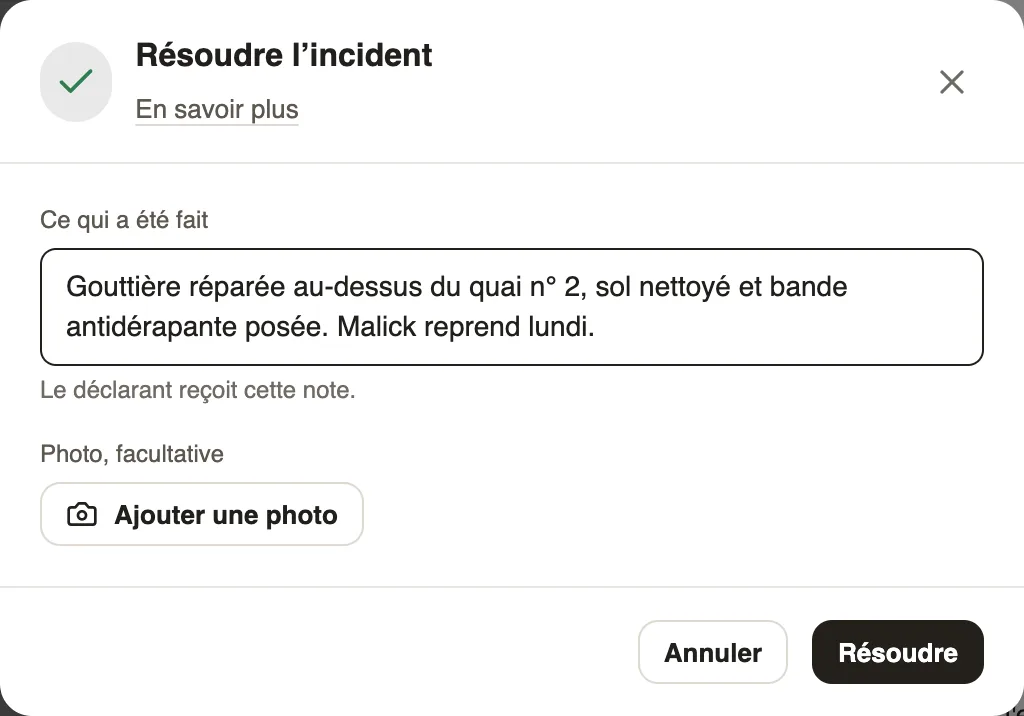
- Write What was done: the reporter receives this note. Add a photo with Add a photo if needed, then click Resolve.
- To close it with no action, open the ⋯ button and click Close without action, write the reason, then confirm with Close without action.
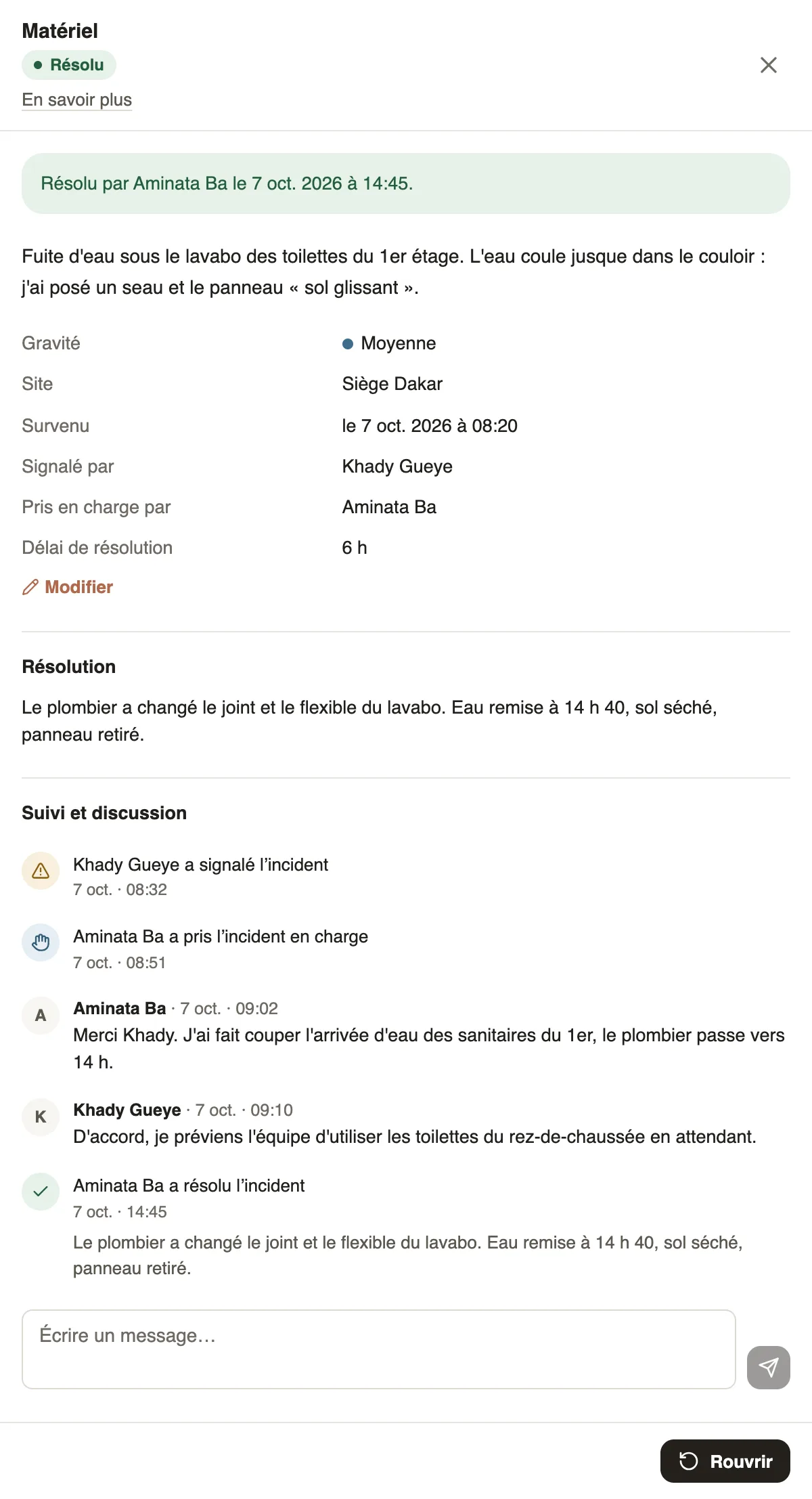
- If the problem comes back, open the finished incident and click Reopen: it goes back to Taken in charge by the same person, or to New if nobody had it.
Good to know
- The resolution note and the reason are required; the photo is optional.
- An incident that is still New can be resolved directly: it is then put in your name.
- The panel shows the Resolution time, from the report to the resolution; the average is on the Incidents screen.
- Reopening notifies the reporter and the person in charge.
- Closing and reopening are for managers (who can do what); the person the incident is assigned to can resolve it, from the Assigned to me tab if they are not a manager.
Go further
Filter and export the incident listIn Weplanify, the Incidents screen shows open and most serious incidents first, with its indicators, its filters by site or by date and an Excel export.Take charge of an incident or assign itIn Weplanify, a manager takes charge of an incident or assigns it to an employee, corrects its details and talks with the reporter in the follow-up thread.Report and follow up incidents in the fieldIn Weplanify, an incident is reported in a few seconds and warns the site manager, who takes charge of it and then resolves it with a short note.