
Request a document from your employees (collection)
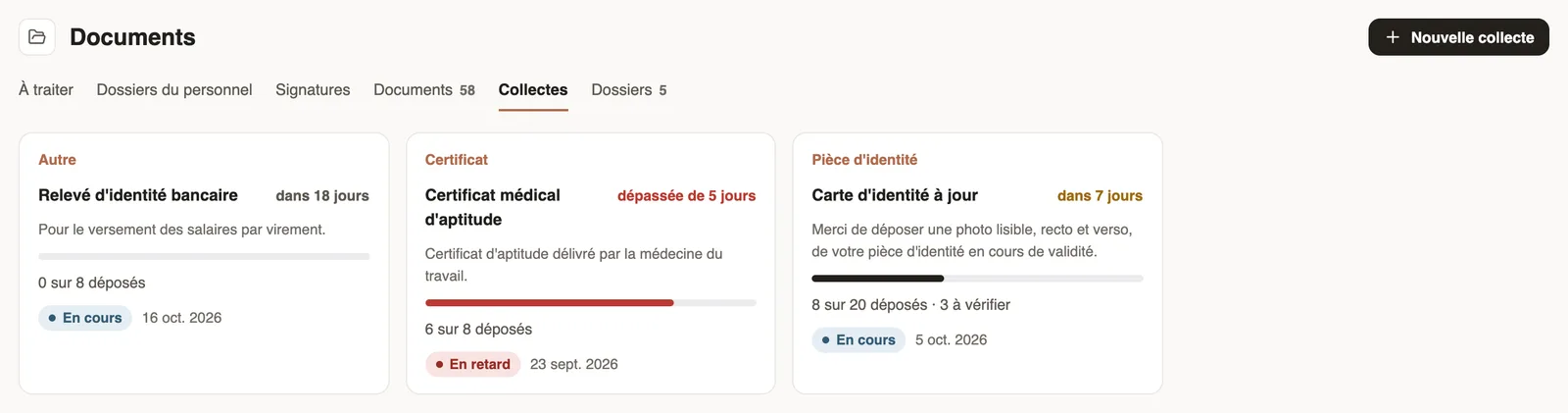
In Weplanify, a collection requests the same paper (ID card, bank details, medical certificate…) from a group of employees, with a deadline to meet.
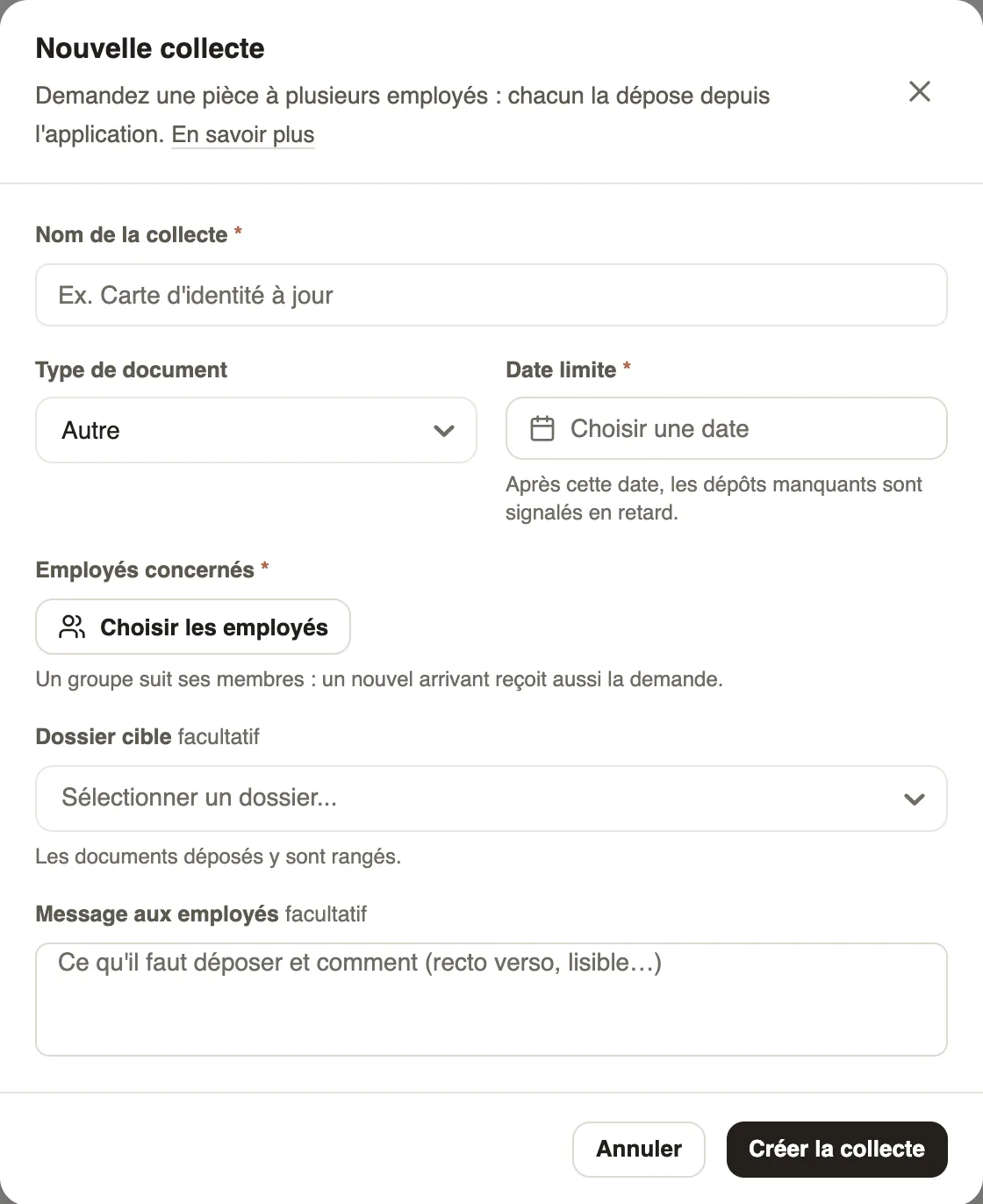
In Weplanify, a collection sends a document request to each targeted employee; they receive it in their app and upload their paper there.
Steps
Good to know
- A group follows its members: someone who joins the group later also receives the request.
- Each targeted employee uploads their paper from the mobile app.
- After the deadline, the collection is marked Late; click it to follow uploads and approve papers.
Go further
Create and manage employee groupsIn Weplanify, a group brings employees together for planning, forms, approvals, bonuses and documents, and it also sets a manager's own scope.Organise documents in foldersIn Weplanify, create folders (Contracts, ID documents, Medical check-ups…) to file company documents and those of your employees in one clear place.Documents and payslips on mobileUpload the documents HR requests from the Weplanify app, follow their review and find your payslips.Follow a collection and approve papersIn Weplanify, check the papers uploaded for a collection, approve them or refuse them with a reason, and upload a paper on an employee's behalf.HR documents in WeplanifyIn Weplanify, the Documents module files HR papers, spots incomplete staff files, gets PDFs signed and collects documents from your employees.Handle pending documents: the To do tabIn Weplanify, the To do tab lists papers to approve, signatures still pending, expired papers to request again and the collections in progress.Spot incomplete staff filesIn Weplanify, Staff files show for each employee where their contract, ID document, collections and documents to sign stand, in a single row.An employee's documentsIn Weplanify, the Documents section of the employee record gathers their papers by type: contract, ID document, certificates and signed copies.Document statuses and expiryIn Weplanify, understand the Valid, Expiring soon and Expired statuses of a document, and those of a paper requested by collection: To upload, To check.The document list and its countersIn Weplanify, the Documents tab lists every filed paper, with the Expired and Expiring soon counters and filters by type, folder, employee and status.