
DocumentationForms & requestsWeplanify forms: requests, reports and surveysReport and follow up incidents in the field
Take charge of an incident or assign it
In Weplanify, a manager takes charge of an incident or assigns it to an employee, corrects its details and talks with the reporter in the follow-up thread.
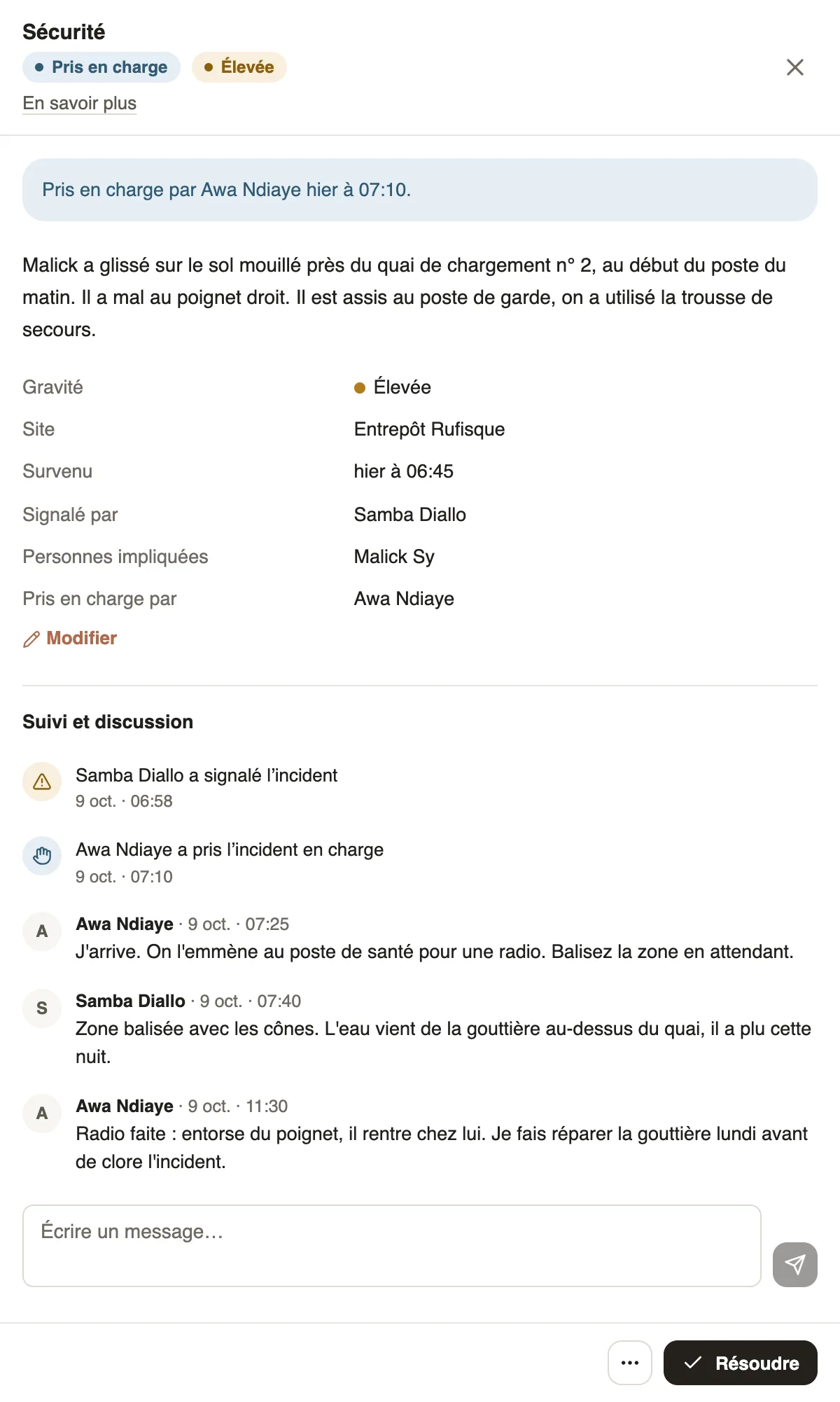
In Weplanify, a New incident waits for a manager to handle it. Open it in Requests → Incidents: the panel shows what happened, the facts, the photos and the Follow-up and discussion thread.
Steps
- Click Take charge to handle it yourself: the incident becomes Taken in charge in your name and the reporter is told.
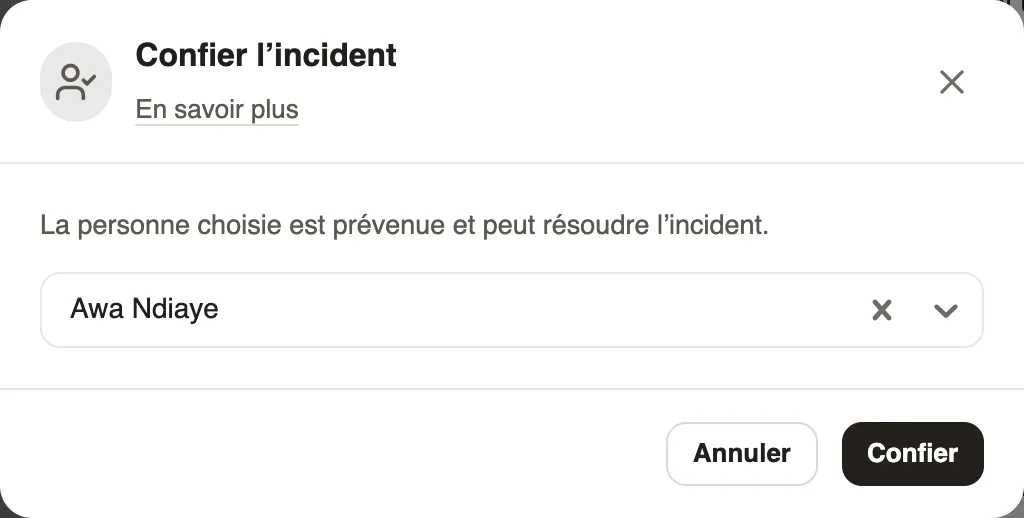
- To give it to someone else, click the ⋯ button (More actions) at the bottom of the panel, then Assign to… (or Assign to someone else); choose an employee, then Assign. They are told and can resolve it; if they are not a manager, they find it in Requests → Incidents, Assigned to me tab.
- Type in Write a message… and send, or press Ctrl + Enter, to ask a question or say where things stand.
- If the severity, category, site, time or people involved are wrong, click Edit, correct them, then Save. The change is written in the thread.
Good to know
- At the bottom of the panel, a single main button: Take charge for a New incident, Resolve once taken in charge, Reopen once finished. The other actions are in the ⋯ button.
- Take charge, assign, edit and close: the administrator, the managers of the incident's site and the reporter's manager. The person the incident is assigned to can resolve it and write.
- A message notifies the reporter, the person in charge and those who already wrote; while nobody has taken charge, it also notifies the site managers.
- Setting an incident to Critical with Edit triggers the critical alert.
- Next step: resolve or close without action.
Go further
Get notified of incidents and critical alertsIn Weplanify, each incident notifies the managers of its site; a critical incident also alerts the administrators right away, through a notification.Resolve, close without action or reopen an incidentIn Weplanify, an incident ends Resolved, with a note of what was done and a photo, or Closed without action with a reason. It can be reopened at any time.Report and follow an incident on mobileIn Weplanify, the Report button of the app sends an incident in a few seconds; the manager takes charge of it and resolves it from their own phone.Report and follow up incidents in the fieldIn Weplanify, an incident is reported in a few seconds and warns the site manager, who takes charge of it and then resolves it with a short note.Filter and export the incident listIn Weplanify, the Incidents screen shows open and most serious incidents first, with its indicators, its filters by site or by date and an Excel export.