
Invite an employee to the web version
In Weplanify, invite an employee, often a manager, to the web version: they receive an email link to create their password and then sign in.
In Weplanify, the invitation gives an employee web access with their email address and their own password.
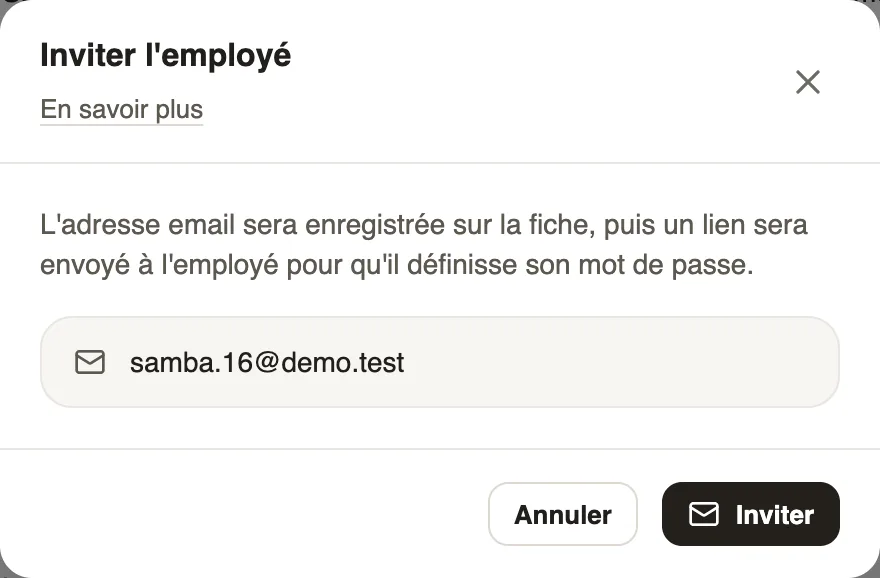
Steps
- At the top of the record, click Invite.
- Check or enter the email address: it is saved on the record.
- Click Invite: the employee receives an email and sets their password.
Good to know
- What they see next depends on their role.
- They can also request the link themselves with Join my company (signing in).
- The mobile app signs in with the phone number instead: see who uses the app.
Go further
The employee recordIn Weplanify, the employee record brings together everything about a person in five tabs, with sections that you edit one at a time, separately.Give an employee a role and accessIn Weplanify, make an employee a manager or an administrator from the Access tab of their record: role, groups they manage and what they can do.Sign in to Weplanify on the web and on mobileIn Weplanify, managers sign in on the web with their email address, and employees sign in to the mobile app with their phone number and a code.See who uses the app and cut someone's accessIn Weplanify, see for each employee whether they use the mobile app, send them the link, or cut their access without touching their record at all.Sign in to the mobile appHow an employee signs in to the Weplanify app with their phone number and a text code, and what to do if the code doesn't arrive.Add an employee in WeplanifyIn Weplanify, an employee is created in four short steps; the name and phone number are enough, the rest can be completed later on their record.An employee's dashboardIn Weplanify, an employee invited to the web sees their own dashboard: their leave balance, their next absence and the follow-up of this year's requests.