
DocumentationForms & requestsWeplanify forms: requests, reports and surveysAsk your teams with a survey or a quiz
Create a one-off or monthly survey
In Weplanify, create a survey from a template, choose whether each person answers once, every week or every month, and whether answers are anonymous.
In Weplanify, a survey is created like any form, with no Validation step: Questions, then Sharing. Repeated every month, like a pulse survey, it shows how the mood changes.
Steps
- In Requests → Forms, click New form, then A survey.
- Under Start from a template, choose Team Satisfaction Survey, Monthly Pulse Survey or Blank form, name the survey, then click Create and adjust the questions.
- Adapt the questions to the field: shift rotations, protective equipment, relations with the client. Rating out of 5, Scale and Choice from a list give results that are easy to read (add questions).
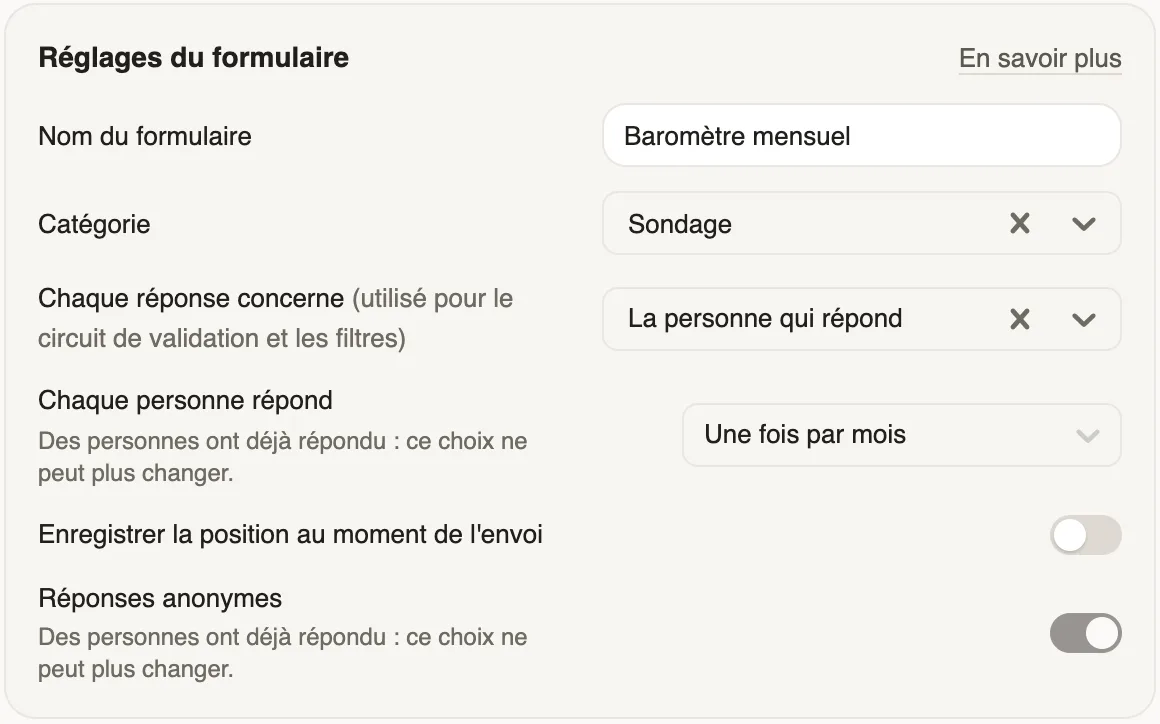
- In the form settings, choose Each person answers: Only once, Once a week or Once a month. Turn on Anonymous answers if nobody should know who answered. The Category files the survey in the forms list: change it if needed, among those that suit a survey.
- Click Next: sharing, choose who answers, keep the automatic reminder, then publish.
Good to know
- A week runs from Monday to Sunday, a month from the first to the last day: everyone can answer again from the next period.
- The frequency and anonymity can no longer change once the first answer is in.
- An anonymous survey never shows who answered, not even to administrators.
- The frequency only exists when each response is about the person who answers (subject of a response).
Go further
Create a form and add its questionsIn Weplanify, create a form from your need and a ready-made template, then adjust its questions while the phone preview shows what employees see.Follow participation and send remindersIn Weplanify, a survey's Participation tab shows who has answered and reminds those who have not, in one click or automatically after a few days.Publish a form and let employees knowIn Weplanify, publish a form and let people know: notification, New card on the home screen, poster; then close it or reopen it whenever needed.Link each response to an employee or a siteIn Weplanify, link each response of a form to an employee or a site: for an evaluation, an inspection or an incident report written on the ground.Ask your teams with a survey or a quizIn Weplanify, a survey collects your teams' views and a quiz checks what they know, with no approval step, plus results, participation and reminders.