
Set up the company's payroll
In Weplanify, payroll settings are in Settings → Payroll: installation, leave, contributions, control bounds and the accounts used by the accounting export.
In Weplanify, payroll settings are gathered in Settings, Payroll part. By default, everything follows the base of the branch's country; a closed payroll never changes.
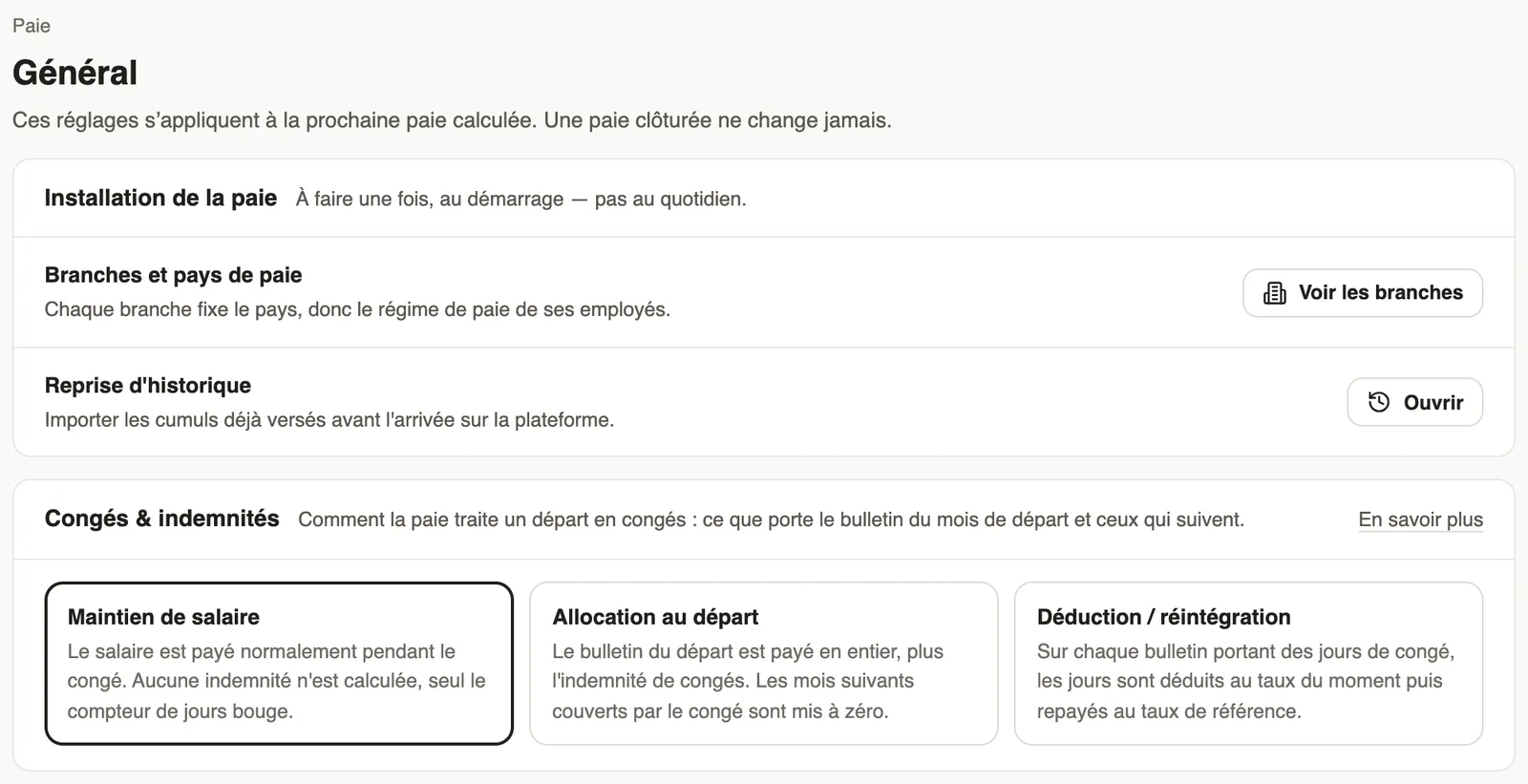
The pages
- General: branches and payroll countries (branches), the opening history and the leave treatment.
- Contributions: the rates applied, and yours where your company departs from the country.
- Pay elements: the items and the control bounds.
- Accounting export: the accounting accounts of the payroll entry.
Good to know
- Settings apply to the next payroll computed.
- The settings search bar finds a setting by its name.
- Overview of the settings: the Payroll part.
Go further
The contribution and tax rates appliedIn Weplanify, the Contributions page shows your country's rates applied on payslips, and those your company may change from a given month onwards.Branches: agencies and payroll countriesIn Weplanify, a branch is an agency of the company: its country decides the payroll rules applied to its employees; create one for each country.Import payroll history at installationIn Weplanify, import the payroll totals paid before you started using it, so that annual totals, the annual statement and allowances start out right.Choose how leave is handled in payrollIn Weplanify, choose how a departure on leave is paid: salary maintained, allowance on departure, or deduction then add-back on the payslips.Set safeguards on payroll amountsIn Weplanify, get an alert when a computed amount falls outside a set range, and block the payroll closing until it is corrected, if you need to.Set up payroll accounting accountsIn Weplanify, choose the accounting account of each payroll line to produce a balanced payroll entry, ready to import into your accounting software.Export the payroll accounting entryIn Weplanify, download a month's payroll accounting entry in Excel or CSV, balanced, with an account per employee and the analytical section per site.Payroll settingsIn Weplanify, the Payroll group of settings gathers payroll setup, paid leave handling, contributions, pay elements and the accounting export.Payroll in WeplanifyIn Weplanify, the monthly payroll is prepared in five steps, from time, absences and variable elements up to the payslips, the payment and the closing.