
Create a bonus, a benefit or a deduction
In Weplanify, create a bonus in five questions: what it is, how much, for whom, when, and whether it is subject to taxes and to contributions.
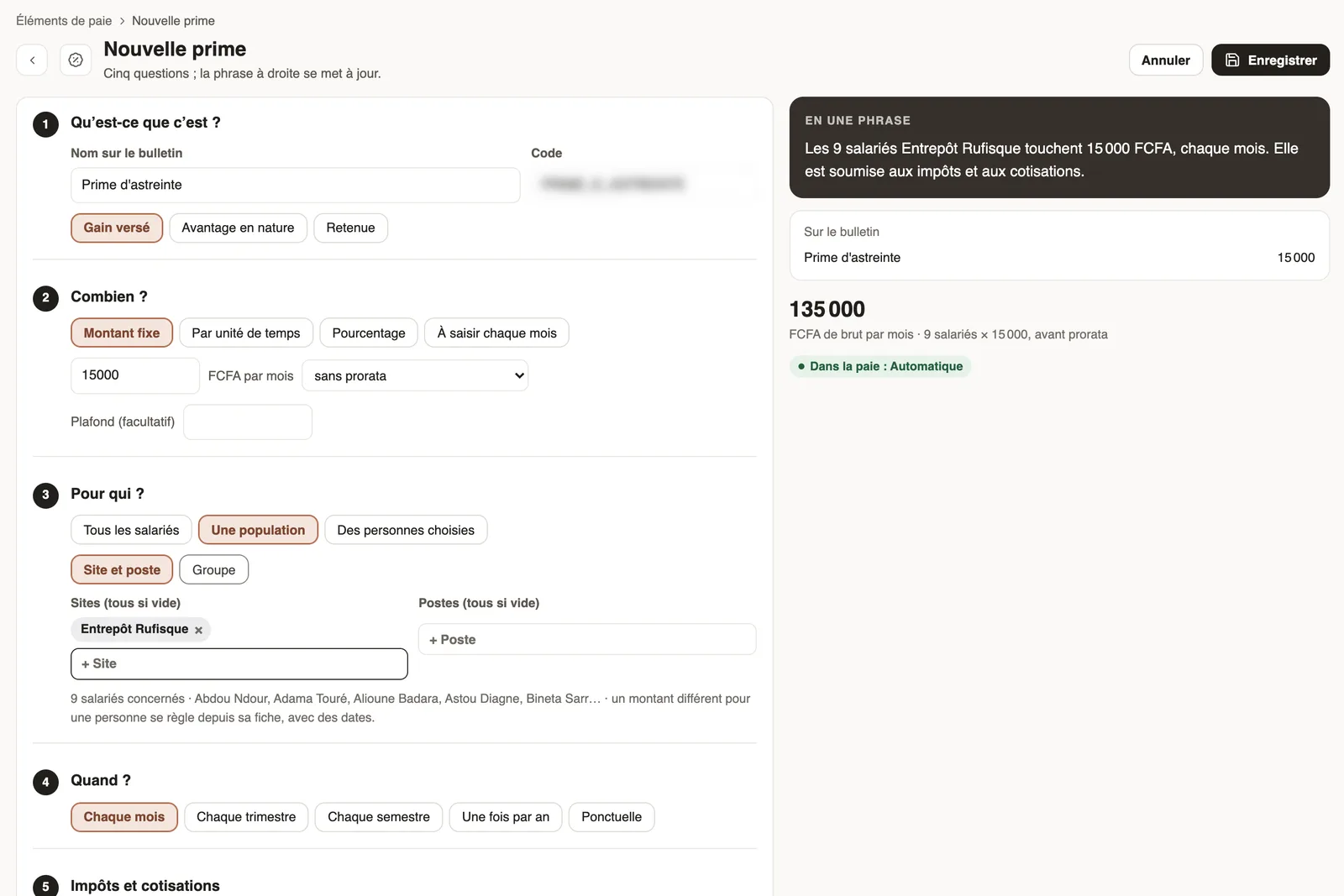
In Weplanify, a new element is created by answering five questions; the sentence on the right sums up what you decide as you go ("The 9 employees of Entrepôt Rufisque receive 15,000, every month").
Steps
- In Payroll and costs → Pay elements, click New bonus.
- What is it? Type the name on the payslip and choose: paid earning, benefit in kind or deduction.
- How much? Fixed amount, per unit of time, percentage or entered every month; the proration (days present, paid days) and a cap if needed.
- For whom? All employees, a population (site and job, or group) or chosen people.
- When? Every month, quarter, half-year, once a year or one-off.
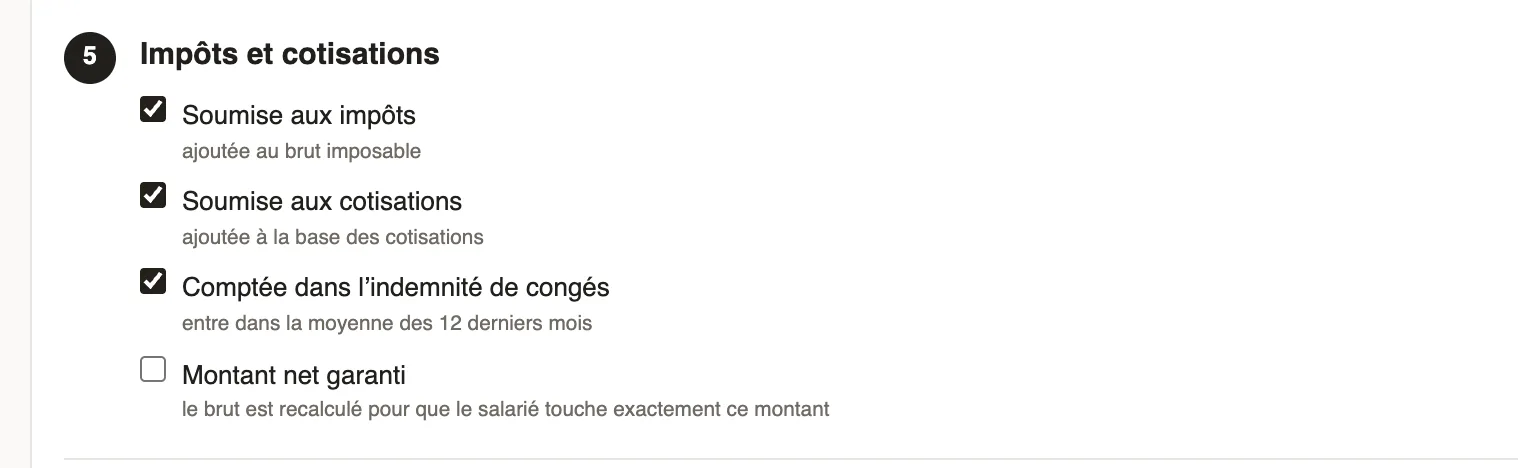
- Taxes and contributions: tick what applies, then click Save.
Good to know
- Subject to tax adds the amount to taxable gross; Subject to contributions, to the contribution base. What must be depends on your country's rule.
- Guaranteed net amount recomputes the gross so that the employee receives exactly the amount entered.
- After a change, recompute the month's payslips.
Go further
Check, approve and print payslipsIn Weplanify, the Payslips step shows the month's payslips: totals, each person's gross and net, preview, recompute, approval and printing in one PDF.Pay elements: bonuses, benefits, advances and deductionsIn Weplanify, the Pay elements page lists what can appear on a payslip: bonuses, benefits in kind, advances and deductions, for whom and when they apply.The contribution and tax rates appliedIn Weplanify, the Contributions page shows your country's rates applied on payslips, and those your company may change from a given month onwards.