
Pay elements: bonuses, benefits, advances and deductions
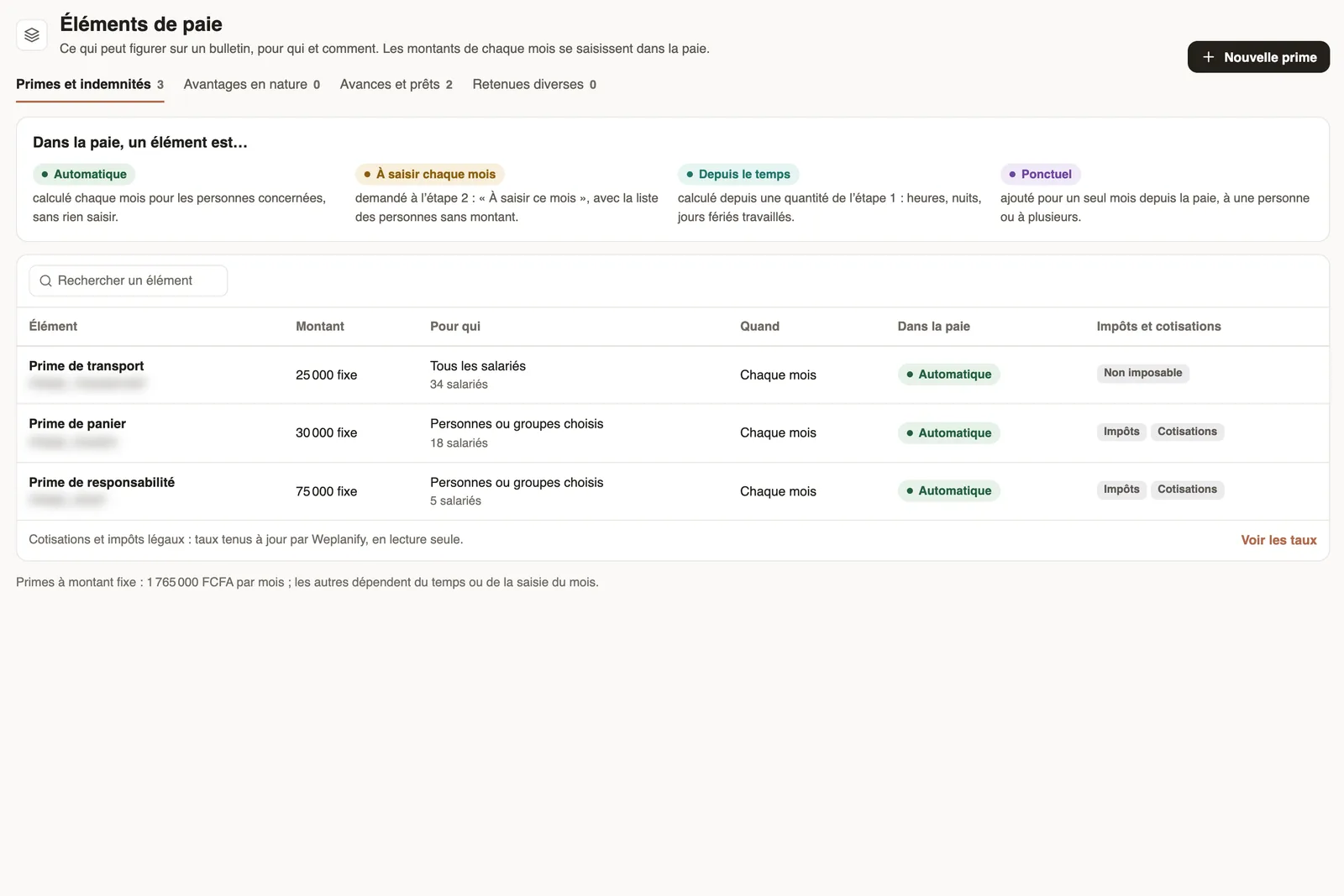
In Weplanify, the Pay elements page lists what can appear on a payslip: bonuses, benefits in kind, advances and deductions, for whom and when they apply.
In Weplanify, a pay element is a line that can be added to the contract salary. The Pay elements page files them in four tabs.
Steps
- Open Payroll and costs → Pay elements.
- Pick the tab: Bonuses and allowances, Benefits in kind, Advances and loans or Other deductions.
- Read each row: amount, for whom, when, how it enters payroll, and whether it is subject to taxes and contributions.
- Click a row to edit it, or New bonus to create one.
In payroll, an element is…
- Automatic: computed every month for the people concerned, with nothing to enter.
- Entered every month: asked for in the Variable elements step, with the list of people without an amount.
- From time: computed from a quantity of the Time and absences step (hours, nights, public holidays worked).
- One-off: added for a single month from payroll.
Good to know
- Statutory contributions and taxes are kept up to date by Weplanify according to your country's rule: see them with See the rates (contributions).
- A different amount for one person is set from their record, with dates.
Go further
Create a bonus, a benefit or a deductionIn Weplanify, create a bonus in five questions: what it is, how much, for whom, when, and whether it is subject to taxes and to contributions.Check the month's variable elementsIn Weplanify, the Variable elements step sums up the bonuses, benefits in kind, advance deductions and expense claims that will be on the month's payslips.The contribution and tax rates appliedIn Weplanify, the Contributions page shows your country's rates applied on payslips, and those your company may change from a given month onwards.Payroll settingsIn Weplanify, the Payroll group of settings gathers payroll setup, paid leave handling, contributions, pay elements and the accounting export.Payroll in WeplanifyIn Weplanify, the monthly payroll is prepared in five steps, from time, absences and variable elements up to the payslips, the payment and the closing.