
Choose where paid days come from: time tracking, schedule or full month
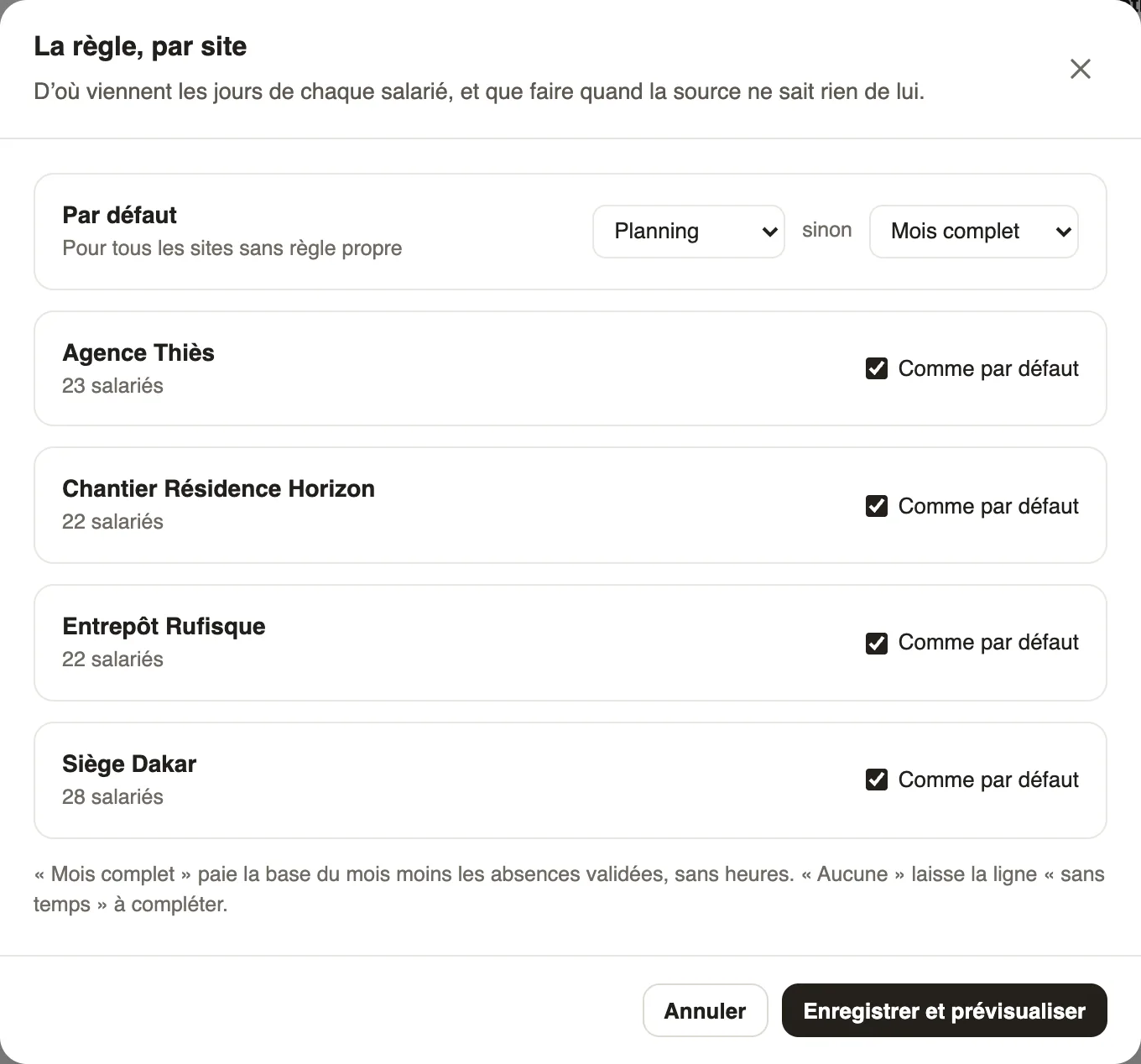
In Weplanify, the source rule says, site by site, whether paid days come from time tracking, the schedule or the full month, and what to do without data.
In Weplanify, the source rule decides where each employee's days come from in the Time and absences step: a site that clocks in is not paid like a site that works to the schedule.
Steps
- In the Time and absences step, click Edit the rule.
- In Default, pick the main source (Time tracking, Schedule or Full month), then the fallback source, used when the first one knows nothing about the employee.
- For a site that works differently (a building site that clocks in, for example), set its own rule.
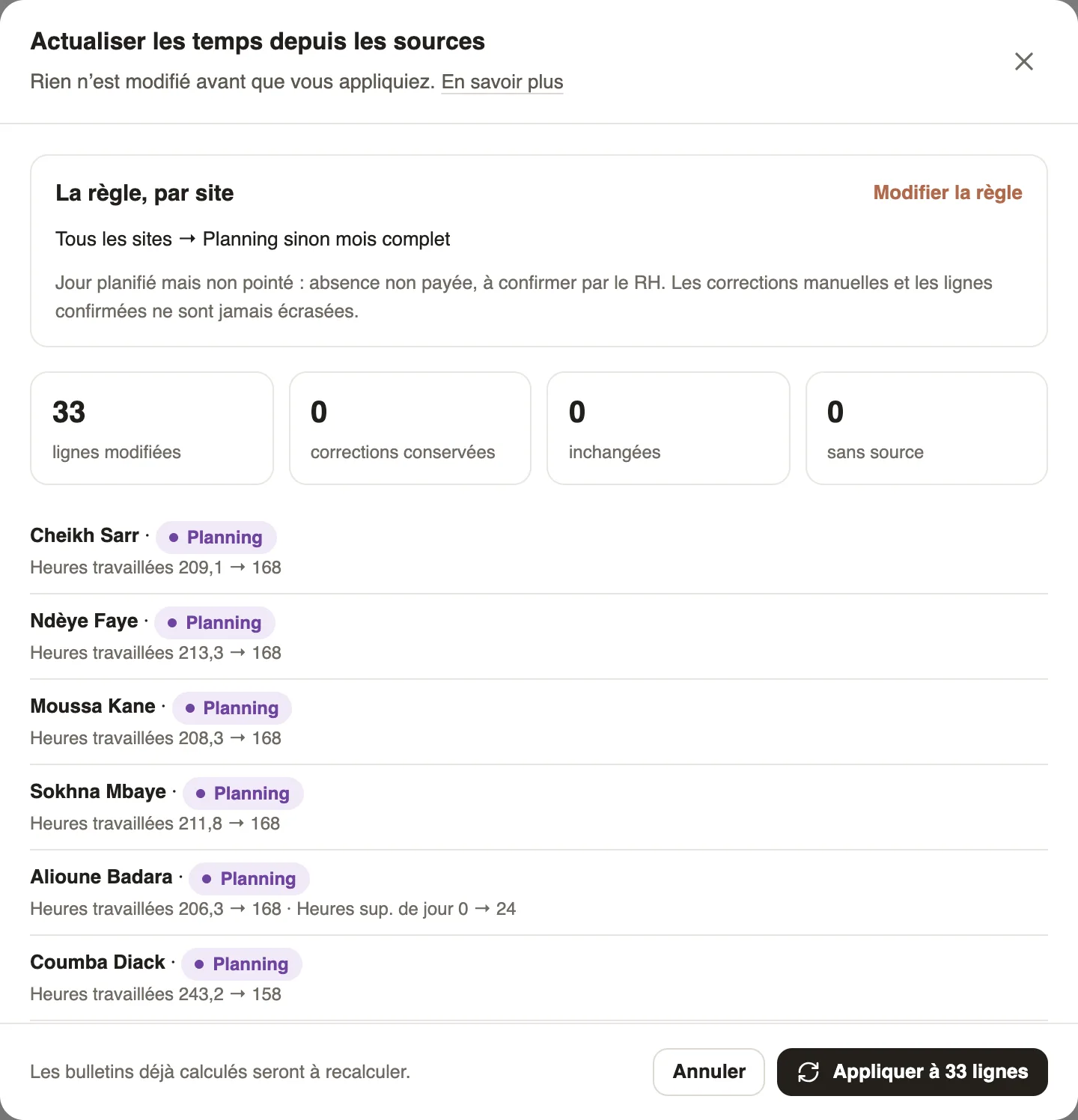
- Click Save and preview, then check the changes and apply them.
Good to know
- Full month pays the month's base minus approved absences, without hours; No source leaves the row "without time", to complete.
- Nothing changes before you apply; manual corrections and confirmed rows are never overwritten.
- After a refresh, payslips already computed need to be recomputed.
Go further
Prepare the month's time and absencesIn Weplanify, the Time and absences step gives each employee's paid days, leave, absences and overtime, taken from the source chosen for their site.Check, approve and print payslipsIn Weplanify, the Payslips step shows the month's payslips: totals, each person's gross and net, preview, recompute, approval and printing in one PDF.Payroll in WeplanifyIn Weplanify, the monthly payroll is prepared in five steps, from time, absences and variable elements up to the payslips, the payment and the closing.