
An employee's documents
In Weplanify, the Documents section of the employee record gathers their papers by type: contract, ID document, certificates and signed copies.
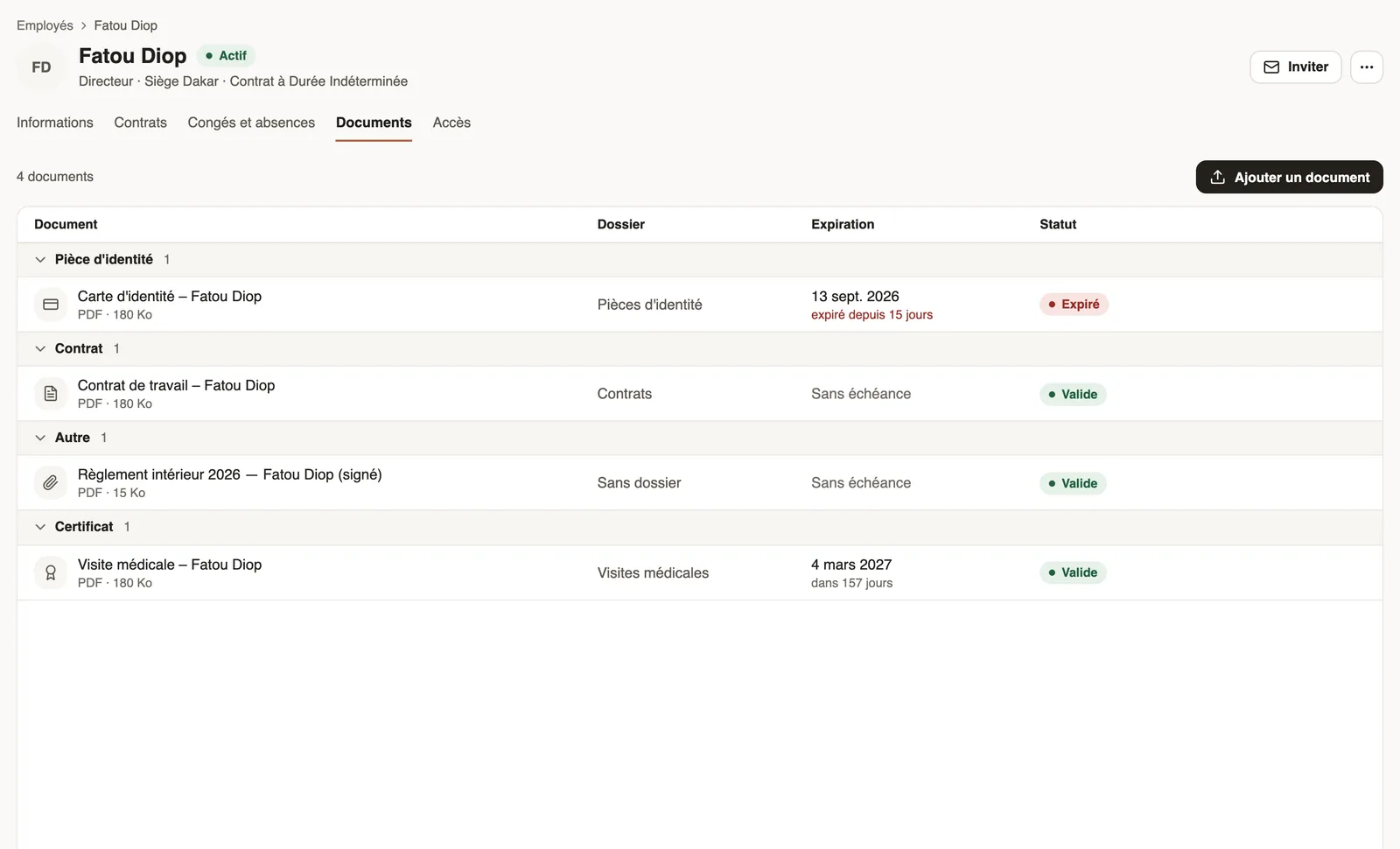
In Weplanify, the Documents section of the employee record shows all of the person's papers, grouped by type, with their folder, expiry and status.
Steps
- Open the employee record (People → Employees), Documents section.
- Browse the groups: Contract, ID document, Certificate, Other…
- Click Add a document: the file is linked to the employee (same fields).
- Hover over a row to preview, download or delete.
Good to know
- Papers received by collection and electronically signed copies also arrive here.
- In the mobile app, employees see the documents they are allowed to download.
- To see what their file is missing: staff files.
Go further
Add a documentIn Weplanify, add a file with its name, its type, the employee concerned, its expiry date and whether the employee may download it from the app.Request a document from your employees (collection)In Weplanify, a collection requests the same paper (ID card, bank details, medical certificate…) from a group of employees, with a deadline to meet.Follow the signatures of a request and send remindersIn Weplanify, the detail of a request shows where each signer stands, copies their signing link, reminds late signers and opens the signed document.Documents and payslips on mobileUpload the documents HR requests from the Weplanify app, follow their review and find your payslips.Spot incomplete staff filesIn Weplanify, Staff files show for each employee where their contract, ID document, collections and documents to sign stand, in a single row.HR documents in WeplanifyIn Weplanify, the Documents module files HR papers, spots incomplete staff files, gets PDFs signed and collects documents from your employees.The document list and its countersIn Weplanify, the Documents tab lists every filed paper, with the Expired and Expiring soon counters and filters by type, folder, employee and status.The employee recordIn Weplanify, the employee record brings together everything about a person in five tabs, with sections that you edit one at a time, separately.