
The company org chart
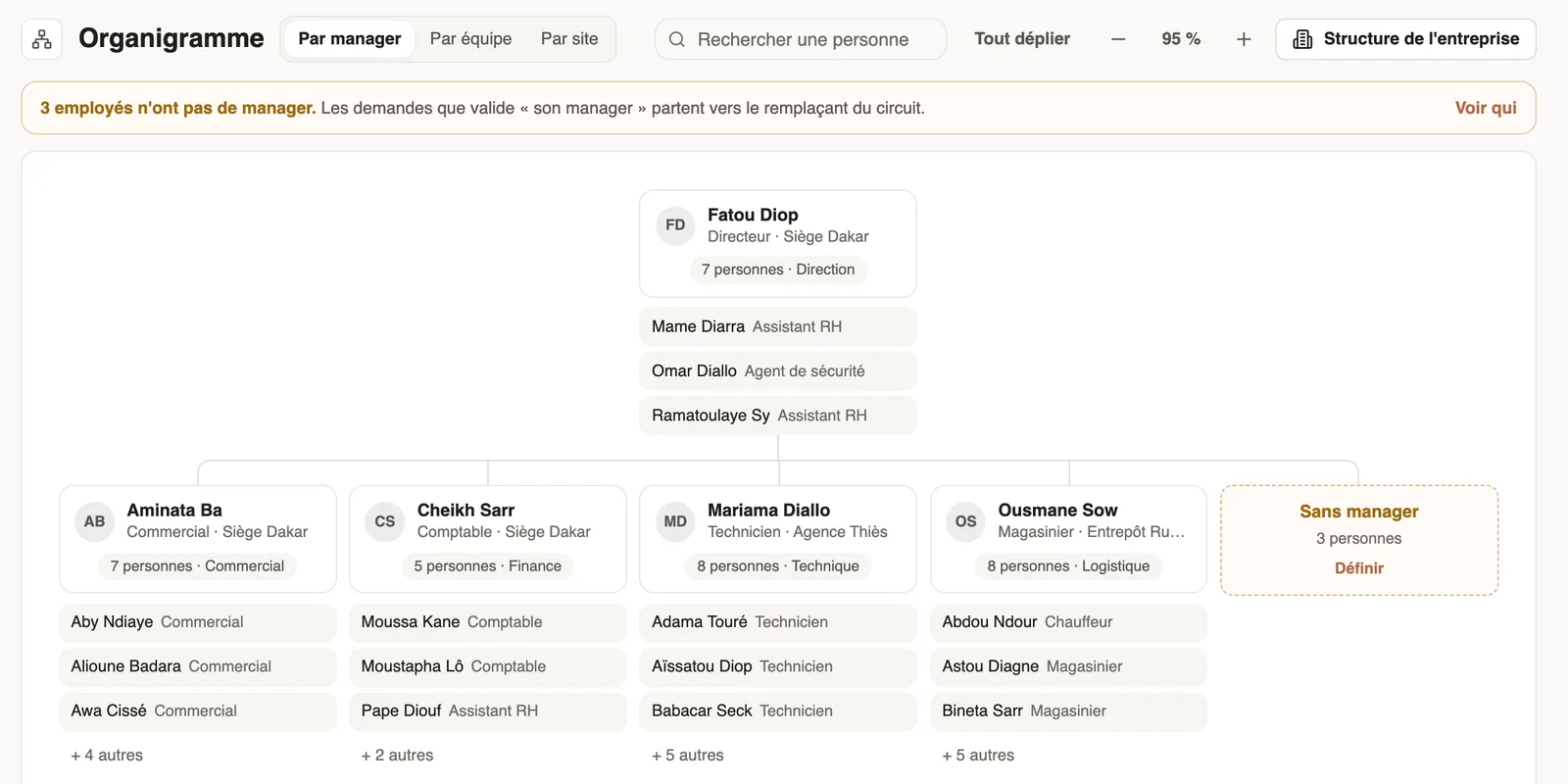
In Weplanify, the org chart shows who reports to whom, by manager, by team or by site, and lets you change a person's manager in a single click.
In Weplanify, the org chart (People → Org chart menu) is built from the manager on each record.
Steps
- Choose the view: By manager, By team or By site; find someone with Search a person.
- Unfold a branch or click Expand all; zoom with − and +, or Ctrl (⌘) and the scroll wheel.
- Click a person: the panel gives their manager, team, site and groups, with Open record and Change manager.
Good to know
- A banner counts employees without a manager: their requests approved by "their manager" go to the circuit's substitute. See who or Set lists them.
- Weplanify refuses a change that would create a loop (a person reporting to themselves).
- Company structure opens the structure of teams and departments.
Go further
Structure the company: divisions, departments, teamsIn Weplanify, describe how the company is organised in levels (division, department, team) with a manager for each one and the level it reports to.Manage your employees in WeplanifyIn Weplanify, each employee has a record used everywhere: planning, time clock, leave and payroll. Here is how to create it and keep it up to date.Add an employee in WeplanifyIn Weplanify, an employee is created in four short steps; the name and phone number are enough, the rest can be completed later on their record.Choose who approves a step of the circuitIn Weplanify, choose who approves a step: the manager, the head of a site or a department, specific people, or a different person depending on rules.