
DocumentationForms & requestsWeplanify forms: requests, reports and surveysPublish a form and let employees know
Share a form through a public link or a poster
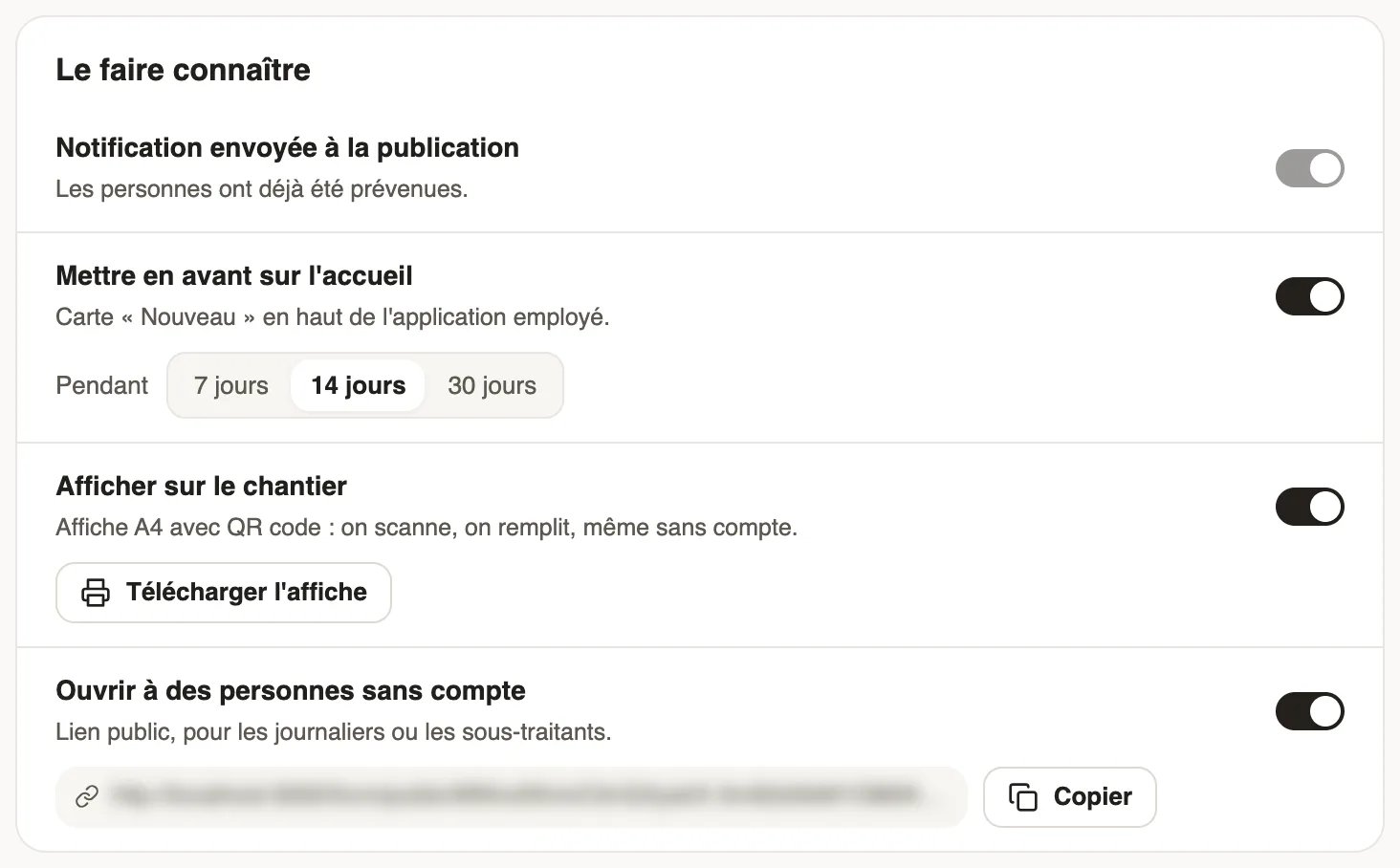
In Weplanify, open a form to people who have no account (day workers, subcontractors, clients) with a public link or a poster carrying a QR code.
In Weplanify, a public link opens the form in a browser, without signing in. The A4 poster carries this link as a QR code: scan, fill in, send.
Steps
- Open the form, Sharing step (or tab), Let people know block.
- Turn on Open to people without an account, then publish or click Save changes: the link appears, with Copy.
- For the poster, turn on Display on site, click Download the poster and print it.
- For a link that expires, open the … menu then Public links: New link, an Expiration date (empty for a link that never ends), then Create link.
Good to know
- In Public links, Deactivate cuts a link: it then shows "This link does not exist or has been deactivated". After its expiry date: "This link has expired".
- For a form about an employee or a site, both switches are greyed out: create the links in Public links, picking the subject.
- Answers arrive in the Responses tab, marked External respondent.
Go further
Link each response to an employee or a siteIn Weplanify, link each response of a form to an employee or a site: for an evaluation, an inspection or an incident report written on the ground.Follow, approve and export a form's responsesIn Weplanify, a form's Responses tab sorts answers by status, opens each one on the side so you can decide, and exports everything to Excel.Choose who can answer a form, and whenIn Weplanify, a form's Sharing step sets who can answer it (everyone, some sites, some groups or some people) and during which period of time.Publish a form and let employees knowIn Weplanify, publish a form and let people know: notification, New card on the home screen, poster; then close it or reopen it whenever needed.