
Make a checklist come back every day on a site
In Weplanify, the Frequency tab makes a report or a checklist come back on a site, every day or on some days, at the time and for the people you choose.
In Weplanify, a published report or checklist can come back on its own on a site: every day or on some days, at the chosen time, for the chosen people. Everything is set in the form's Frequency tab.
Steps
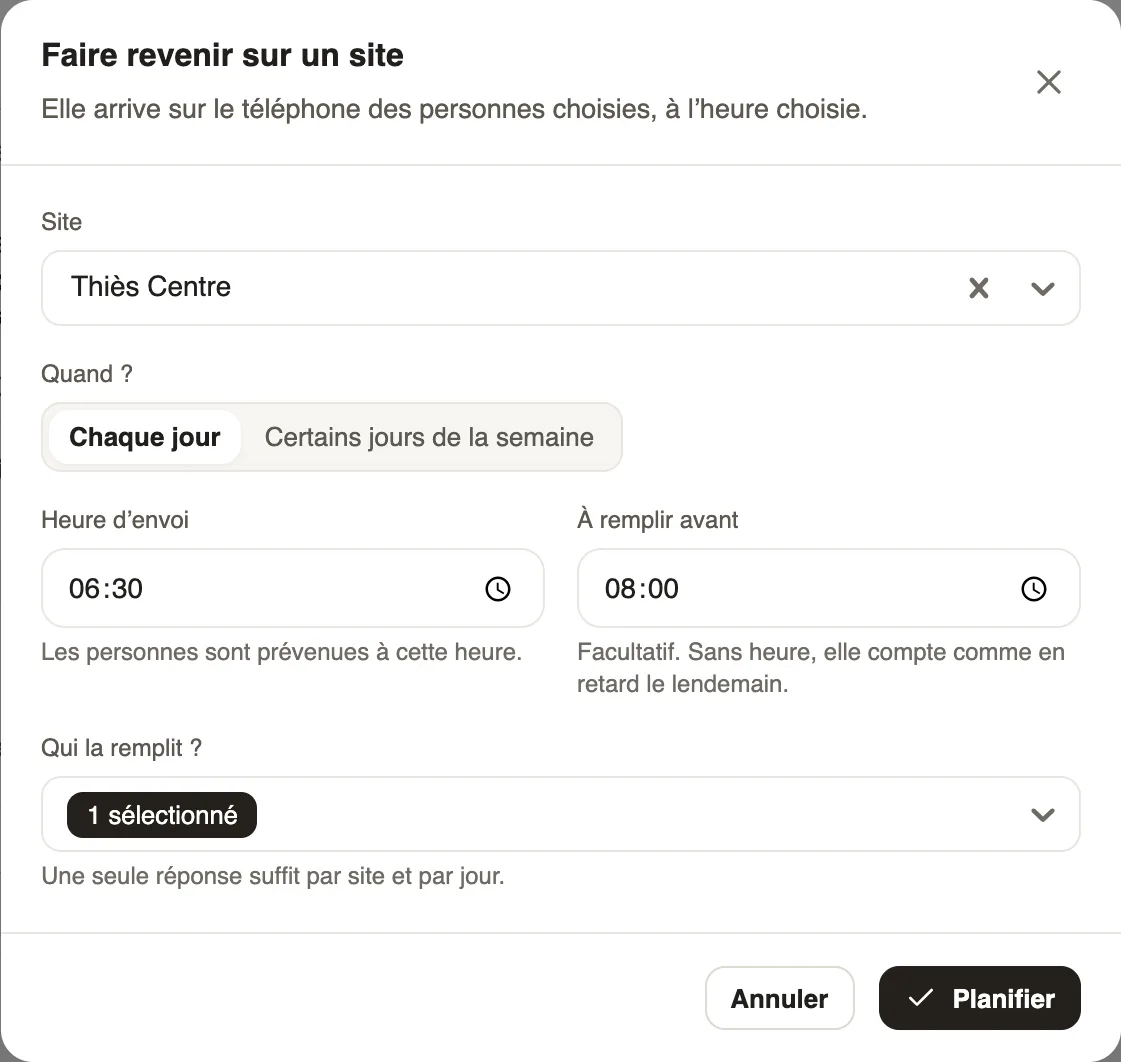
- Open the form from the Reports and checklists card of Requests → Forms, Frequency tab, then click Add a site.
- Choose the Site. Under When?, keep Every day or take Some days of the week and tick the days, Saturday and Sunday included if the site works at weekends.
- Give the time in Sent at: the people are notified at that time. Add the time limit in To fill in before if needed.
- Under Who fills it in?, add the site's employees, then click Plan.
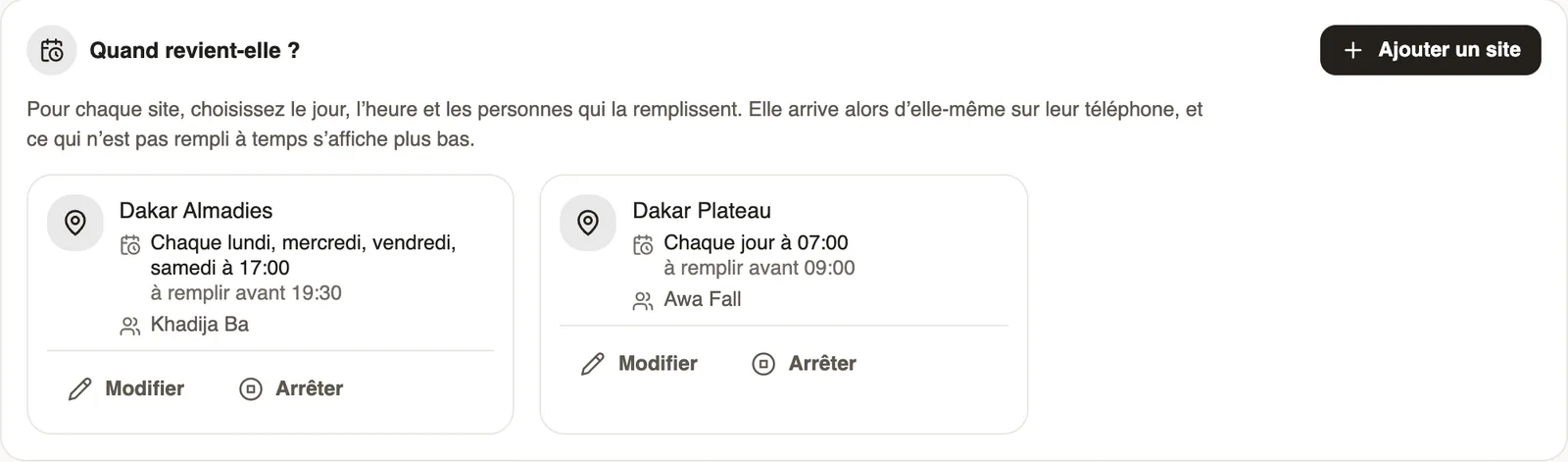
- The site shows as a card under When does it come back?. Edit changes its settings; Stop then Confirm stop ends it on that site.
Good to know
- One answer per site and per day is enough: the first answer of the day for that site counts, whoever fills it in.
- Without a time limit, a checklist not filled in counts as late the next day. The time limit must come after the time it is sent.
- The chosen people must also be able to answer the form: check the Sharing.
- A site manager sees the frequencies of their sites, without being able to change them.
- What is not filled in on time: not filled in on time.
Go further
Choose who can answer a form, and whenIn Weplanify, a form's Sharing step sets who can answer it (everyone, some sites, some groups or some people) and whether it stays open or runs over a period.See the checklists not filled in on timeIn Weplanify, the Frequency tab lists over 90 days the checklists not filled in or filled in late, site by site, with the person who was to fill them in.Field reports and checklistsIn Weplanify, reports and checklists bring news from the field: they come back every day on your sites, show what was missed and can open an incident.