
Grant an advance or a loan
In Weplanify, grant a salary advance or a loan repaid every month by a deduction on the payslip, and see its effect on the employee's pay right away.
In Weplanify, an advance or a loan creates a monthly deduction on the payslip, from the first to the last month of repayment.
Steps
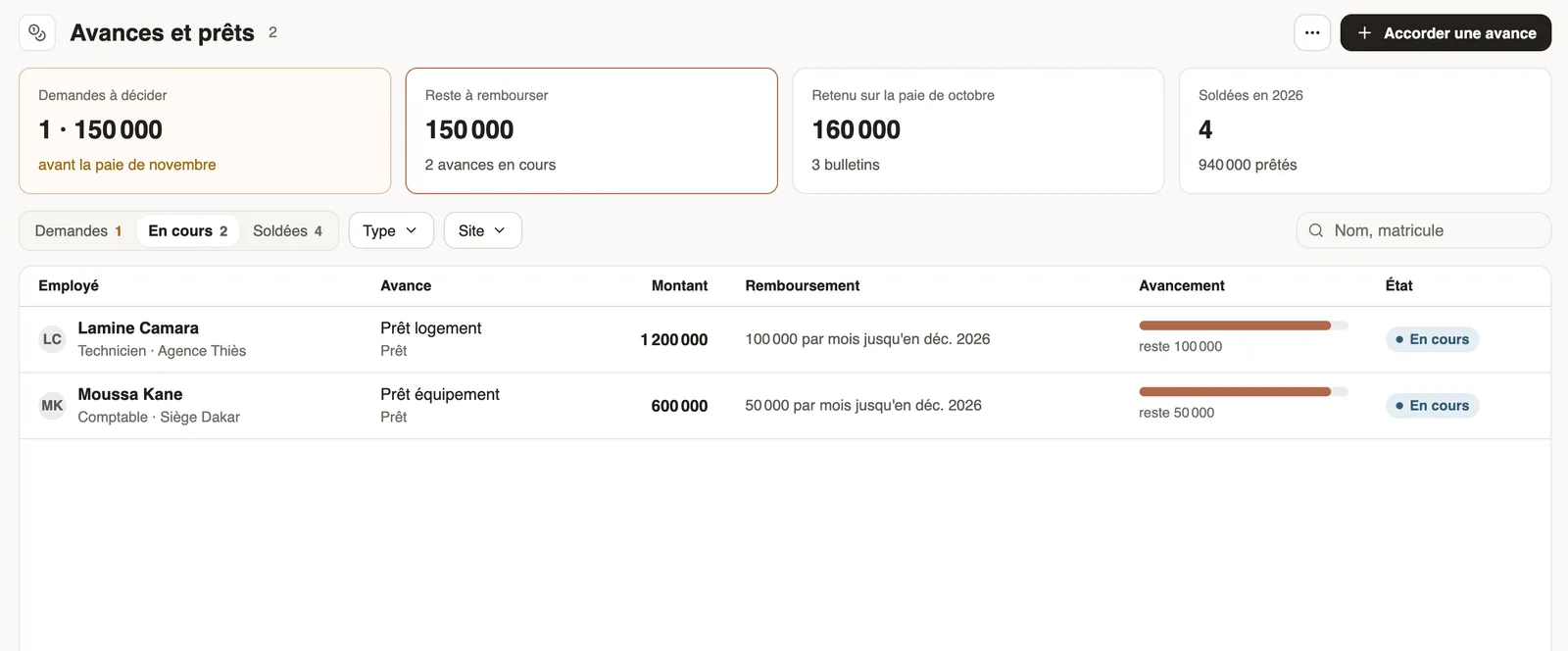
- Open Payroll and costs → Advances & loans and click Grant an advance.
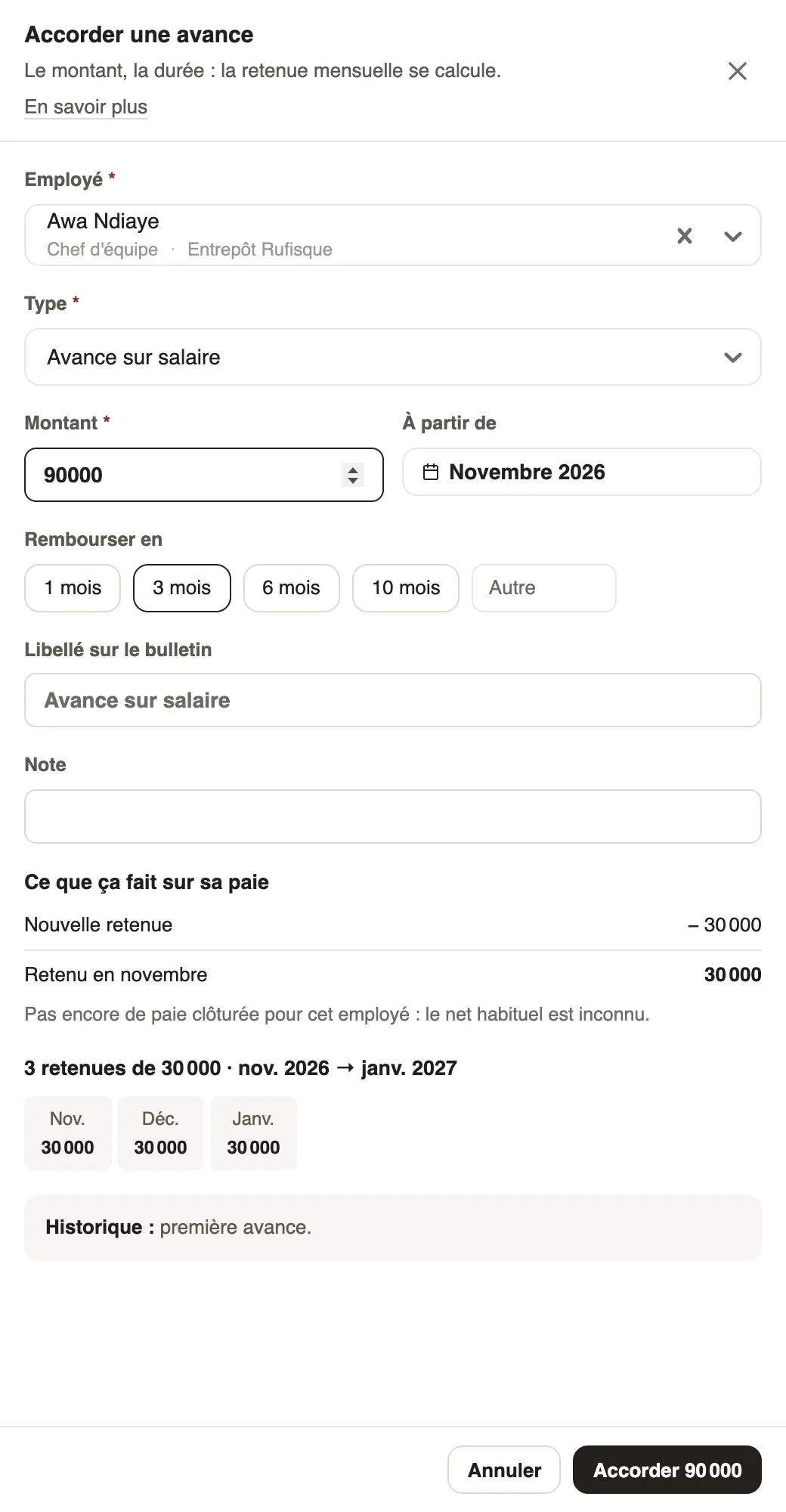
- Choose the Employee, the Type (salary advance, loan…) and the Amount.
- Choose the starting month and the length in Repay over (1, 3, 6, 10 months or other): the instalment and schedule show up, with the effect on pay.
- Adjust the Label on the payslip if needed, then click Grant.
Good to know
- An advance entered by HR needs no approval. Employees' requests arrive in the Requests tab and follow the approval circuit.
- At each closing, the instalment is confirmed; a repaid loan moves to the Repaid tab.
- Types (name on the payslip, accounting account) are set in Settings → Advance types.
- The month's instalments show in the variable elements.
Go further
Decide on pending expense claims and advancesIn Weplanify, decide on expense claims and advance requests from To handle: see their effect on pay, then grant them, refuse them or have them corrected.Close the month, pay salaries and declareIn Weplanify, closing locks the payroll month, publishes payslips to employees and prepares the next month; the step then helps you pay and declare.Check the month's variable elementsIn Weplanify, the Variable elements step sums up the bonuses, benefits in kind, advance deductions and expense claims that will be on the month's payslips.Make a request or fill in a form on mobileIn Weplanify, employees make their requests from the app: an expense, an advance, a schedule change, a report or any other form, then follow them.Payroll in WeplanifyIn Weplanify, the monthly payroll is prepared in five steps, from time, absences and variable elements up to the payslips, the payment and the closing.Set up payroll accounting accountsIn Weplanify, choose the accounting account of each payroll line to produce a balanced payroll entry, ready to import into your accounting software.Submit an advance request for another employeeIn Weplanify, let a manager or a timekeeper submit an advance or loan request on an employee's behalf; the request then follows the usual circuit.