
Set up payroll accounting accounts
In Weplanify, choose the accounting account of each payroll line to produce a balanced payroll entry, ready to import into your accounting software.
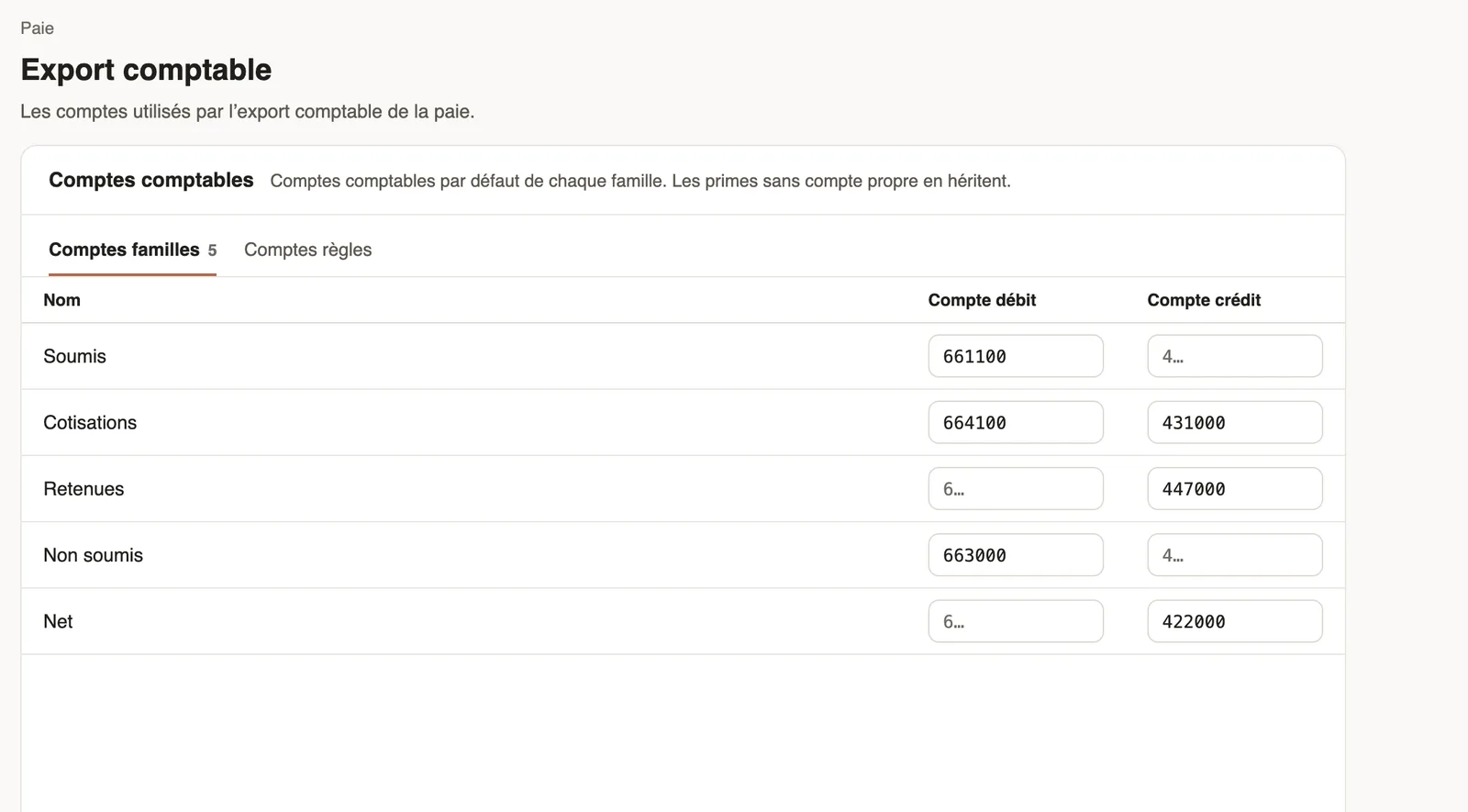
In Weplanify, each payslip line is filed in an accounting account. Weplanify looks for that account in this order: the line's rule, then the advance or expense type that created it, then the default account of its family.
Steps
- Open Settings → Payroll → Accounting export.
- In Family accounts, give each family (Subject, Contributions, Deductions, Not subject, Net) a default debit and credit account, then save.
- In Rule accounts, set an account for the items that must leave their family (for example bonuses on a bonus account).
- For advances and loans, enter the account of each type in Settings → Advance types; for expense claims, the expense account of each expense type.
Good to know
- Your accounts belong to your company; use your own chart of accounts (for example SYSCOHADA in the OHADA area).
- Only the items of your branches' countries are listed; calculation lines are never posted.
- Check the result with a month's accounting entry: it flags amounts left without an account.
Go further
Grant an advance or a loanIn Weplanify, grant a salary advance or a loan repaid every month by a deduction on the payslip, and see its effect on the employee's pay right away.Repay an expense claim on the payslipIn Weplanify, repay an employee, through their payslip, the money they advanced for the company: meals, taxi rides, fuel or a business trip.Create an expense typeIn Weplanify, an expense type (fuel, meals, road tolls) decides who pays, how the amount is computed, what must be attached and who approves it.Export the payroll accounting entryIn Weplanify, download a month's payroll accounting entry in Excel or CSV, balanced, with an account per employee and the analytical section per site.Payroll settingsIn Weplanify, the Payroll group of settings gathers payroll setup, paid leave handling, contributions, pay elements and the accounting export.Set up the company's payrollIn Weplanify, payroll settings are in Settings → Payroll: installation, leave, contributions, control bounds and the accounts used by the accounting export.