
The Evaluations tab of the employee record
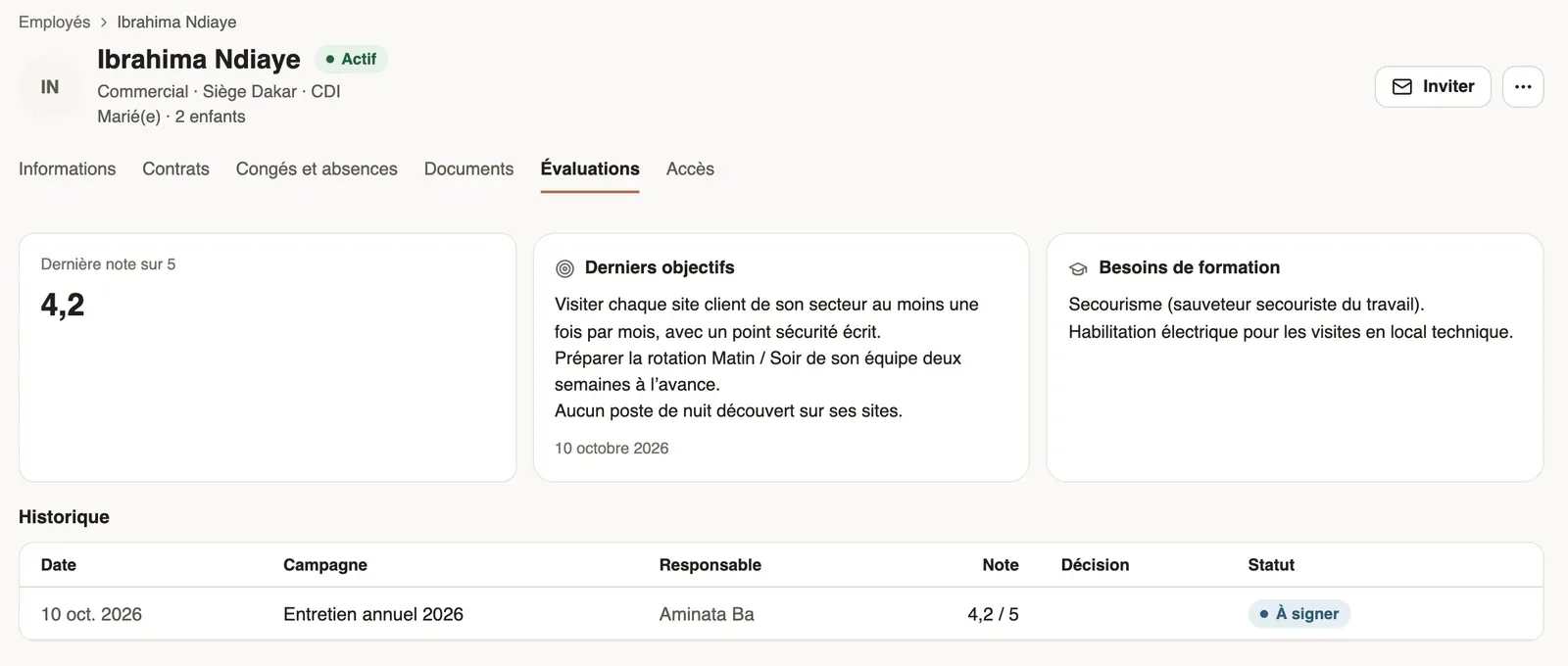
In Weplanify, the Evaluations tab of the record gathers an employee’s current trial period, last rating, latest objectives and evaluation history.
In Weplanify, an employee's record has an Evaluations tab, seen by administrators. It gathers what the campaigns have recorded about them.
Steps
- Open the employee's record, Evaluations tab.
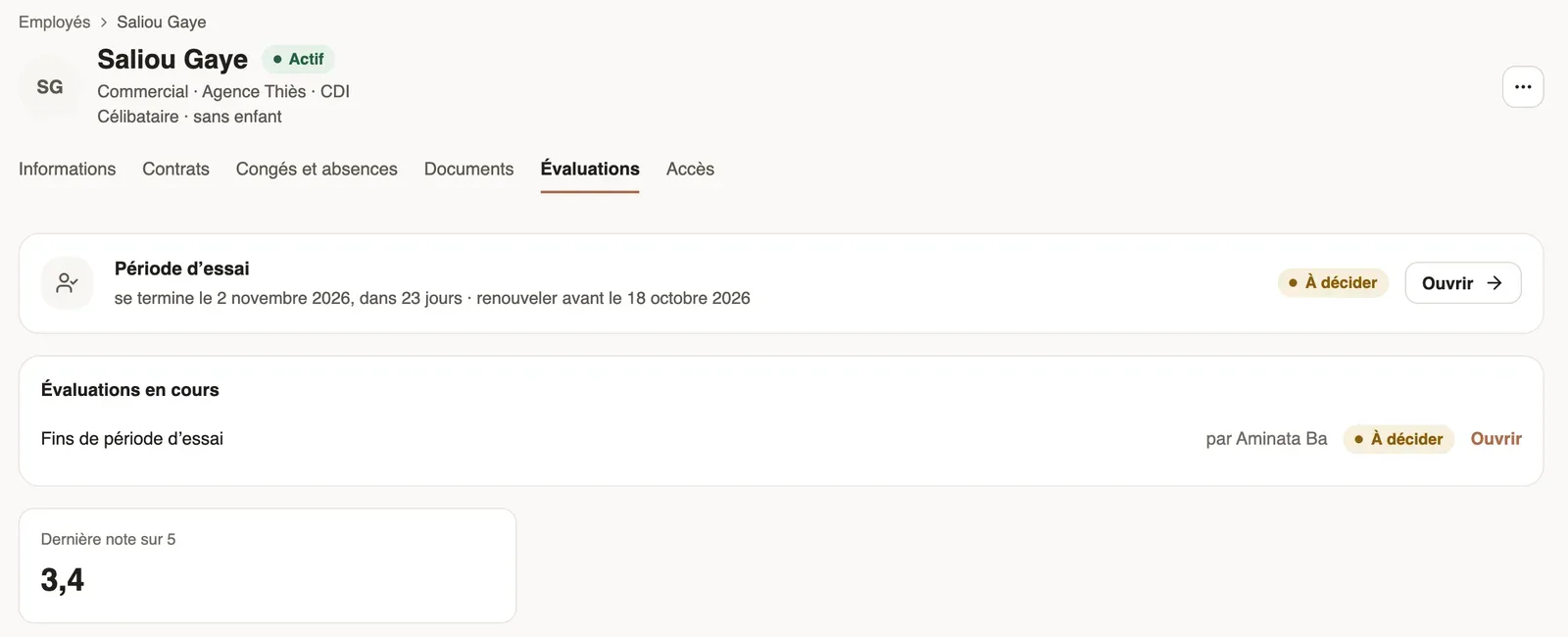
- If their trial is running, the Trial period banner gives the end, the renewal limit and the state of the evaluation; Open leads to it.
- Read the Last rating out of 5, the Last objectives and the Training needs.
- Under History, click a row to open the evaluation.
Good to know
- Evaluations in progress lists those still waiting for the manager or HR.
- Objectives and training needs come from the locked questions of the questionnaire.
- For the rest of the record: the employee record.
Go further
Adapt the questionnaire of a campaignIn Weplanify, each campaign starts from a ready-made questionnaire: add, edit or reorder its questions until the first evaluation is filled in.The employee recordIn Weplanify, the employee record brings together everything about a person in its tabs, with sections that you edit one at a time, separately.Follow trial ends and annual reviewsIn Weplanify, the Evaluations module follows the ends of trial periods and runs annual reviews, from the manager who evaluates to the employee.